
Assistant & knowledge · What the assistant learned from each file
How do I know what the assistant understood from my file?
Open any file and see every piece of information the assistant understood from it, chunk by chunk — and correct it before your customers notice.
Who this is for: Owner & manager · Team members
Where: Sidebar → Train your assistant → Knowledge base → click the file name
Steps
- Open «Knowledge base» and click the file name (or the «Preview what the assistant learned» icon).
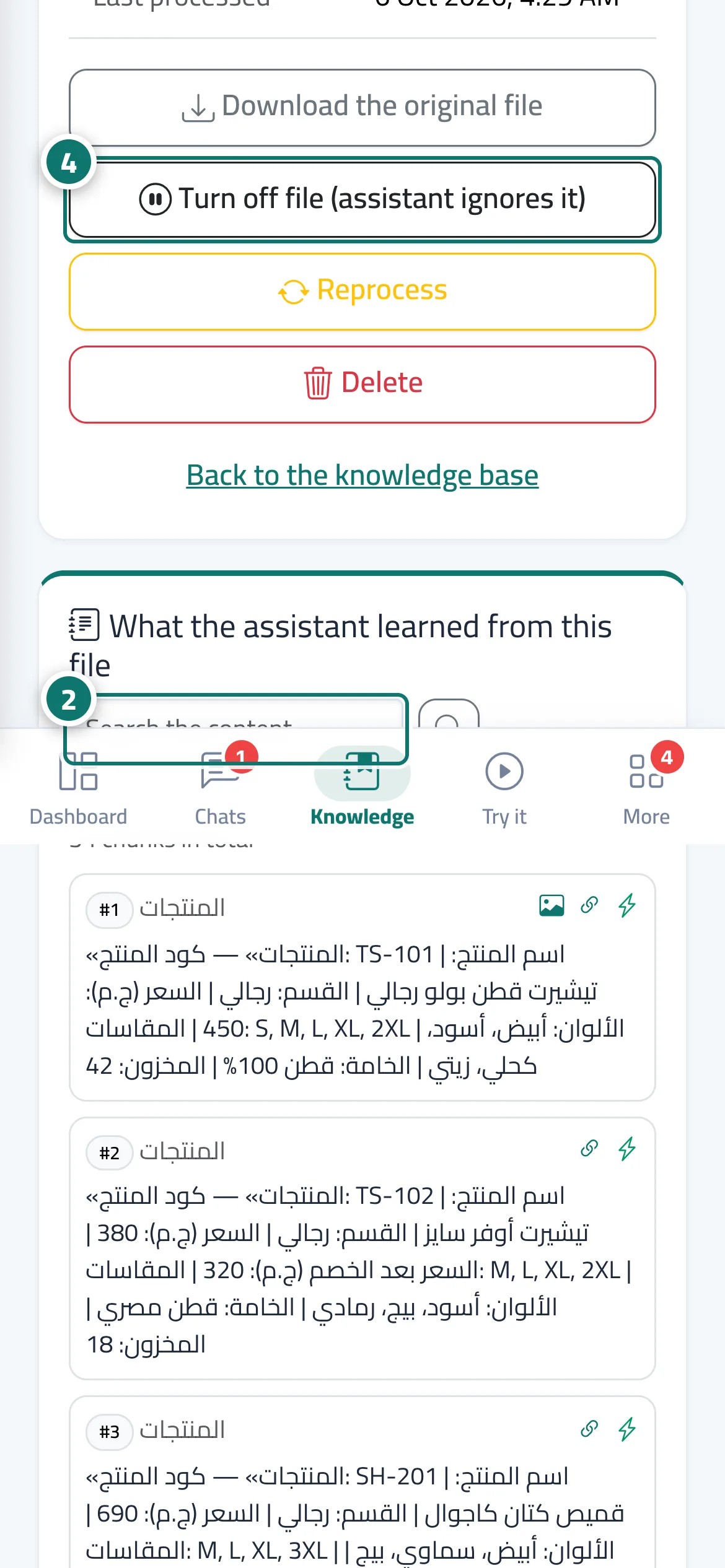
- Review the chunks, and use «Search the content…» to jump to a specific piece of information. Number 2 on the picture
- If something is missing or unclear, correct the original file and upload it again.
- To pause the file, click «Turn off file (assistant ignores it)»; bring it back later with «Turn on file». Number 4 on the picture
Steps
- Open «Knowledge base» and click the file name (or the «Preview what the assistant learned» icon).
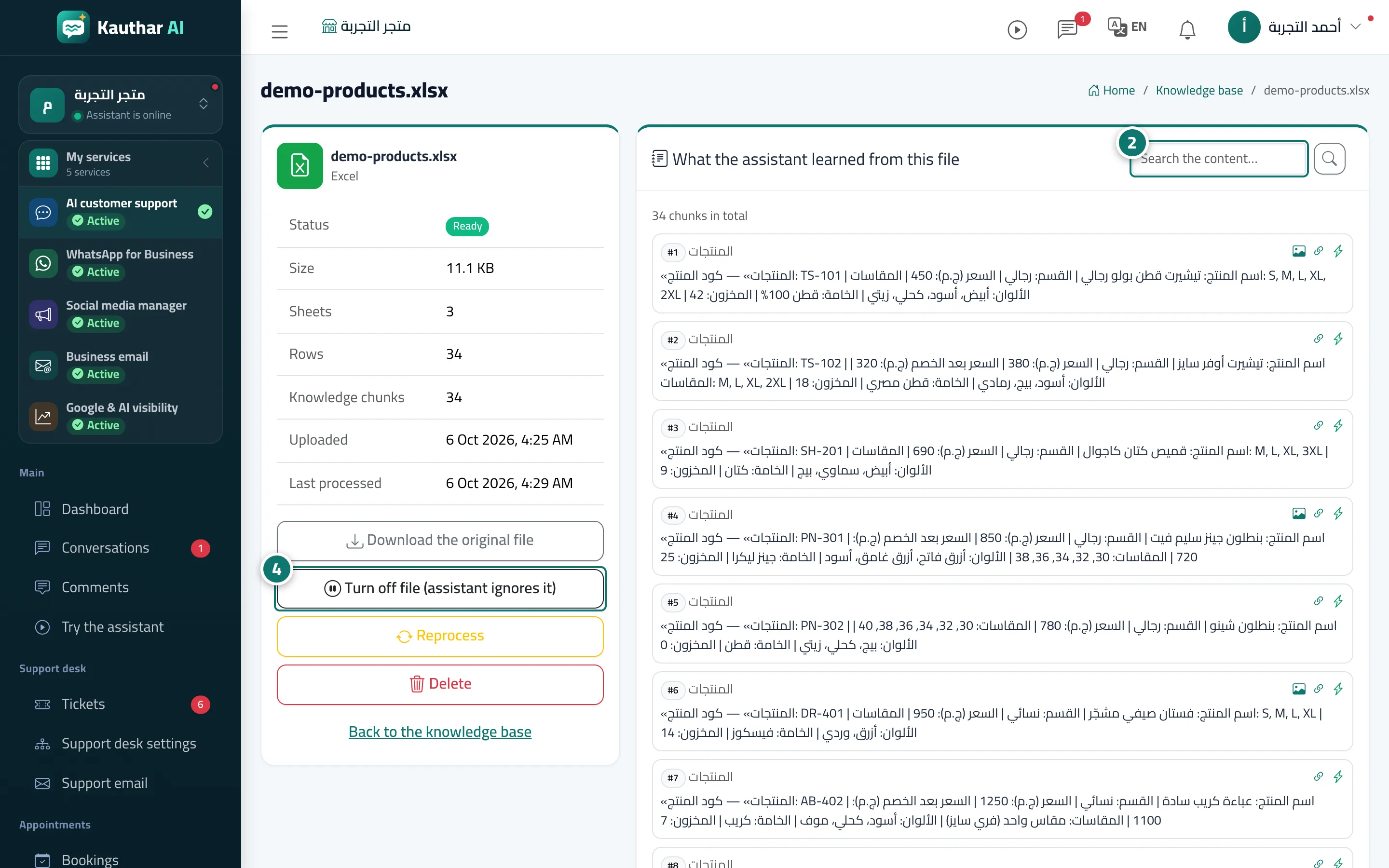
- Review the chunks, and use «Search the content…» to jump to a specific piece of information. Number 2 on the picture
- If something is missing or unclear, correct the original file and upload it again.
- To pause the file, click «Turn off file (assistant ignores it)»; bring it back later with «Turn on file». Number 4 on the picture