
Billing & plans · Billing & subscriptions: all your subscriptions and invoices
Where do I find all my Kauthar invoices in one place?
One page with the subscription status of every service and all your payments with receipts, ready to print or export to Excel.
Who this is for: Owner & manager
Where: Top bar → user menu → “Billing & subscriptions”, or “My services” → “Billing” link
Steps
- Open the user menu in the top bar and click “Billing & subscriptions”.
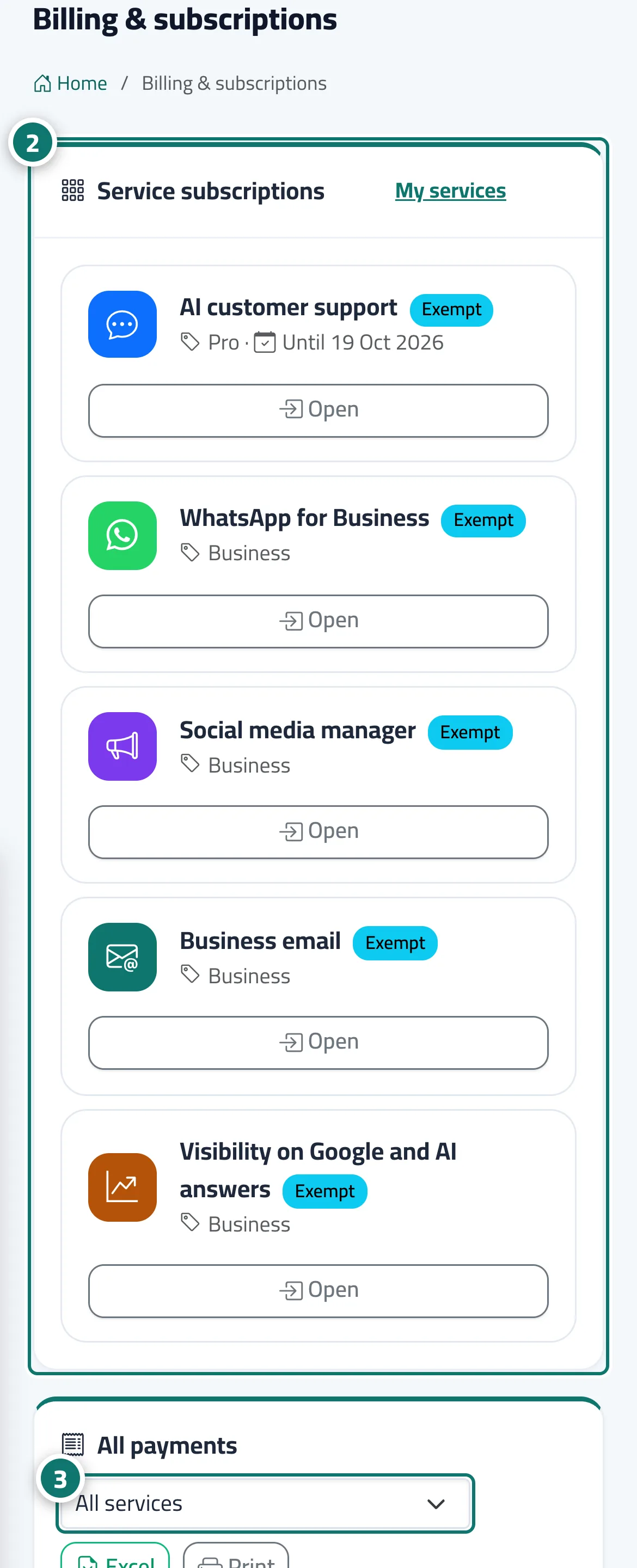
- In “Services”, check each service's status and end date, and click “Renew” or “Manage” when needed. Number 2 on the picture
- In “Payments”, choose the service in the filter, then click “Receipt” next to a payment to print it. Number 3 on the picture
- To print the whole history click “Print”, or “Excel” to download it.
Steps
- Open the user menu in the top bar and click “Billing & subscriptions”.
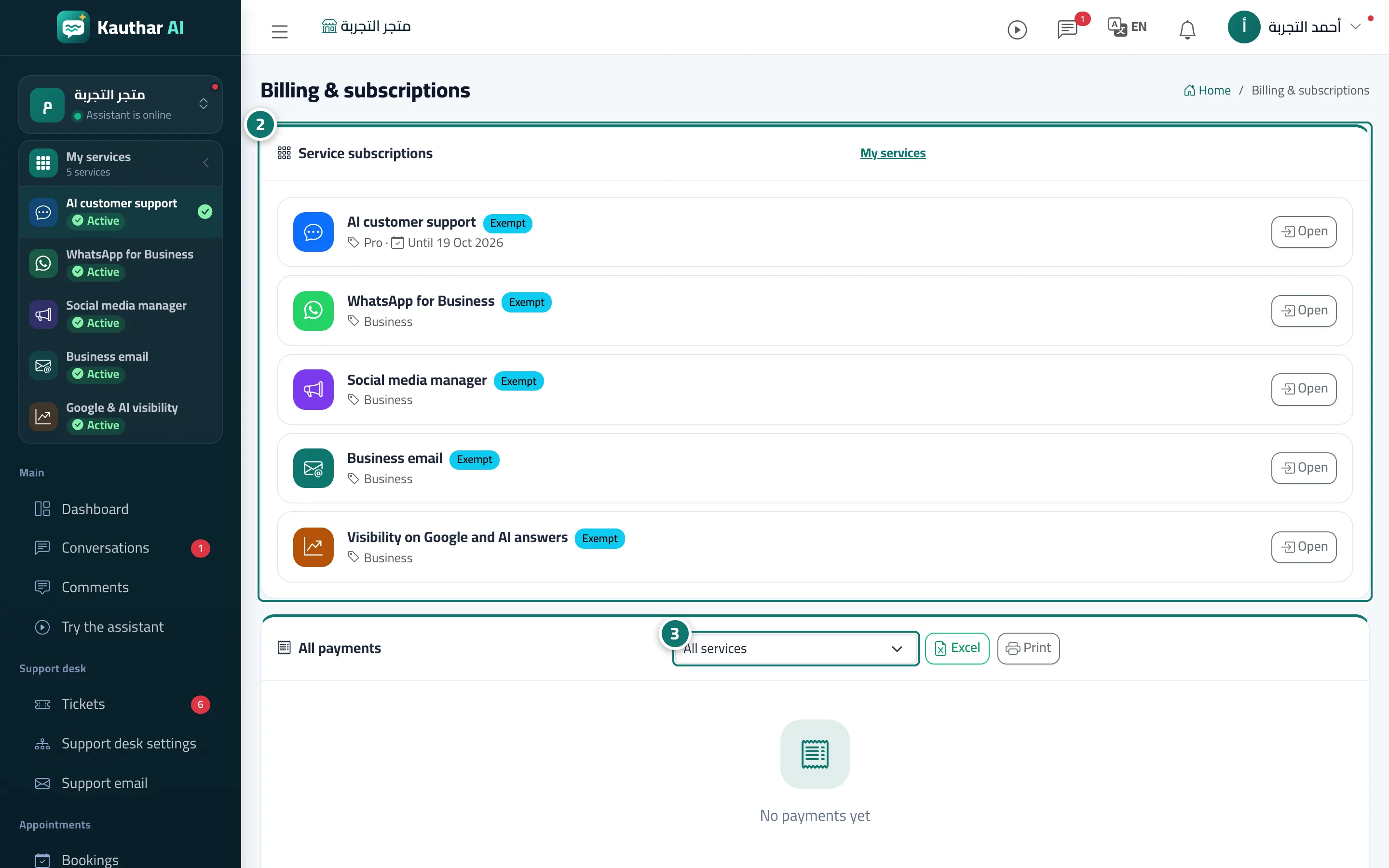
- In “Services”, check each service's status and end date, and click “Renew” or “Manage” when needed. Number 2 on the picture
- In “Payments”, choose the service in the filter, then click “Receipt” next to a payment to print it. Number 3 on the picture
- To print the whole history click “Print”, or “Excel” to download it.