
Billing & plans · Payment receipts
Where do I get a payment receipt for my accounts department?
A complete history of your subscription payments, with a printable receipt for every payment (showing the equivalent in your currency where relevant) and an Excel export of the history.
Who this is for: Owner & manager
Where: Sidebar → Account → Settings & subscription → «Subscription» tab → «Plans & subscription» → «Payment history» section
Steps
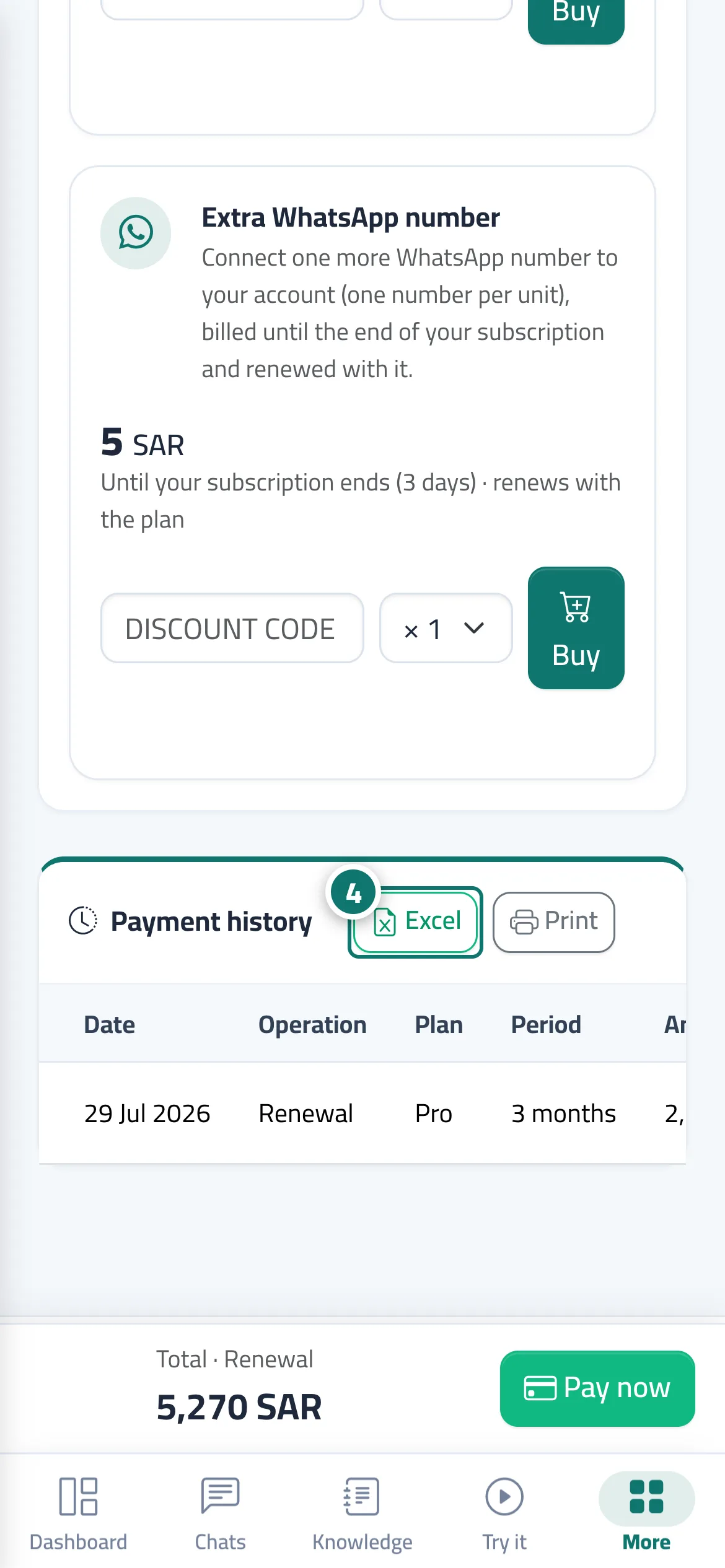
- Open the «Subscription» page and scroll down to the «Payment history» section.
- Press «Receipt» next to any payment with the «Paid» status to open the receipt in a new window.
- On the receipt page, press «Print» to print it or save it as a PDF, or «Back to subscription».
- To print the whole history, press «Print» at the top of the section, or «Excel» to download the «subscription-payments» file. Number 4 on the picture
Steps
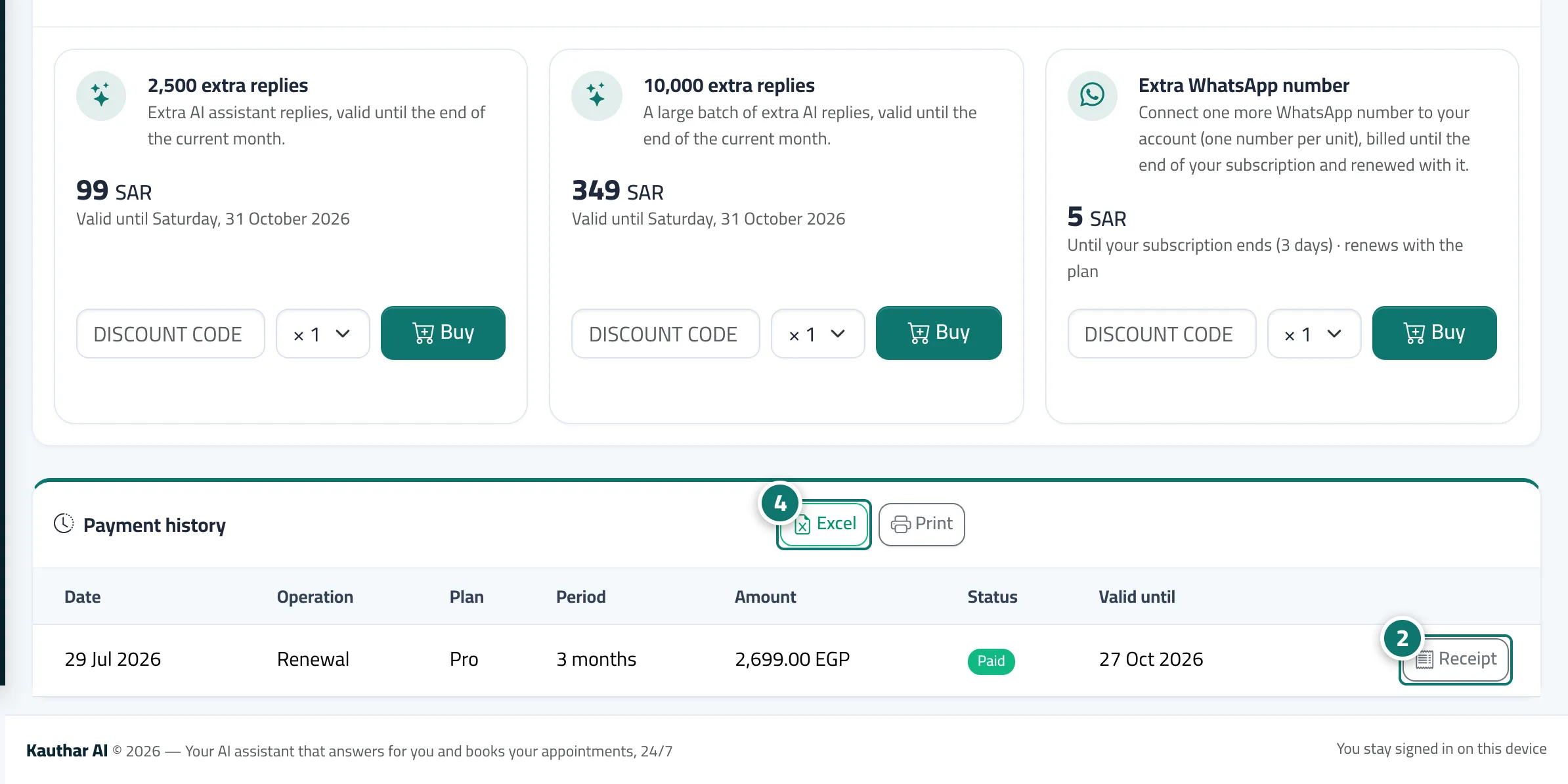
- Open the «Subscription» page and scroll down to the «Payment history» section.
- Press «Receipt» next to any payment with the «Paid» status to open the receipt in a new window. Number 2 on the picture
- On the receipt page, press «Print» to print it or save it as a PDF, or «Back to subscription».
- To print the whole history, press «Print» at the top of the section, or «Excel» to download the «subscription-payments» file. Number 4 on the picture