
Billing & plans · Renewal reminders and the direct pay link
How do I know a service subscription is about to end?
Before the trial or subscription of any service ends, Kauthar reminds you in the dashboard, by email and on WhatsApp from its official number — with a direct pay link that renews without signing in.
Who this is for: Owner & manager
Where: Sent automatically · To stop WhatsApp: your name menu → «Notifications & my devices» → «Renewal reminders on WhatsApp»
Steps
- When a service is close to ending, the reminder arrives in the notification bell, in your email and on WhatsApp from Kauthar's official number.
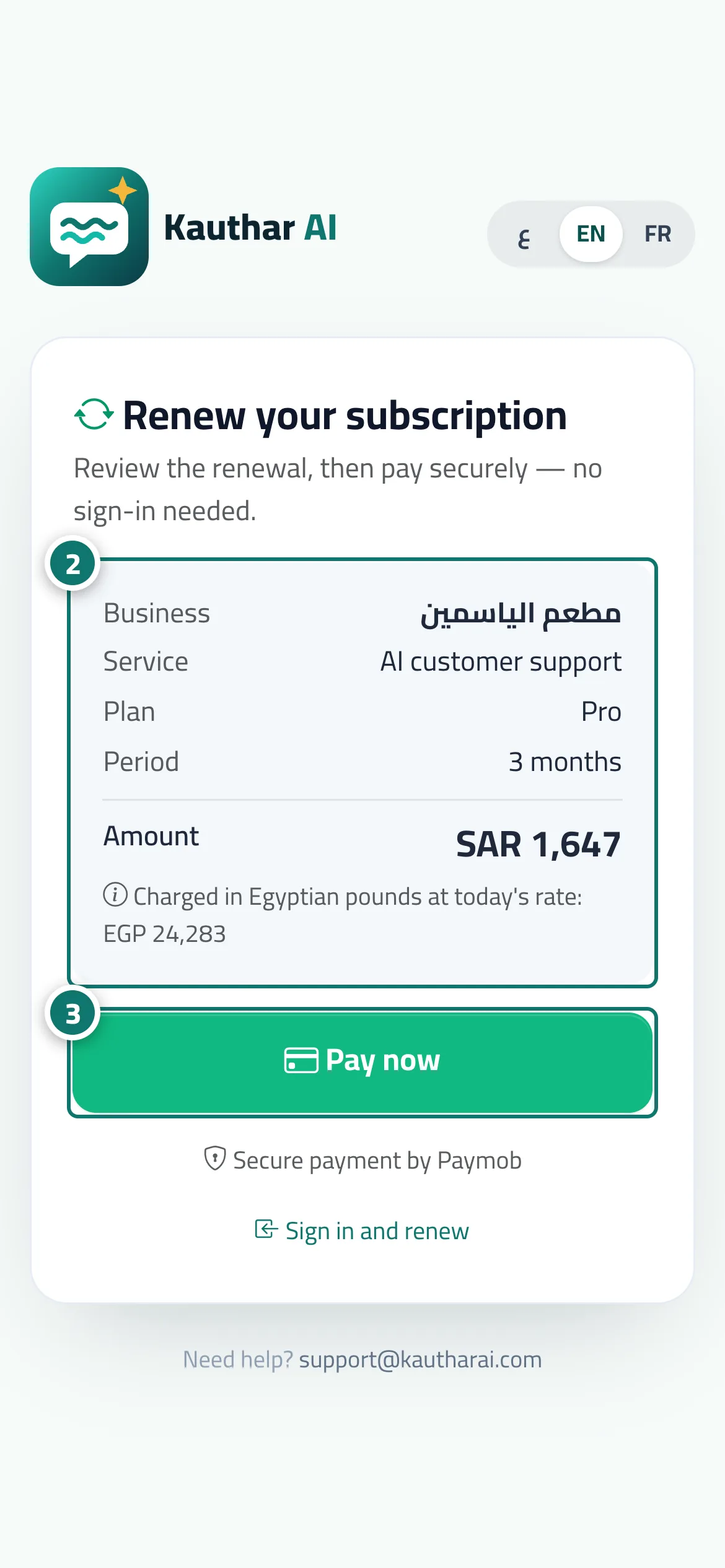
- Tap «Pay now» in the WhatsApp message or the email; the «Renew your subscription» page opens without signing in and shows the business, service, plan, period and amount. Number 2 on the picture
- Check the details and tap «Pay now» to go to the secure payment gateway; the subscription renews as soon as the payment is confirmed. Number 3 on the picture
- To stop WhatsApp reminders, tap «Stop reminders» in the message itself, or turn off «Send me renewal reminders on WhatsApp» in «Notifications & my devices» and press «Save».
Steps
- When a service is close to ending, the reminder arrives in the notification bell, in your email and on WhatsApp from Kauthar's official number.
- Tap «Pay now» in the WhatsApp message or the email; the «Renew your subscription» page opens without signing in and shows the business, service, plan, period and amount.
- Check the details and tap «Pay now» to go to the secure payment gateway; the subscription renews as soon as the payment is confirmed.
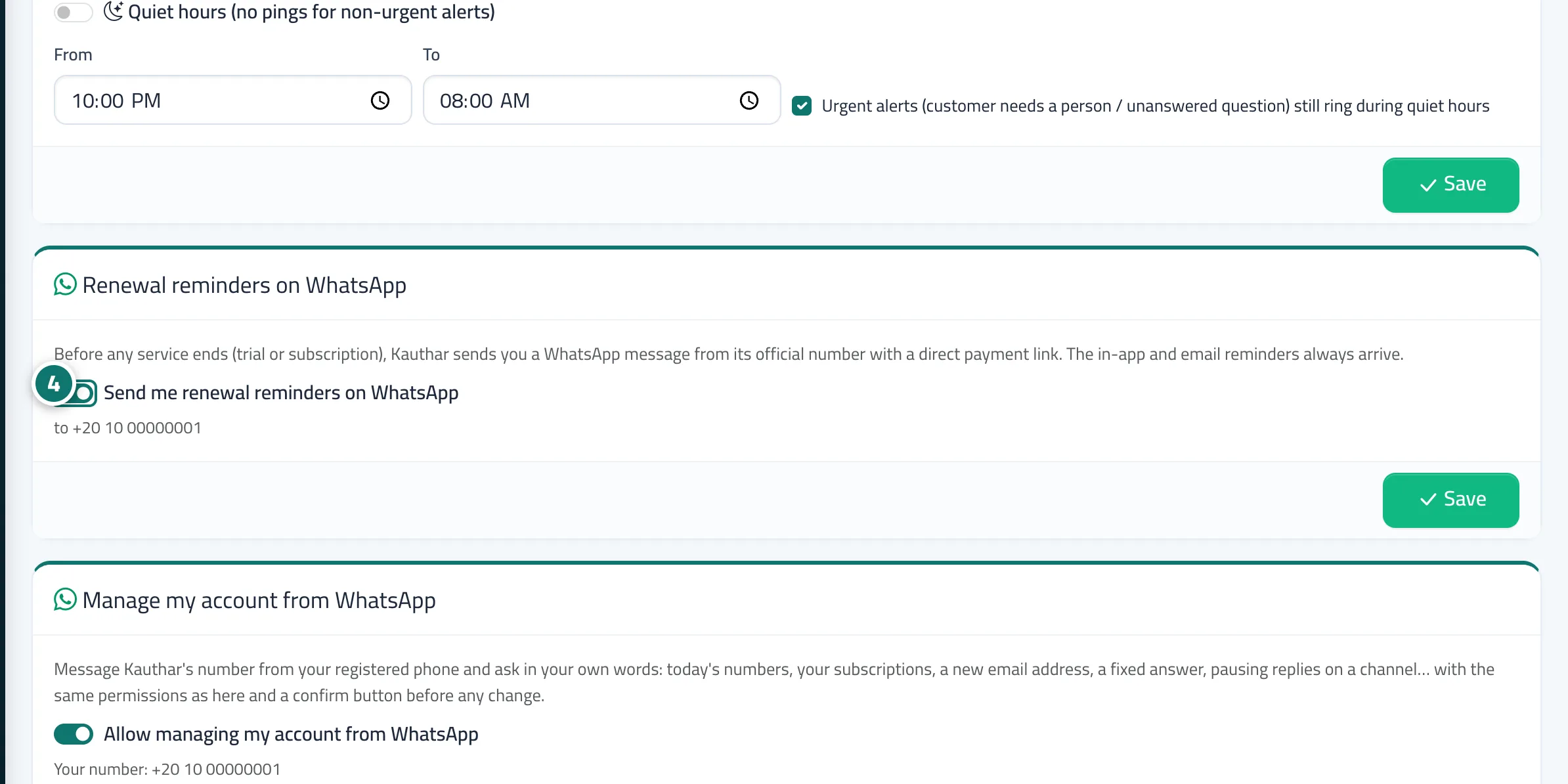
- To stop WhatsApp reminders, tap «Stop reminders» in the message itself, or turn off «Send me renewal reminders on WhatsApp» in «Notifications & my devices» and press «Save». Number 4 on the picture