
Bookings · Booking confirmation and adding it to the calendar
What does the customer see after confirming a booking?
After booking, the customer gets the booking number and time, and adds it to their phone calendar or sends it to themselves on WhatsApp.
Who this is for: Your customers
Where: Shown after booking from the booking page (a link ending in /b/<link-name>/<private-code>/done)
Steps
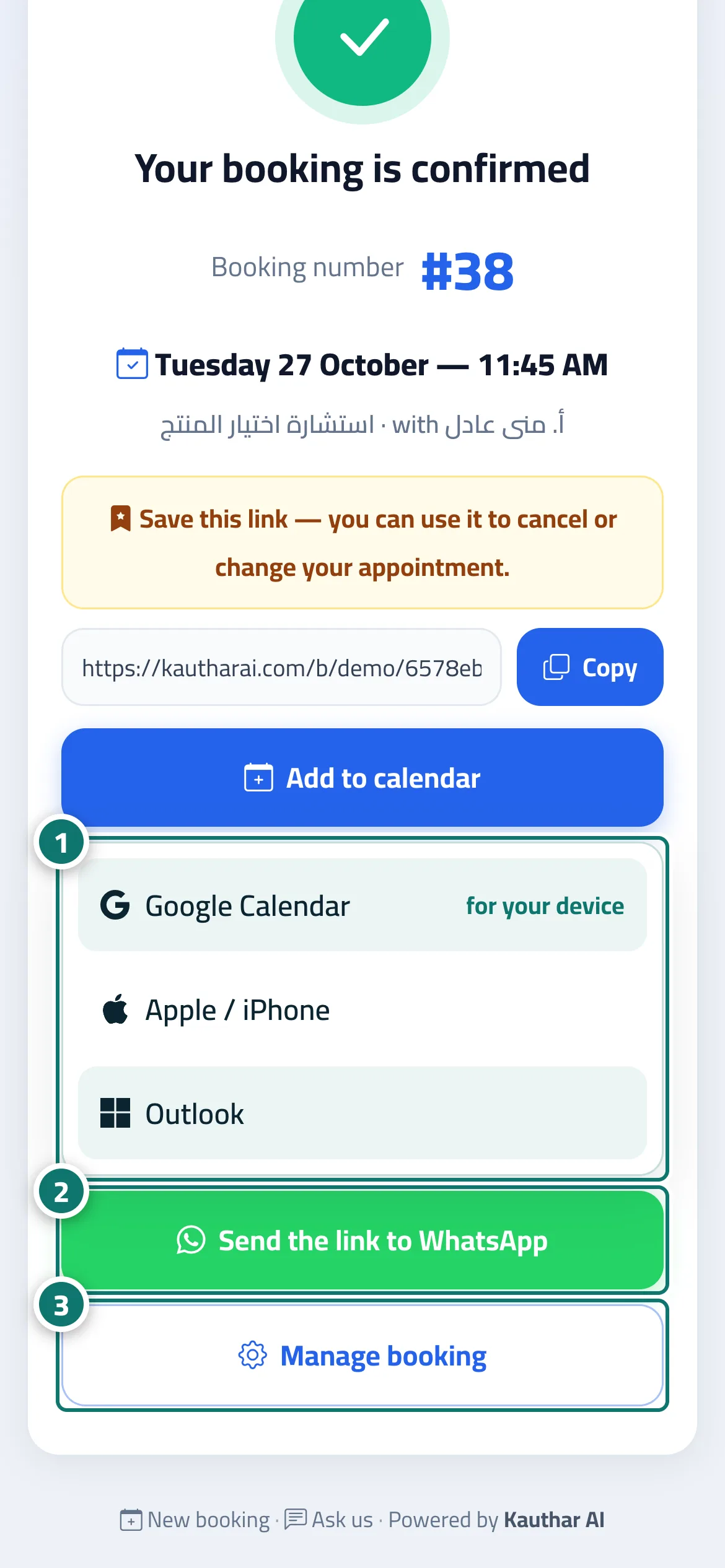
- The customer taps “Add to calendar” and chooses their calendar (Google, Apple / iPhone or Outlook) to be reminded of the appointment. Number 1 on the picture
- Or “Send the link to WhatsApp” to keep the details. Number 2 on the picture
- Or “Manage booking” to change or cancel the appointment later. Number 3 on the picture
Steps
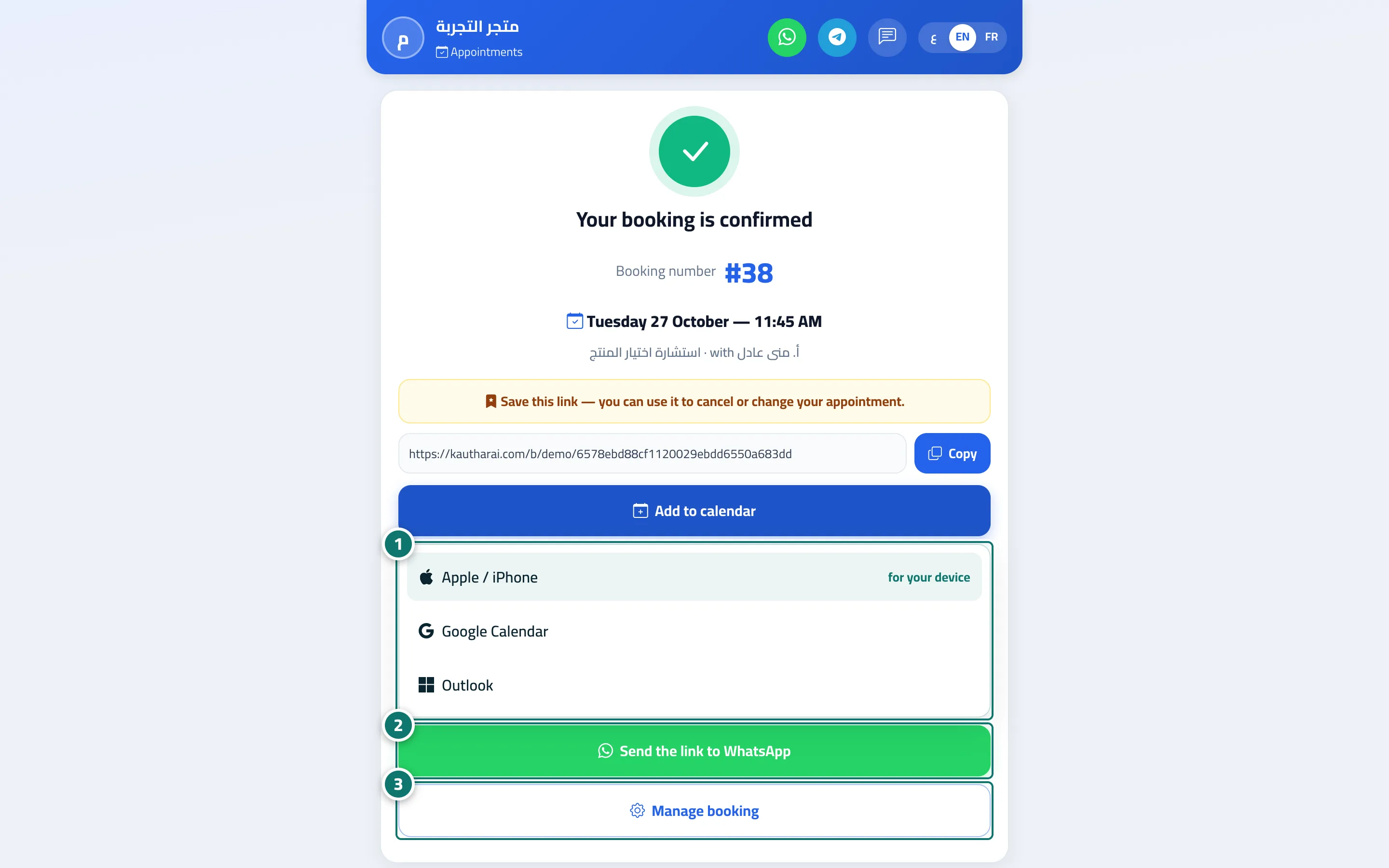
- The customer taps “Add to calendar” and chooses their calendar (Google, Apple / iPhone or Outlook) to be reminded of the appointment. Number 1 on the picture
- Or “Send the link to WhatsApp” to keep the details. Number 2 on the picture
- Or “Manage booking” to change or cancel the appointment later. Number 3 on the picture