
Conversations & helpdesk · Printing a ticket and exporting tickets
How do I print a ticket with all its messages?
Print any ticket on an A4 page with all its messages, or export the ticket list to Excel with the same filters.
Who this is for: Owner & manager · Team members
Where: Sidebar → Support desk → Tickets → (the ticket) → Print
Steps
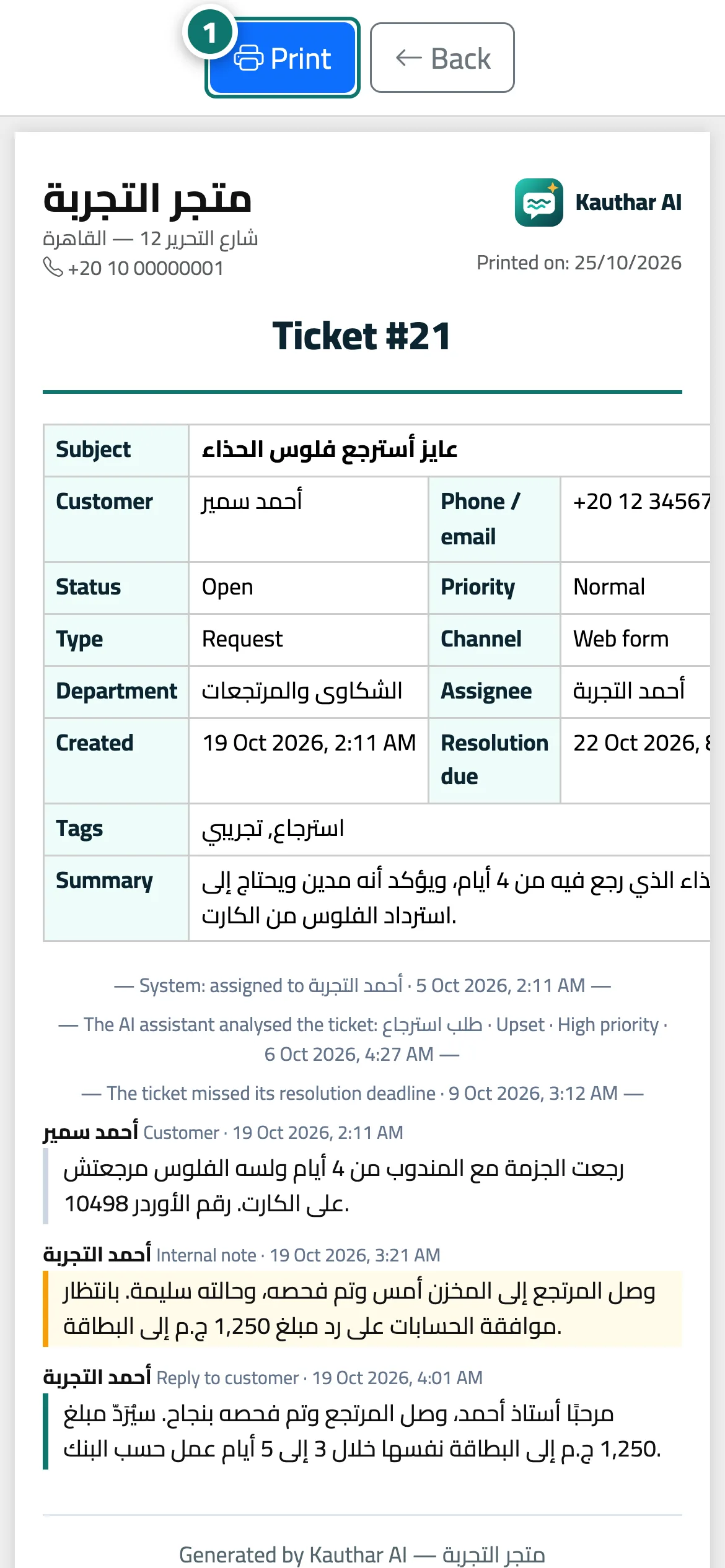
- Open the ticket and press «Print»; the print page opens in a new window together with the print dialog. Number 1 on the picture
- To print or export a whole list: filter the tickets first, then press «Excel» or «Print» above the list.
Steps
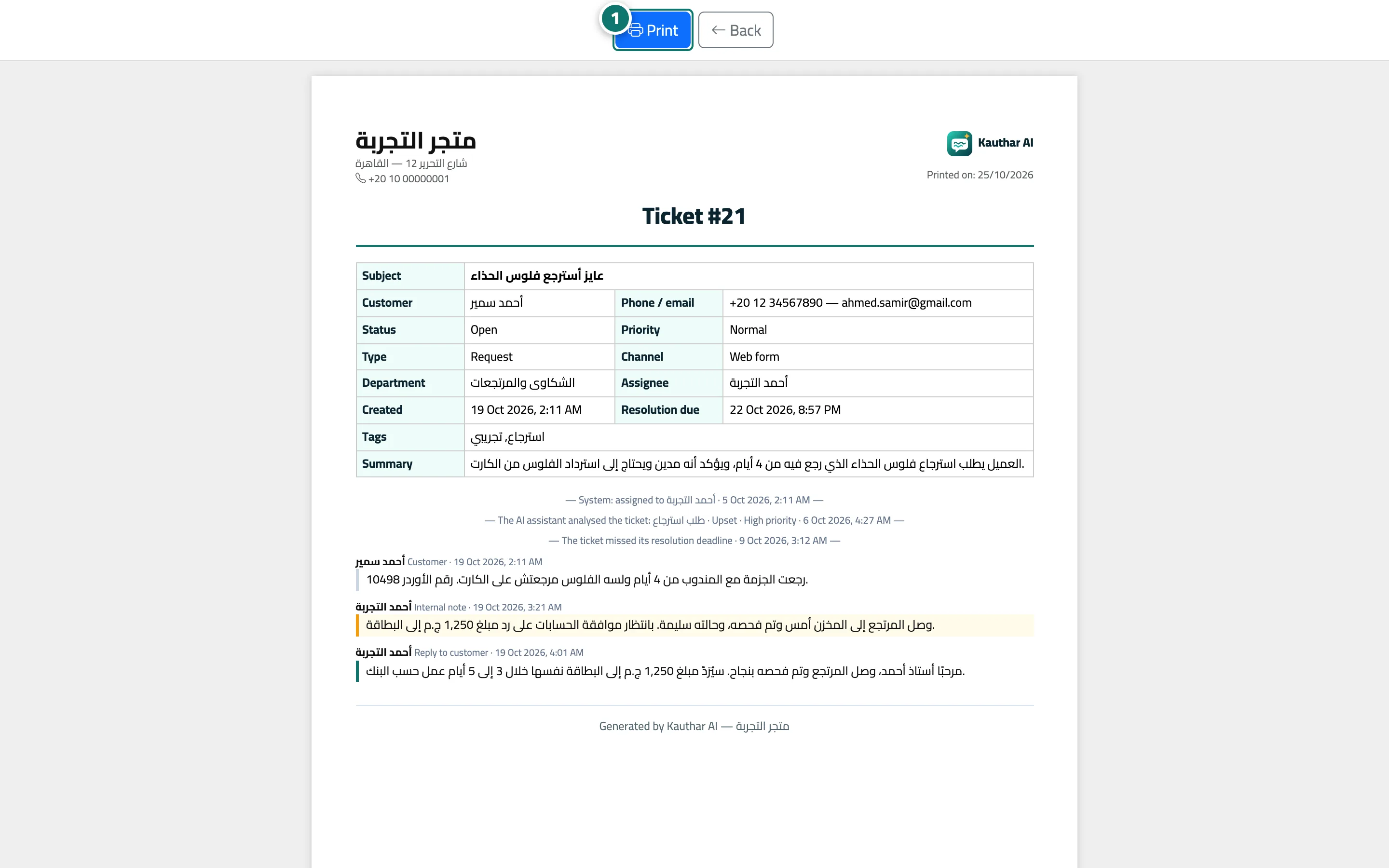
- Open the ticket and press «Print»; the print page opens in a new window together with the print dialog. Number 1 on the picture
- To print or export a whole list: filter the tickets first, then press «Excel» or «Print» above the list.