
Conversations et support · Printing a ticket and exporting tickets
How do I print a ticket with all its messages?
Print any ticket on an A4 page with all its messages, or export the ticket list to Excel with the same filters.
Pour qui : Propriétaire et responsable · Membres de l'équipe
Où : Sidebar → Support desk → Tickets → (the ticket) → Print
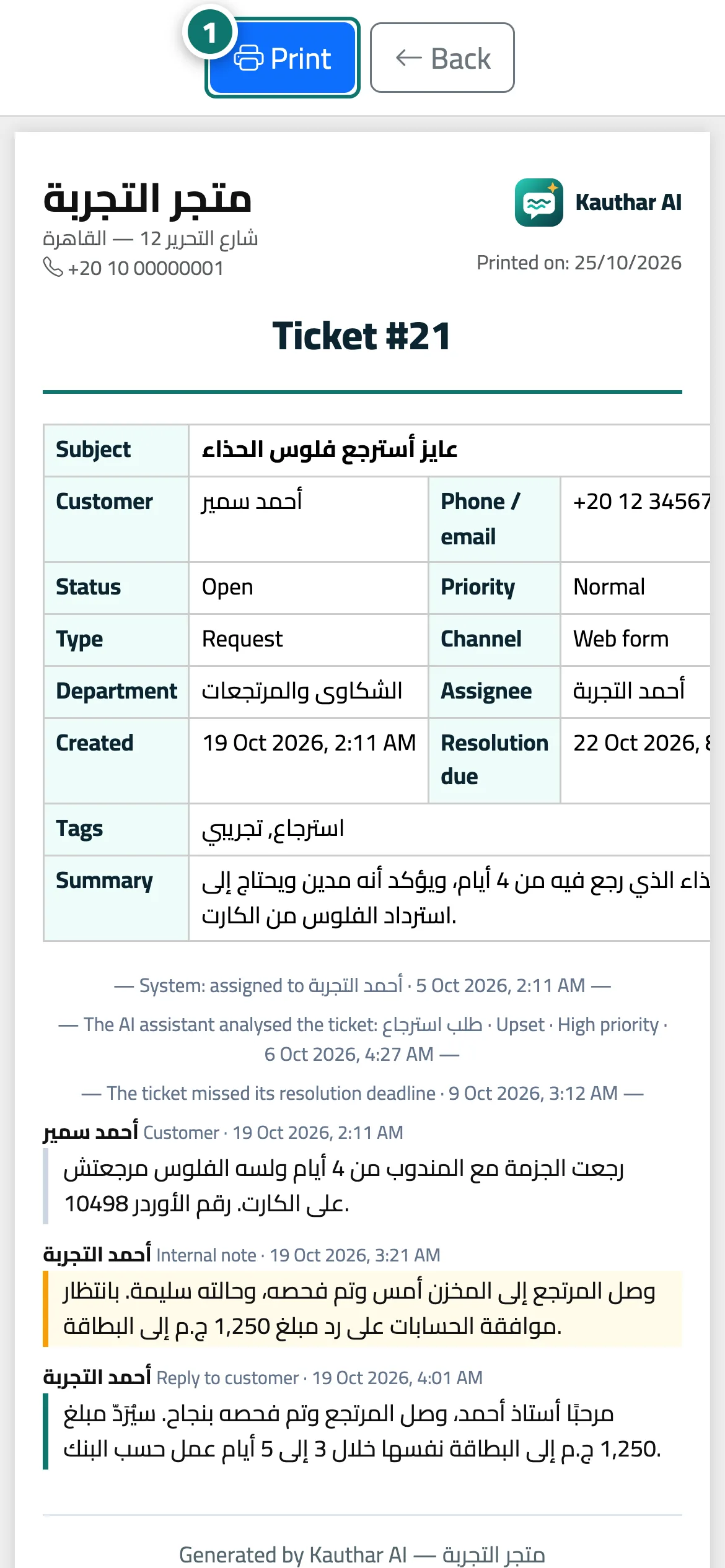
Étapes
- Open the ticket and press «Print»; the print page opens in a new window together with the print dialog. Numéro 1 sur l’image
- To print or export a whole list: filter the tickets first, then press «Excel» or «Print» above the list.
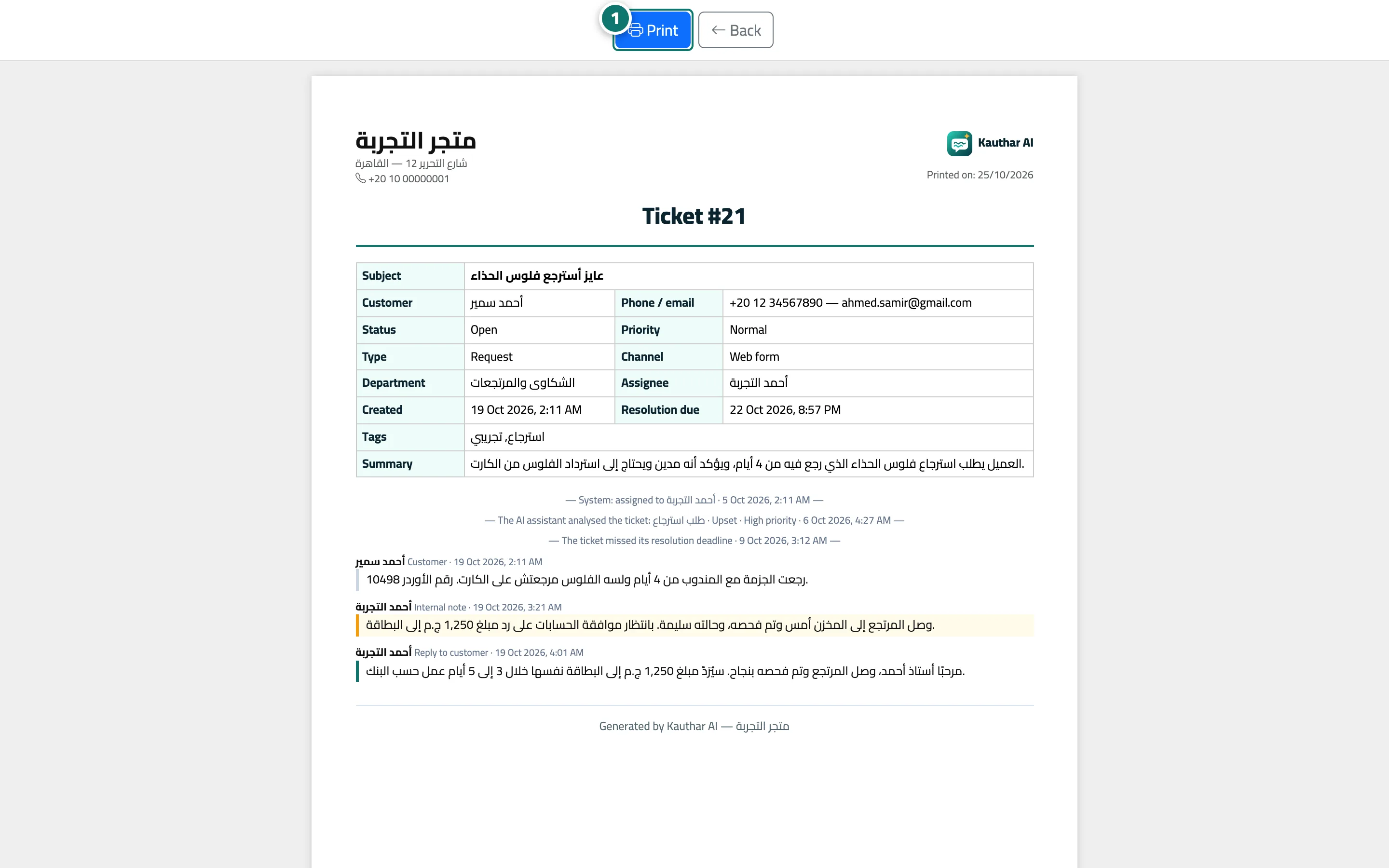
Étapes
- Open the ticket and press «Print»; the print page opens in a new window together with the print dialog. Numéro 1 sur l’image
- To print or export a whole list: filter the tickets first, then press «Excel» or «Print» above the list.