
Conversations et support · Smart ticket list
How do I see all my customers' tickets in one place?
Every customer request and complaint in one place, sorted into ready-made views: My tickets, Unassigned, Overdue and Solved.
Pour qui : Propriétaire et responsable · Membres de l'équipe
Où : Sidebar → Support desk → Tickets
Étapes
- Open «Tickets» from the sidebar.
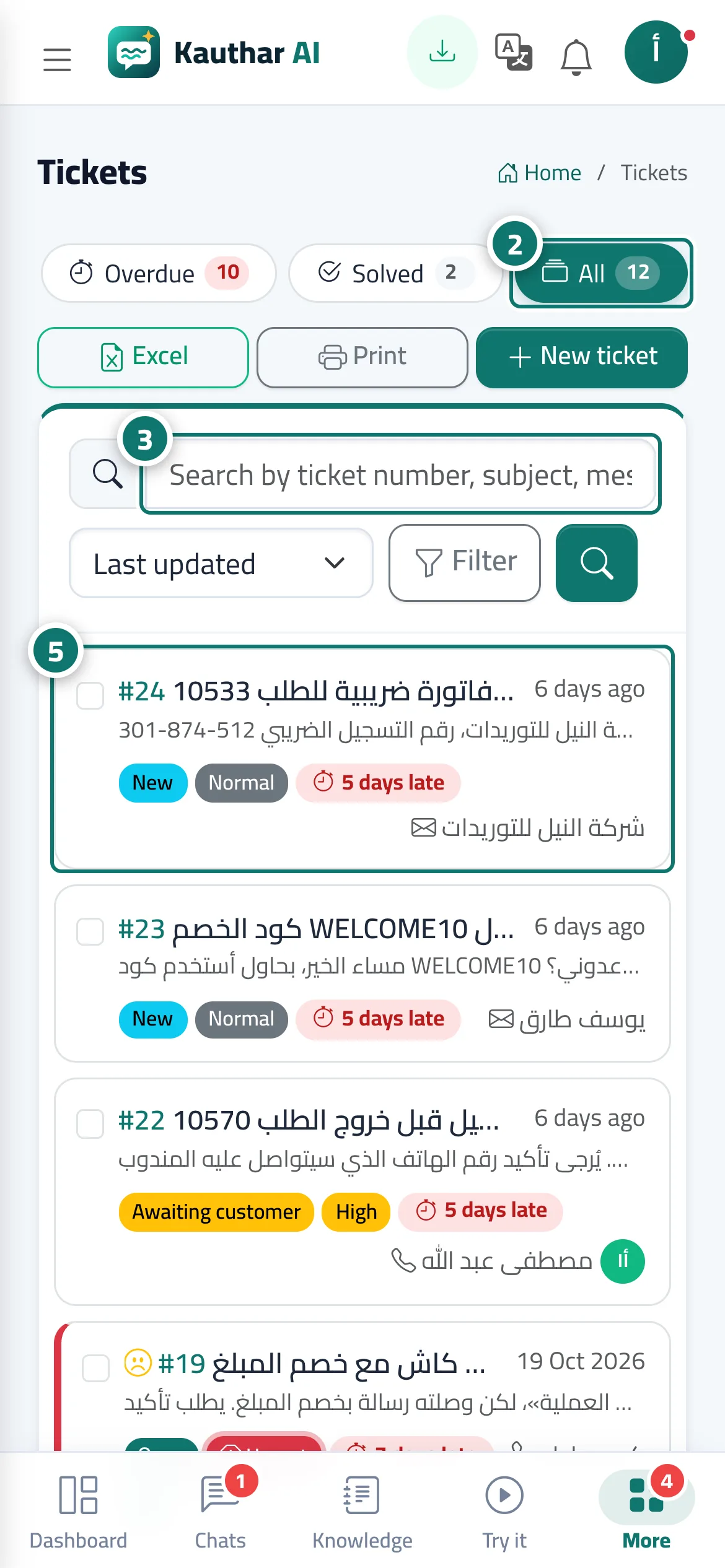
- Pick a view: «My tickets» · «Unassigned» · «All open» · «Awaiting customer» · «Overdue» · «Solved» · «All». Each view shows how many tickets it holds. Numéro 2 sur l’image
- Type a ticket number, a word from the subject or messages, or the customer's phone or email into the search box, then press «Search». Numéro 3 sur l’image
- Change the sort order from the drop-down: «Last update» · «Newest» · «Priority» · «Nearest deadline» · «Ticket number».
- Click any ticket to open it. Numéro 5 sur l’image
Étapes
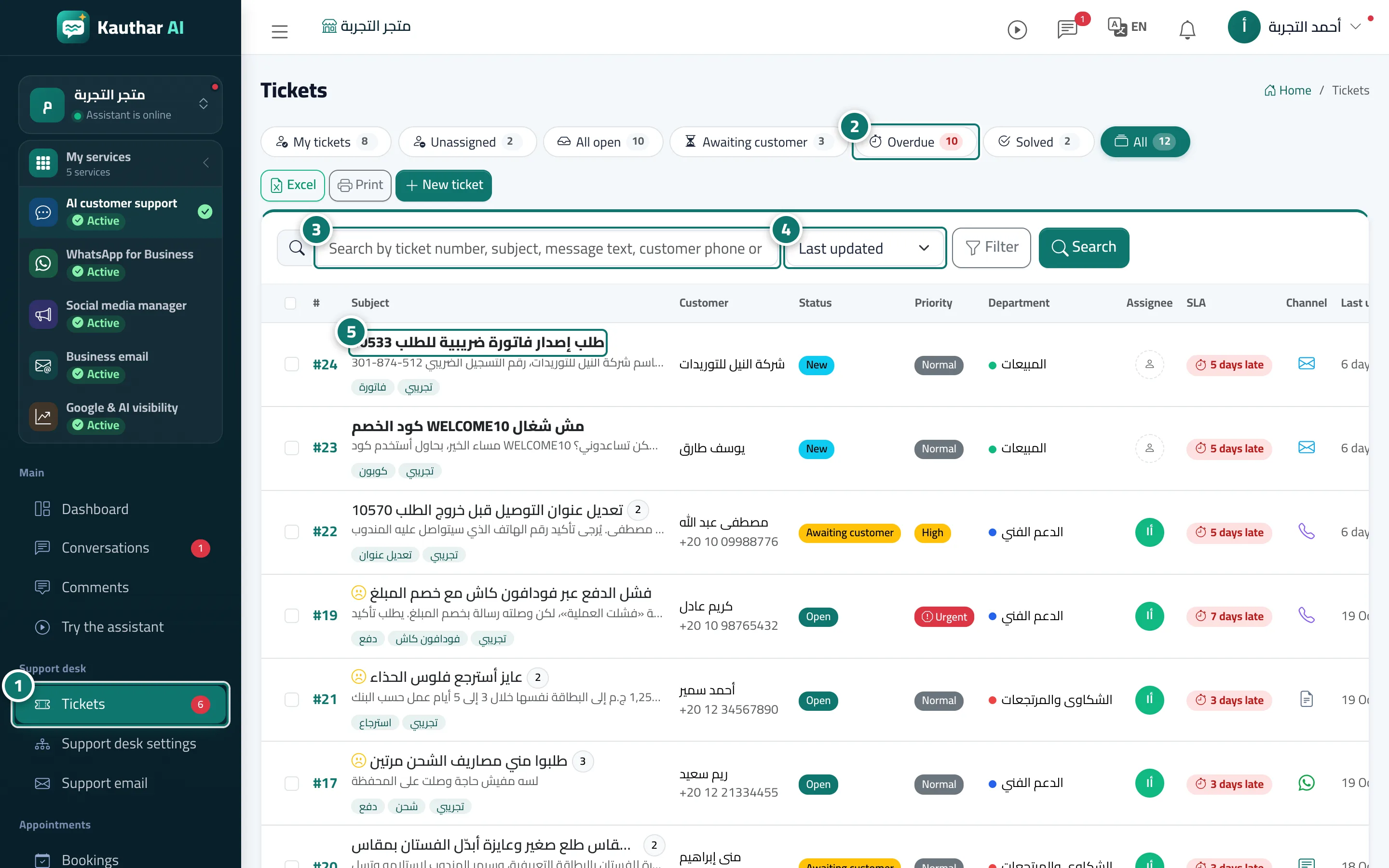
- Open «Tickets» from the sidebar. Numéro 1 sur l’image
- Pick a view: «My tickets» · «Unassigned» · «All open» · «Awaiting customer» · «Overdue» · «Solved» · «All». Each view shows how many tickets it holds. Numéro 2 sur l’image
- Type a ticket number, a word from the subject or messages, or the customer's phone or email into the search box, then press «Search». Numéro 3 sur l’image
- Change the sort order from the drop-down: «Last update» · «Newest» · «Priority» · «Nearest deadline» · «Ticket number». Numéro 4 sur l’image
- Click any ticket to open it. Numéro 5 sur l’image