
Conversations et support · Advanced ticket filters and search
How do I show only last week's complaints?
Find any ticket in seconds by filtering on status, priority, type, channel, department, agent, tag and date.
Pour qui : Propriétaire et responsable · Membres de l'équipe
Où : Sidebar → Support desk → Tickets → Filter
Étapes
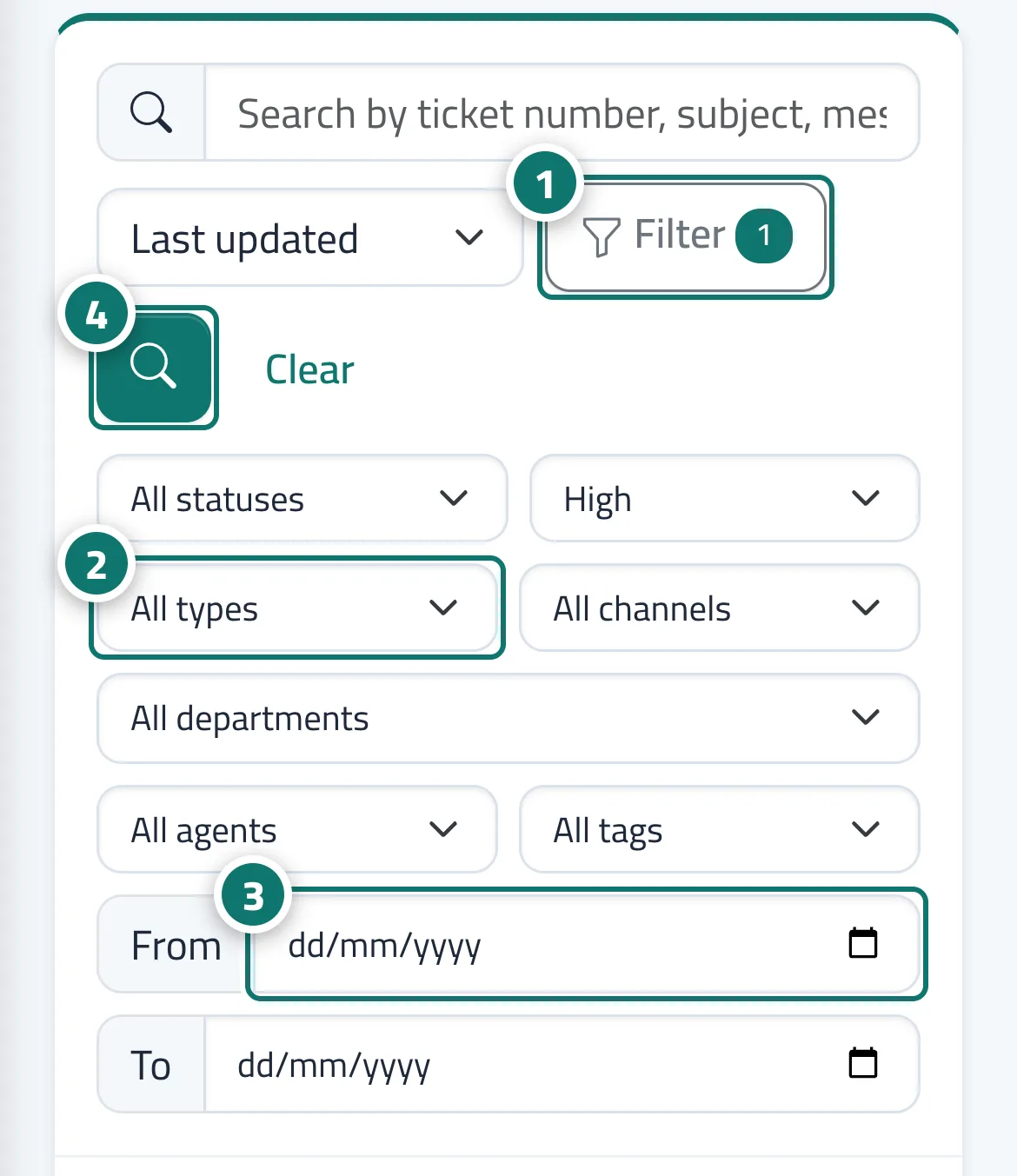
- On the Tickets screen, press «Filter». Numéro 1 sur l’image
- Choose from the lists: «All statuses» · «All priorities» · «All types» (question, problem, request, complaint) · «All channels» (chat, website form, email, agent, WhatsApp, Facebook, phone) · «All departments» (or «No department») · «All agents» (or «Me» or «Unassigned») · «All tags». Numéro 2 sur l’image
- Set the period with the «From» and «To» fields. Numéro 3 sur l’image
- Press «Search». The «Filter» button shows how many conditions are active, and «Clear» resets everything to the default. Numéro 4 sur l’image
Étapes
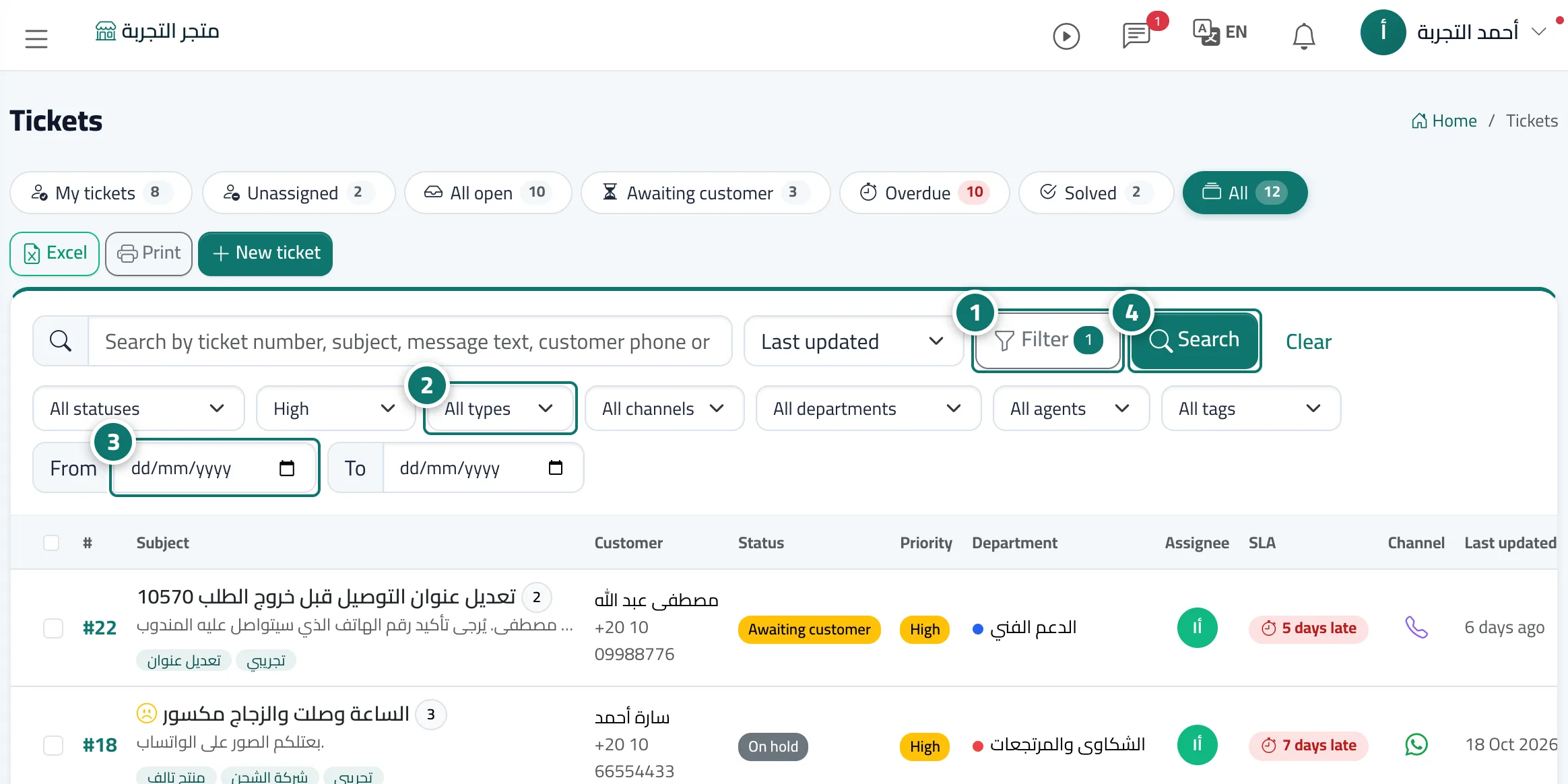
- On the Tickets screen, press «Filter». Numéro 1 sur l’image
- Choose from the lists: «All statuses» · «All priorities» · «All types» (question, problem, request, complaint) · «All channels» (chat, website form, email, agent, WhatsApp, Facebook, phone) · «All departments» (or «No department») · «All agents» (or «Me» or «Unassigned») · «All tags». Numéro 2 sur l’image
- Set the period with the «From» and «To» fields. Numéro 3 sur l’image
- Press «Search». The «Filter» button shows how many conditions are active, and «Clear» resets everything to the default. Numéro 4 sur l’image