
Stores & integrations · Shipping carriers — «Where is my shipment?»
How do I make the assistant answer «where is my shipment?» with the carrier's status?
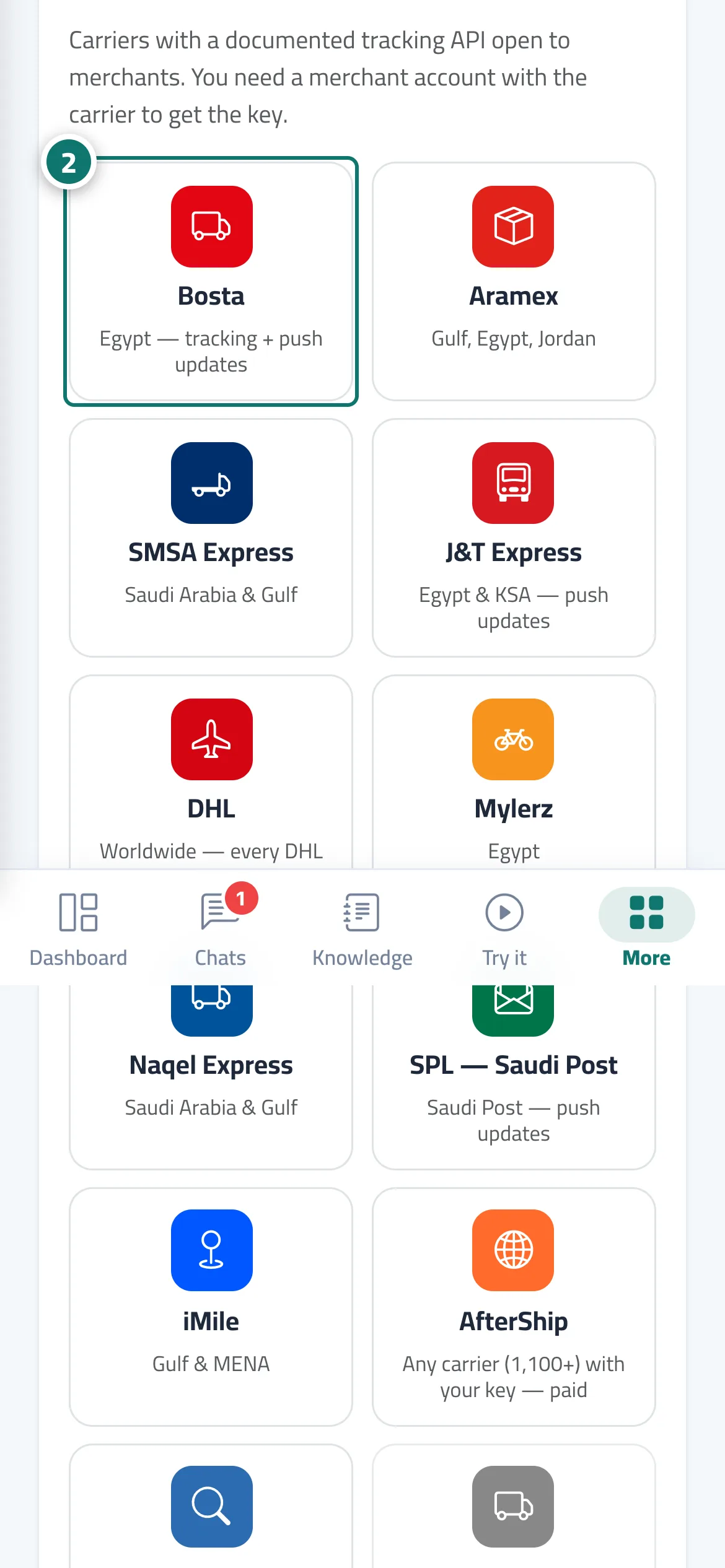
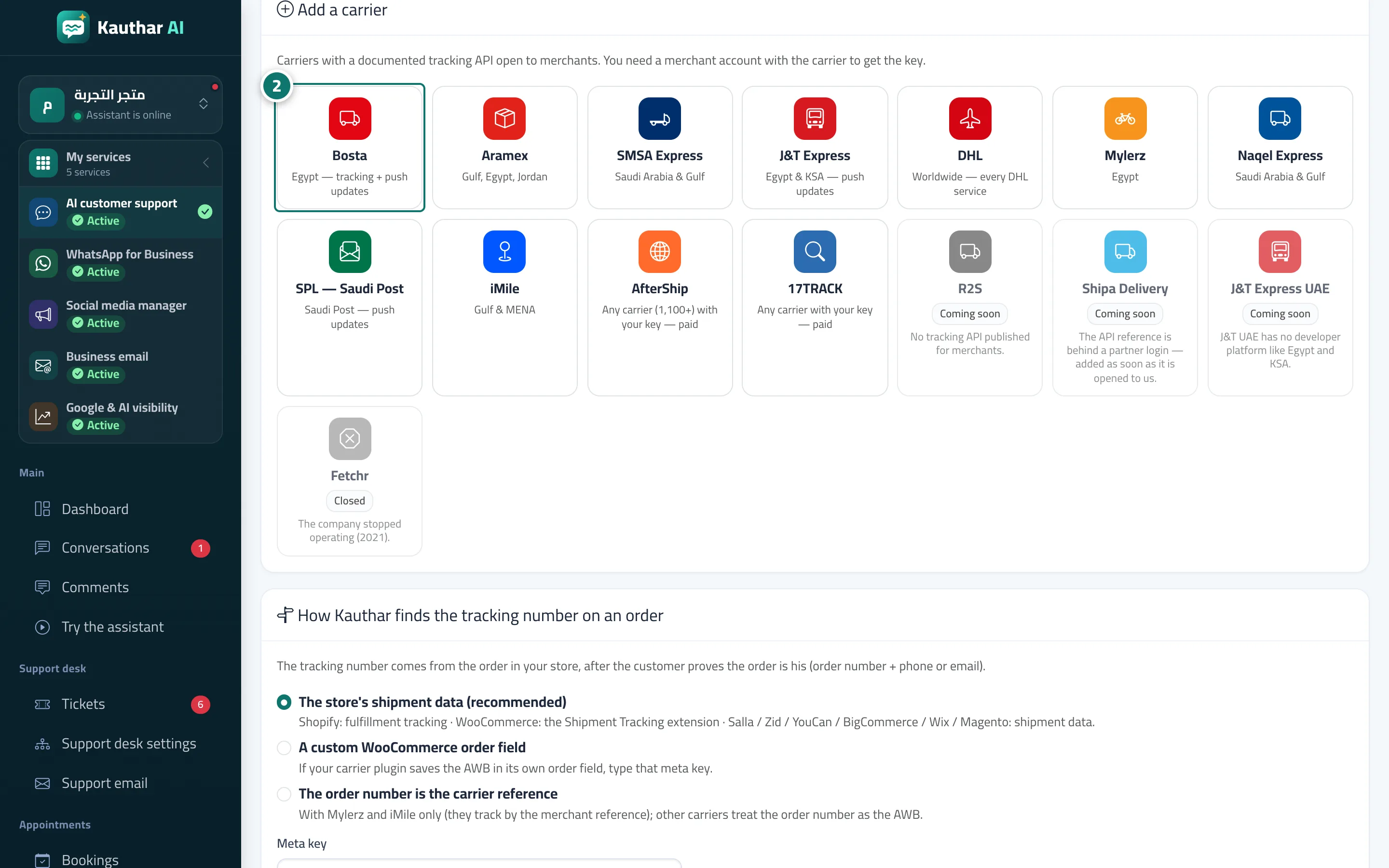
Connect the carrier you ship with (Bosta, Aramex, SMSA, J&T, DHL, Mylerz, Naqel, Saudi Post, iMile, or AfterShip and 17TRACK for any carrier) and Kauthar answers «where is my shipment?» with the carrier's real status.
Who this is for: Owner & manager · Team members
Where: Sidebar → Train the assistant → Connect your store → Shipping carriers
Steps
- Open «Connect your store» and press «Shipping carriers».
- In «Add a carrier» pick yours, paste the credentials from your merchant account with it and press «Save». Number 2 on the picture
- Press «Test» and check the status turns «Connected».
- If you ship with several carriers, use «Make default» on the main one and review «How Kauthar finds the tracking number on an order».
Steps
- Open «Connect your store» and press «Shipping carriers».
- In «Add a carrier» pick yours, paste the credentials from your merchant account with it and press «Save». Number 2 on the picture
- Press «Test» and check the status turns «Connected».
- If you ship with several carriers, use «Make default» on the main one and review «How Kauthar finds the tracking number on an order».