
Stores & integrations · Connect your store and website
How do I connect my online store so the assistant learns my products and prices automatically?
Connect your store on Shopify, WooCommerce, Salla, Zid, OpenCart or others, or a product feed or your services website, and Kauthar learns your products, prices and pages automatically.
Who this is for: Owner & manager · Team members
Where: Sidebar → Train your assistant → Connect your store
Steps
- Open “Connect your store” from the sidebar.
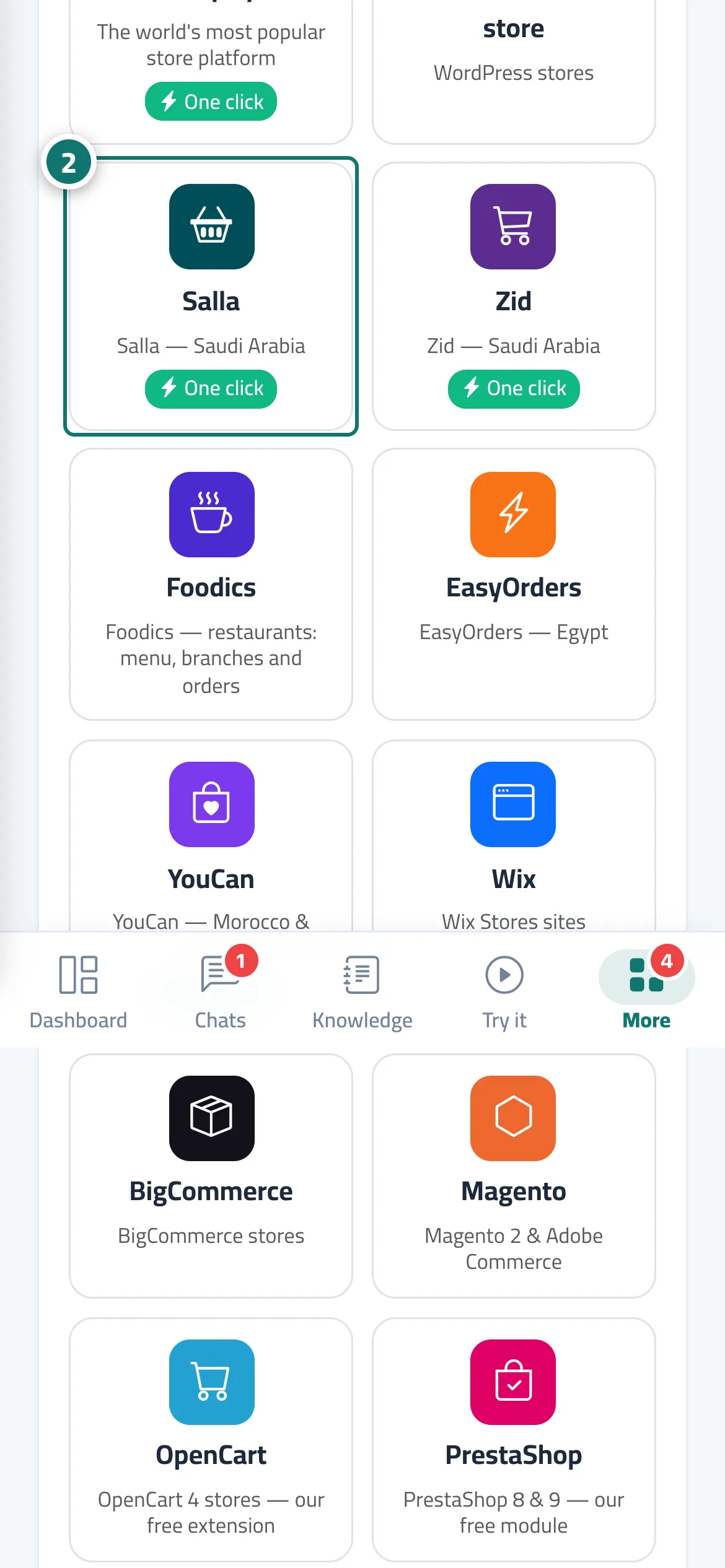
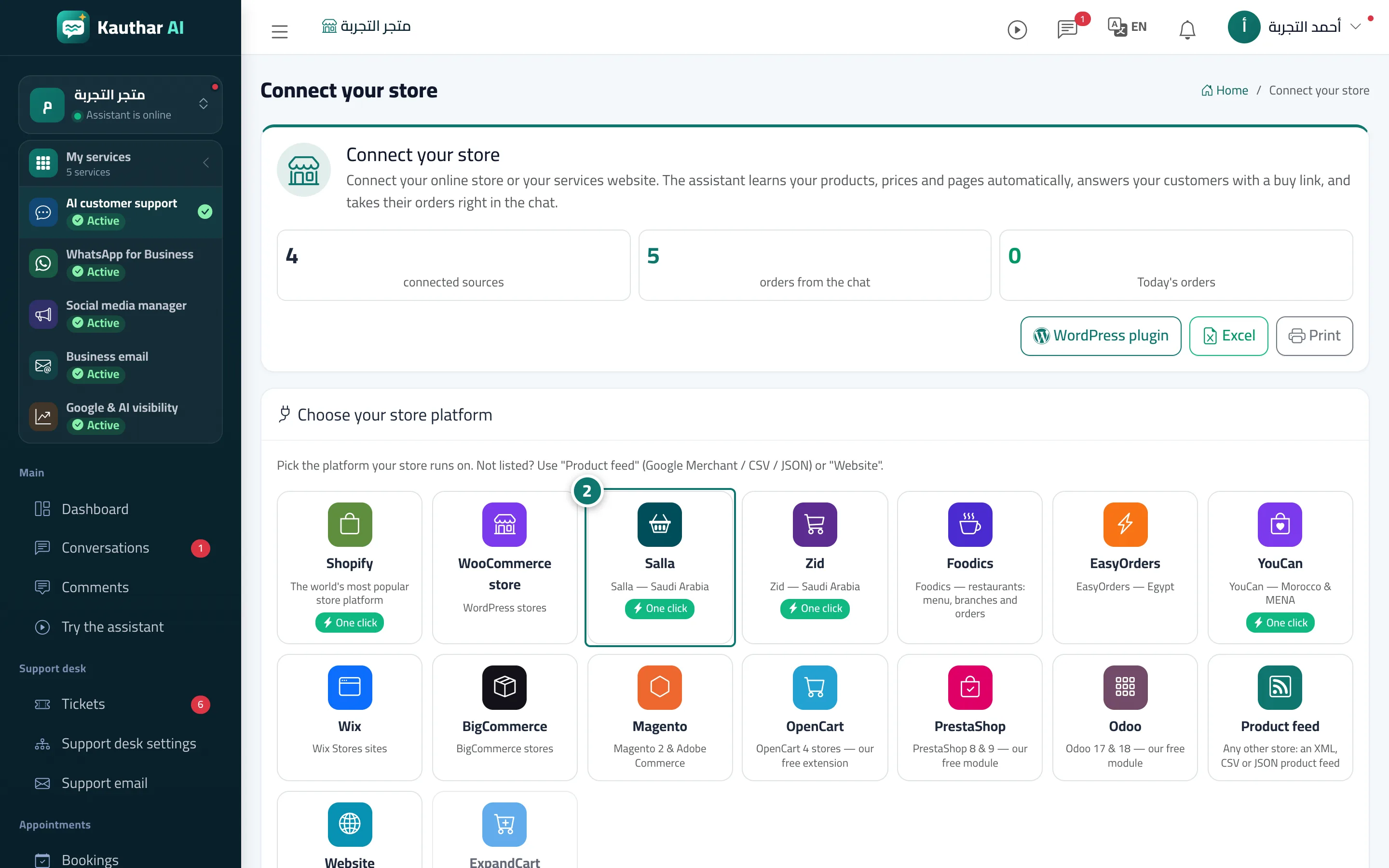
- In “Choose your store platform” press your platform (for example WooCommerce), or “Product feed” or “Website” if it isn't listed. Number 2 on the picture
- Type the store or website address, fill in any connection details the platform asks for, then press “Connect and start syncing”.
- Wait until the status turns to “Connected”, then try the assistant and ask it about a product by name.
Steps
- Open “Connect your store” from the sidebar.
- In “Choose your store platform” press your platform (for example WooCommerce), or “Product feed” or “Website” if it isn't listed. Number 2 on the picture
- Type the store or website address, fill in any connection details the platform asks for, then press “Connect and start syncing”.
- Wait until the status turns to “Connected”, then try the assistant and ask it about a product by name.