
Stores & integrations · The Kauthar app for Shopify and the chat bubble
How do I install the Kauthar app on my Shopify store?
Install the Kauthar app on your Shopify store in one click so your products sync automatically, then turn on the Kauthar chat bubble from the theme editor — no code to edit.
Who this is for: Owner & manager
Where: Sidebar → Train your assistant → Connect your store → Shopify (or the Kauthar app page on Shopify)
Steps
- In “Connect your store” press Shopify, type your store address and press “Connect in one click” (or install the Kauthar app from its page on Shopify).
- Approve the permissions on Shopify's page; you return to Kauthar automatically.
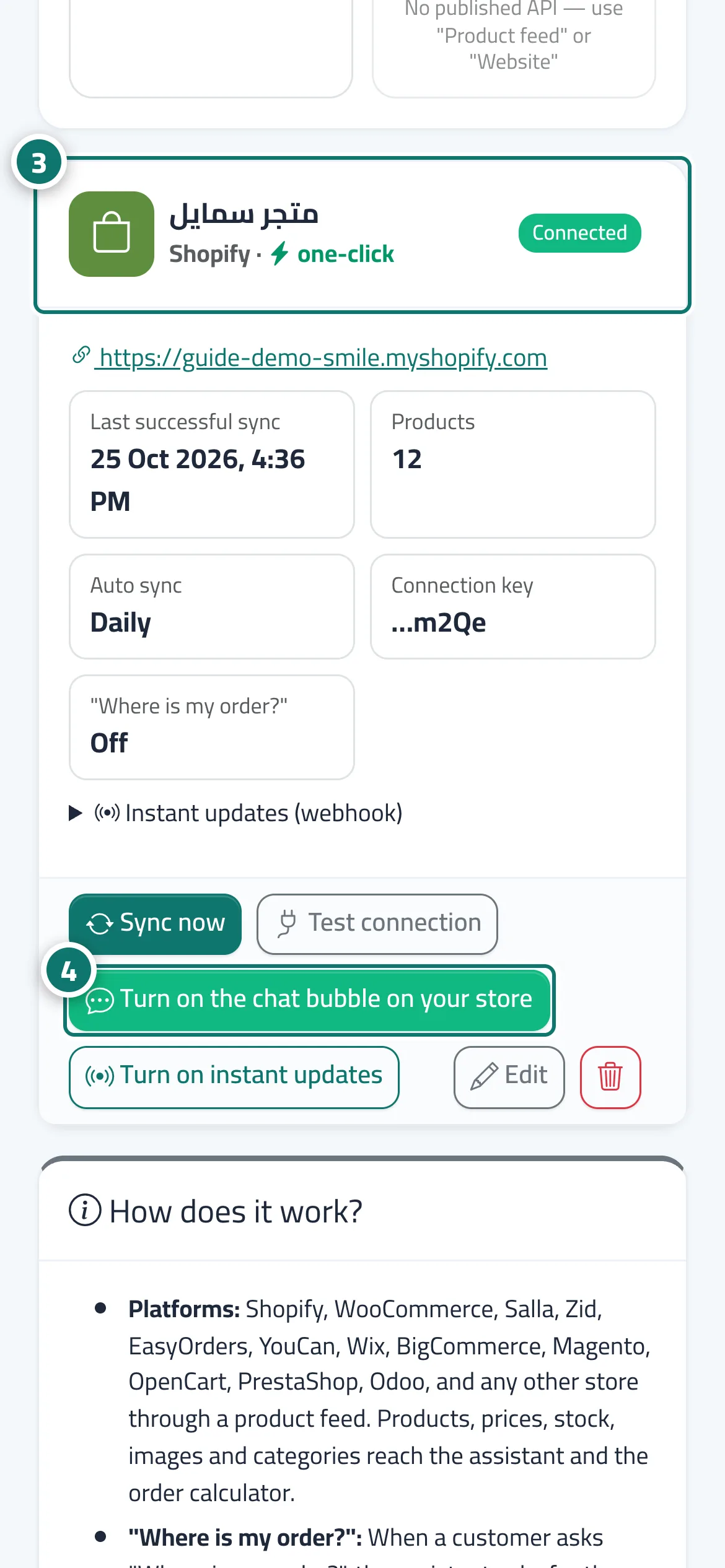
- Your store card appears with the “one-click” badge and the product sync starts. Number 3 on the picture
- Press “Turn on the chat bubble on your store”, then press “Save” in the theme editor that Shopify opens. Number 4 on the picture
Steps
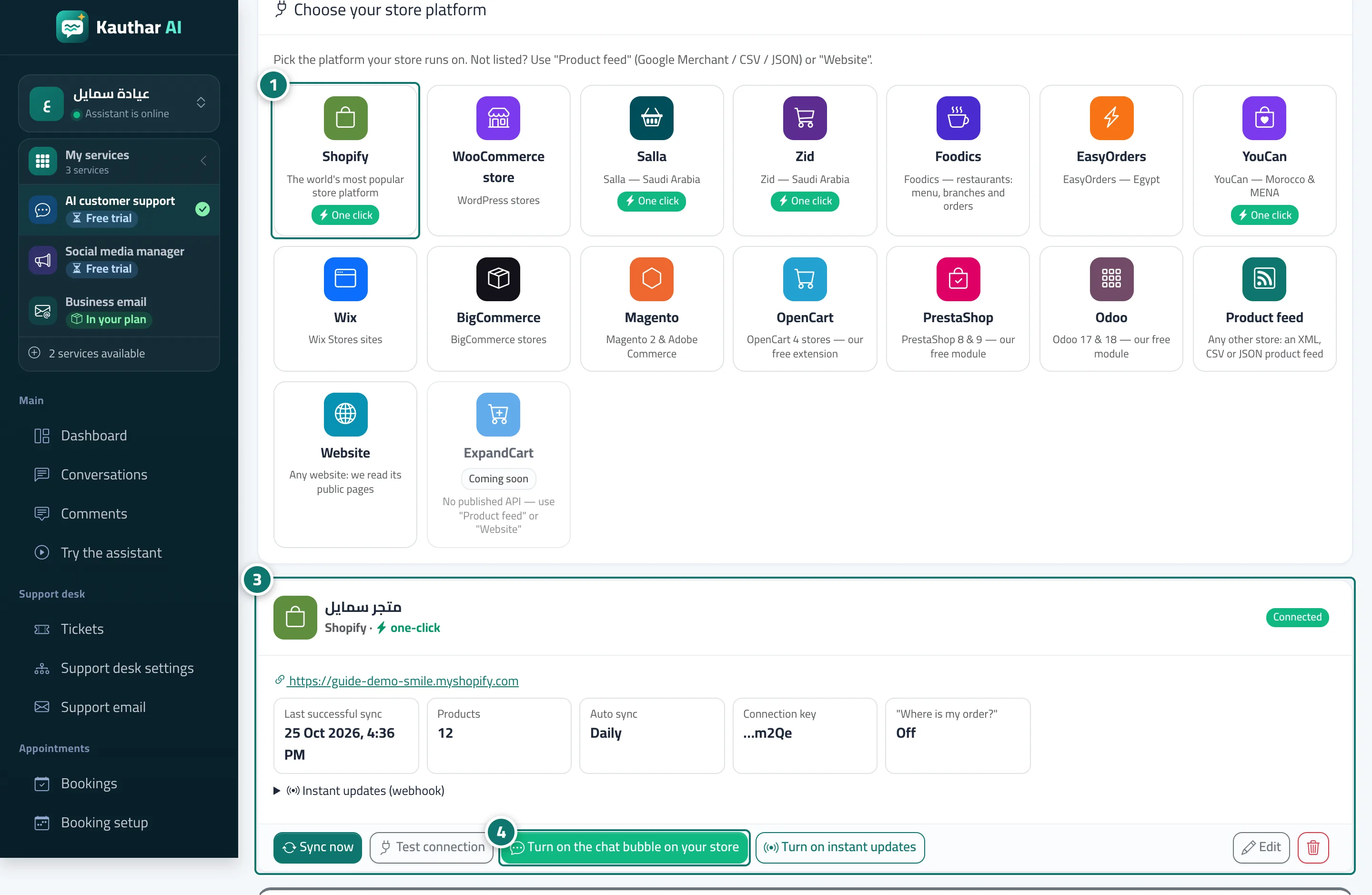
- In “Connect your store” press Shopify, type your store address and press “Connect in one click” (or install the Kauthar app from its page on Shopify). Number 1 on the picture
- Approve the permissions on Shopify's page; you return to Kauthar automatically.
- Your store card appears with the “one-click” badge and the product sync starts. Number 3 on the picture
- Press “Turn on the chat bubble on your store”, then press “Save” in the theme editor that Shopify opens. Number 4 on the picture