
Stores & integrations · Orders from the chat
Where do I find the orders customers placed from the chat?
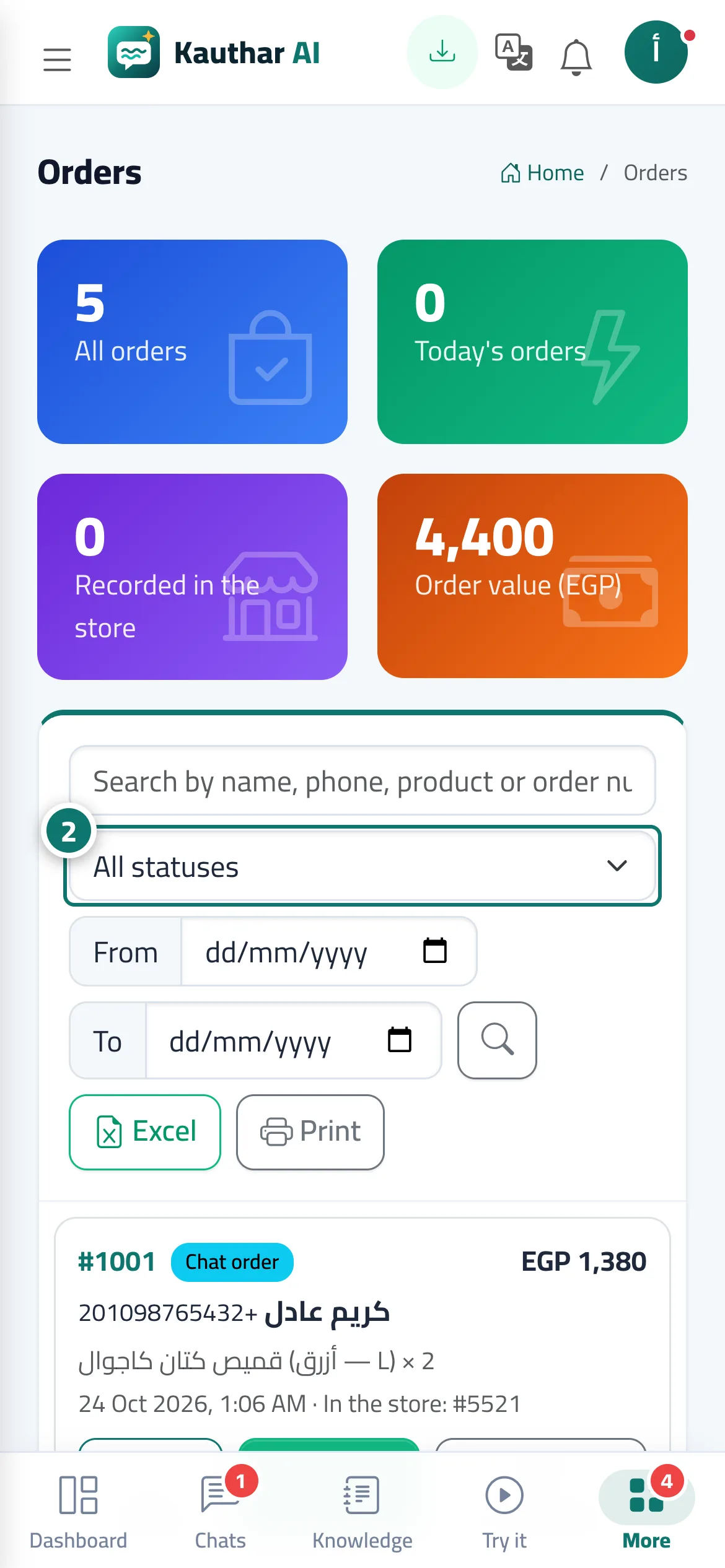
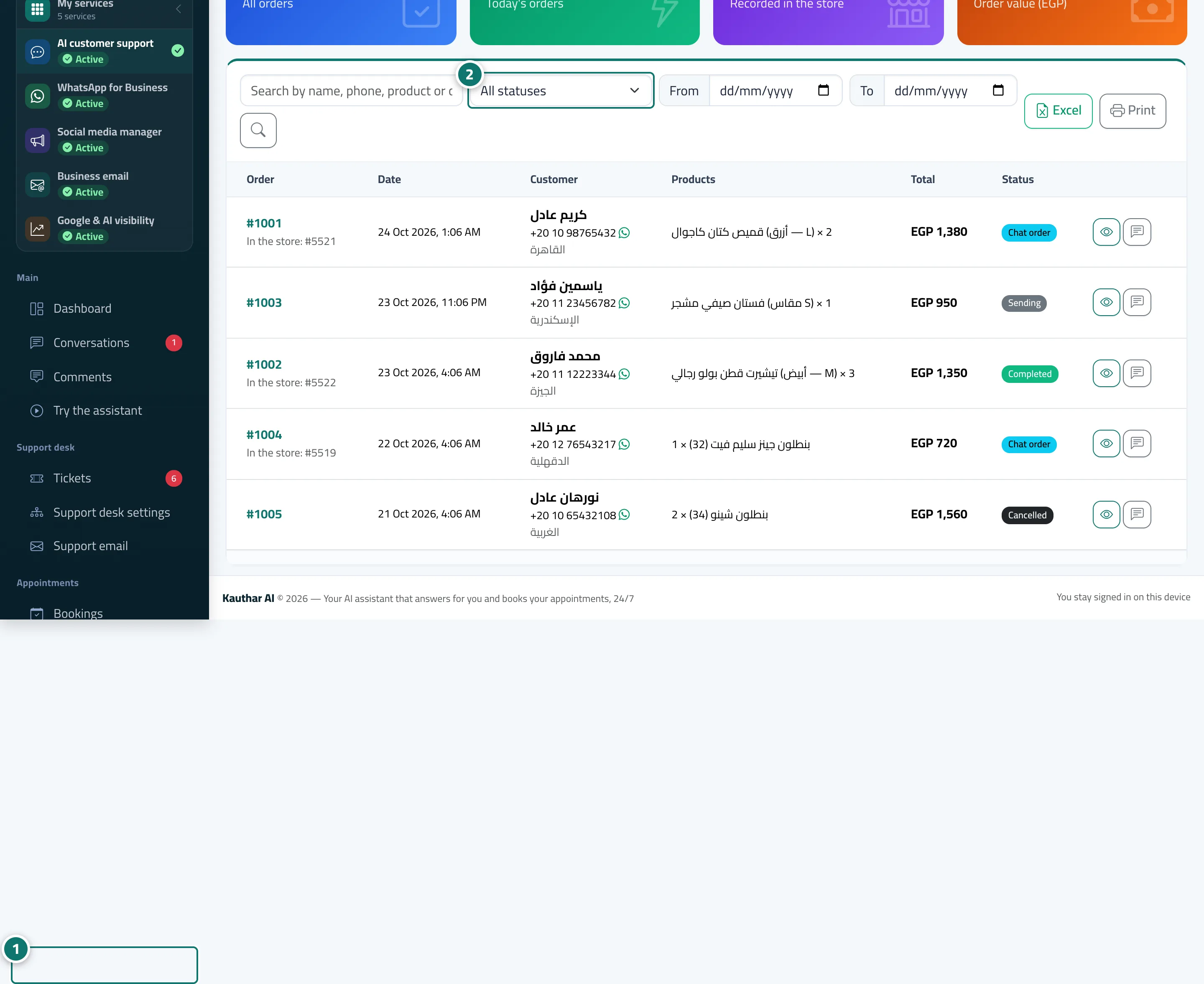
Every order your customers placed from the chat on one screen: customer, address, products, total and its status in the store.
Who this is for: Owner & manager · Team members
Where: Sidebar → Channels & customers → Orders
Steps
- Open «Orders».
- Search, or filter by status («All statuses»), store and date. Number 2 on the picture
- Click «Details» to see the order and contact the customer.
- After fulfilling it, update the «Follow-up status» with «Update».
Steps
- Open «Orders». Number 1 on the picture
- Search, or filter by status («All statuses»), store and date. Number 2 on the picture
- Click «Details» to see the order and contact the customer.
- After fulfilling it, update the «Follow-up status» with «Update».