
Stores & integrations · Voice assistants: Kauthar on Alexa, Siri and Android
How do I get a daily summary from Kauthar on Alexa or Siri?
Ask Kauthar about your business by voice from Alexa, Siri or Android shortcuts: today's summary, the last unanswered question, who is waiting for a person, the latest customer message — and pause or resume the assistant after a confirmation.
Who this is for: Owner & manager
Where: Sidebar → Account → Settings & subscription → «Voice assistants» tab
Steps
- For Alexa: open the Alexa app → More → Skills & Games, search «Kauthar», enable it, sign in with your Kauthar phone number and approve the link.
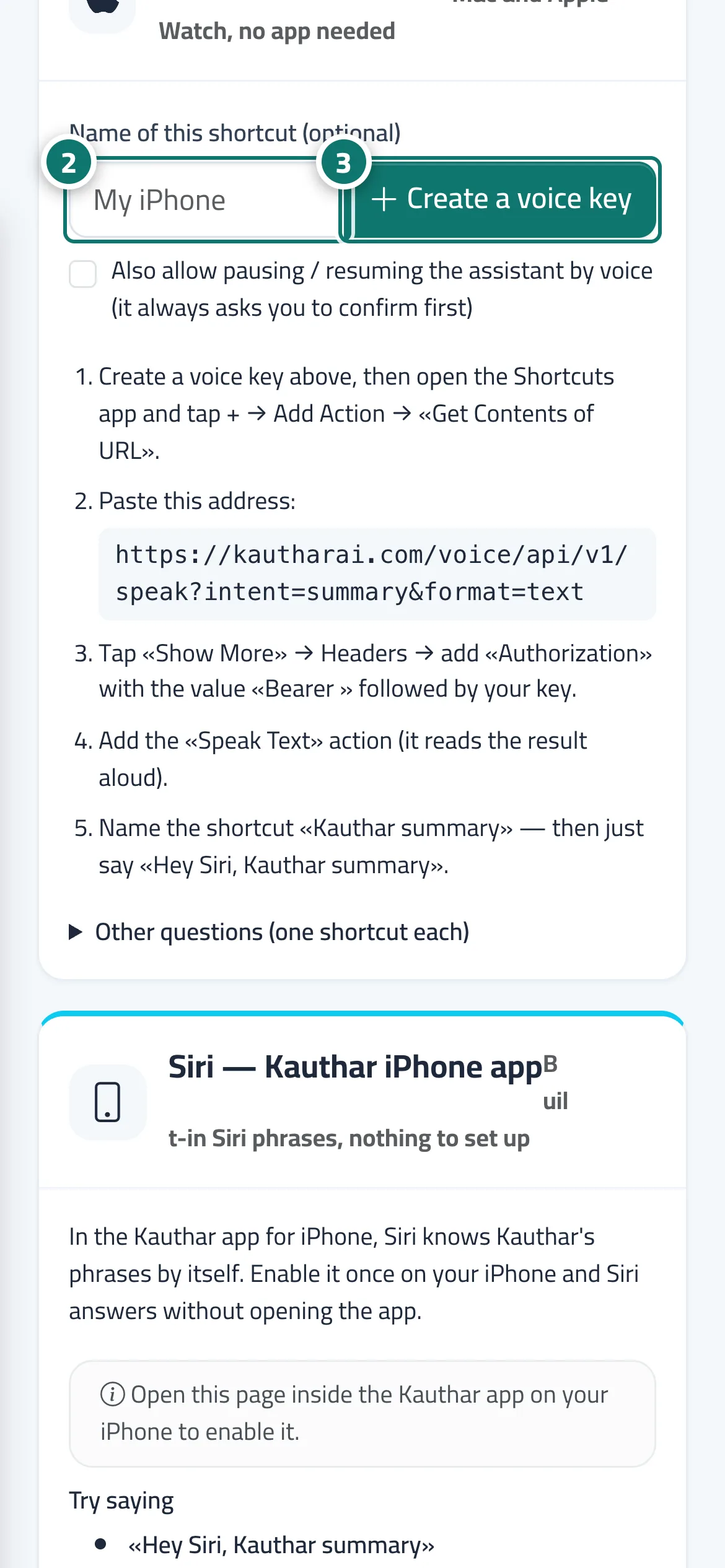
- For Siri: type a name for the shortcut (optional) in the «Siri — Shortcuts app» card. Number 2 on the picture
- Press «Create a voice key» (tick «Also allow pausing / resuming the assistant by voice» if you want), then follow the steps in the card to add the shortcut in the Shortcuts app. Number 3 on the picture
- Review your devices under «Connected assistants (whole team)» and press «Disconnect» for any device you no longer use.
Steps
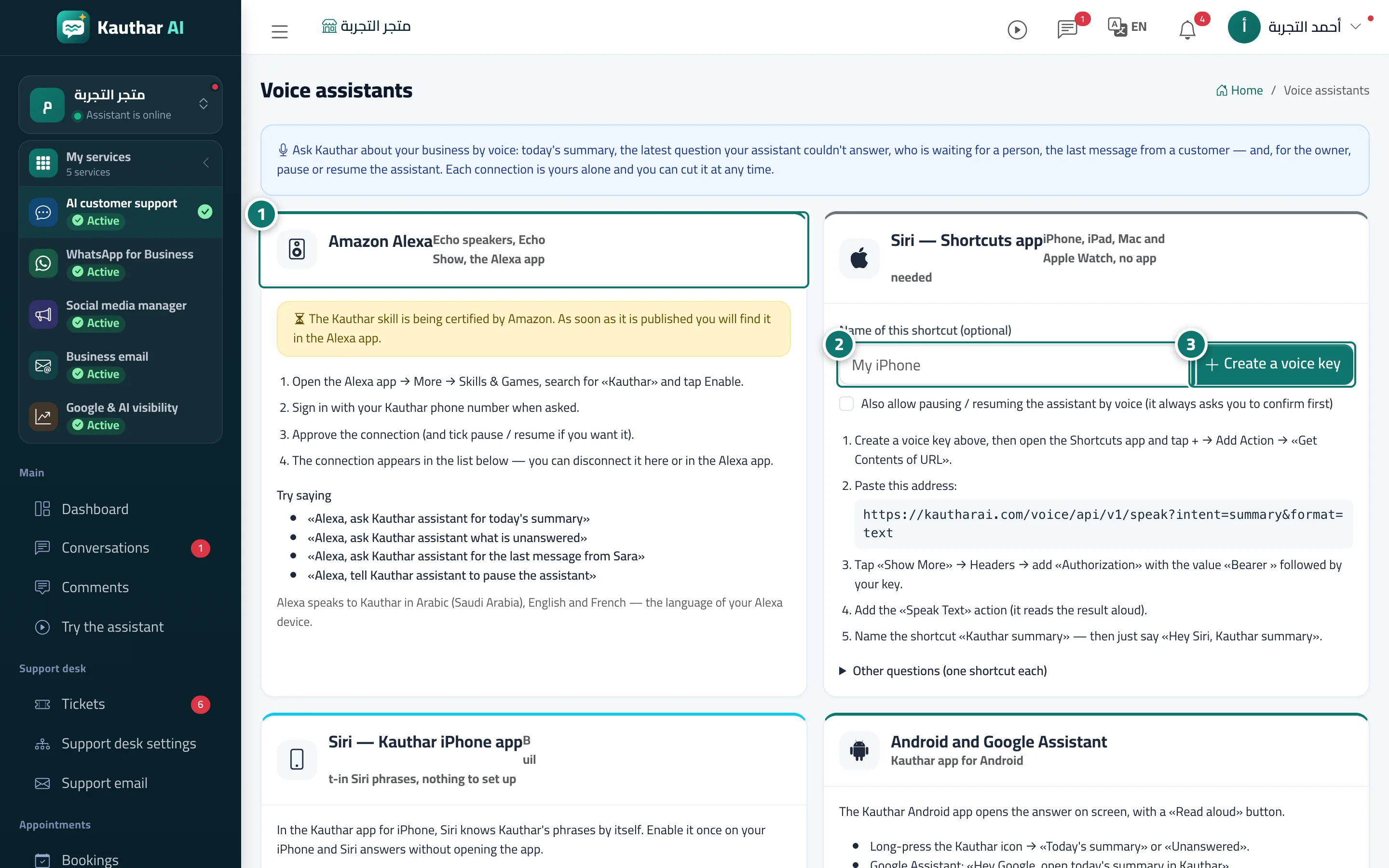
- For Alexa: open the Alexa app → More → Skills & Games, search «Kauthar», enable it, sign in with your Kauthar phone number and approve the link. Number 1 on the picture
- For Siri: type a name for the shortcut (optional) in the «Siri — Shortcuts app» card. Number 2 on the picture
- Press «Create a voice key» (tick «Also allow pausing / resuming the assistant by voice» if you want), then follow the steps in the card to add the shortcut in the Shortcuts app. Number 3 on the picture
- Review your devices under «Connected assistants (whole team)» and press «Disconnect» for any device you no longer use.