
Social media · Suggested replies to comments, on request
How do I get Kauthar to write a reply to a comment?
Click “Suggest a reply” on any comment and Kauthar writes a reply from your information for you to review before sending, or suggest replies for all comments in one go.
Who this is for: Owner & manager · Team members
Where: Sidebar → Main → Comments
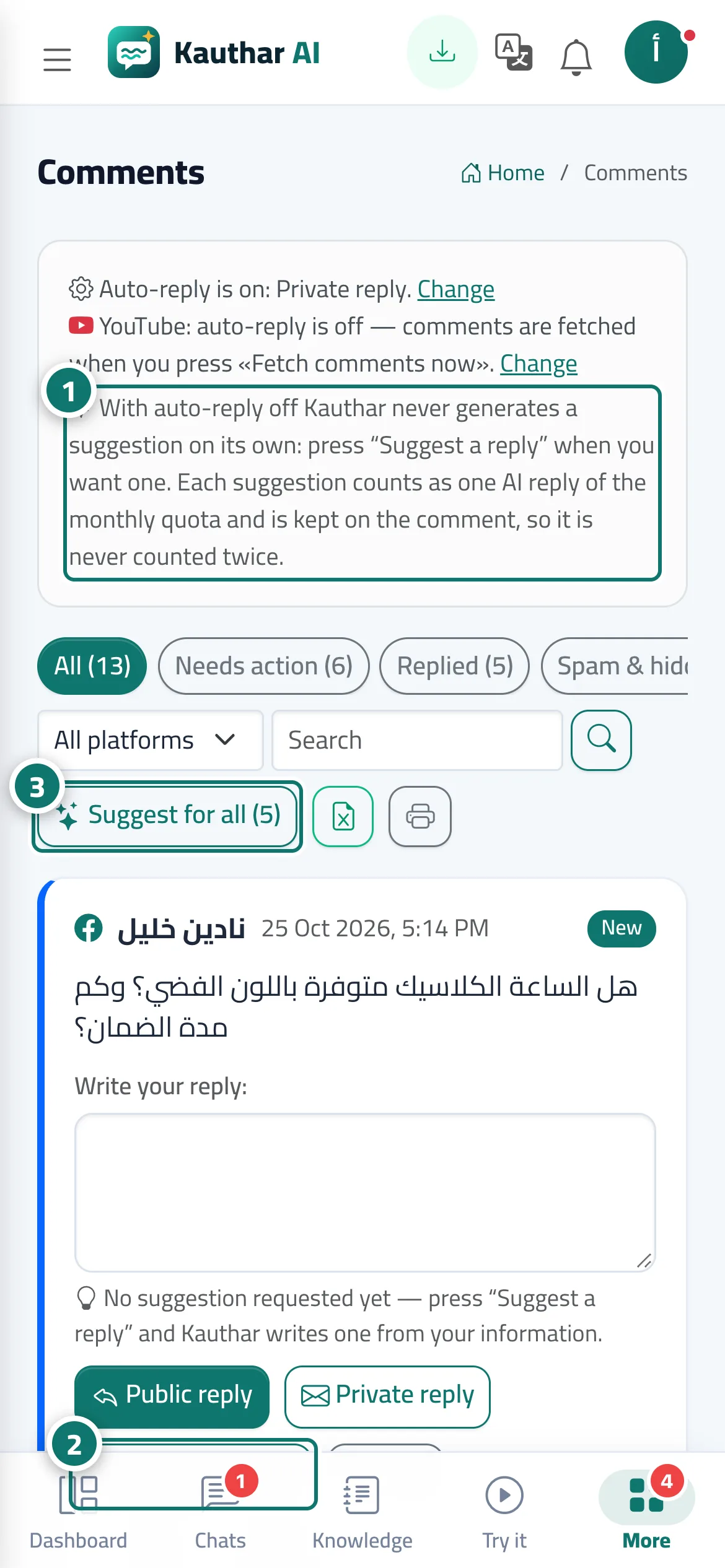
Steps
- Check the allowance line at the top of the screen (AI replies this month). Number 1 on the picture
- Click “Suggest a reply” under the comment; the suggested reply appears in the box. Number 2 on the picture
- Or click the suggest-for-all button to prepare replies for all visible comments. Number 3 on the picture
- Edit the suggested reply if you like, then click “Public reply” or “Private reply”.
- If the suggestion doesn't suit you, click “New suggestion”.
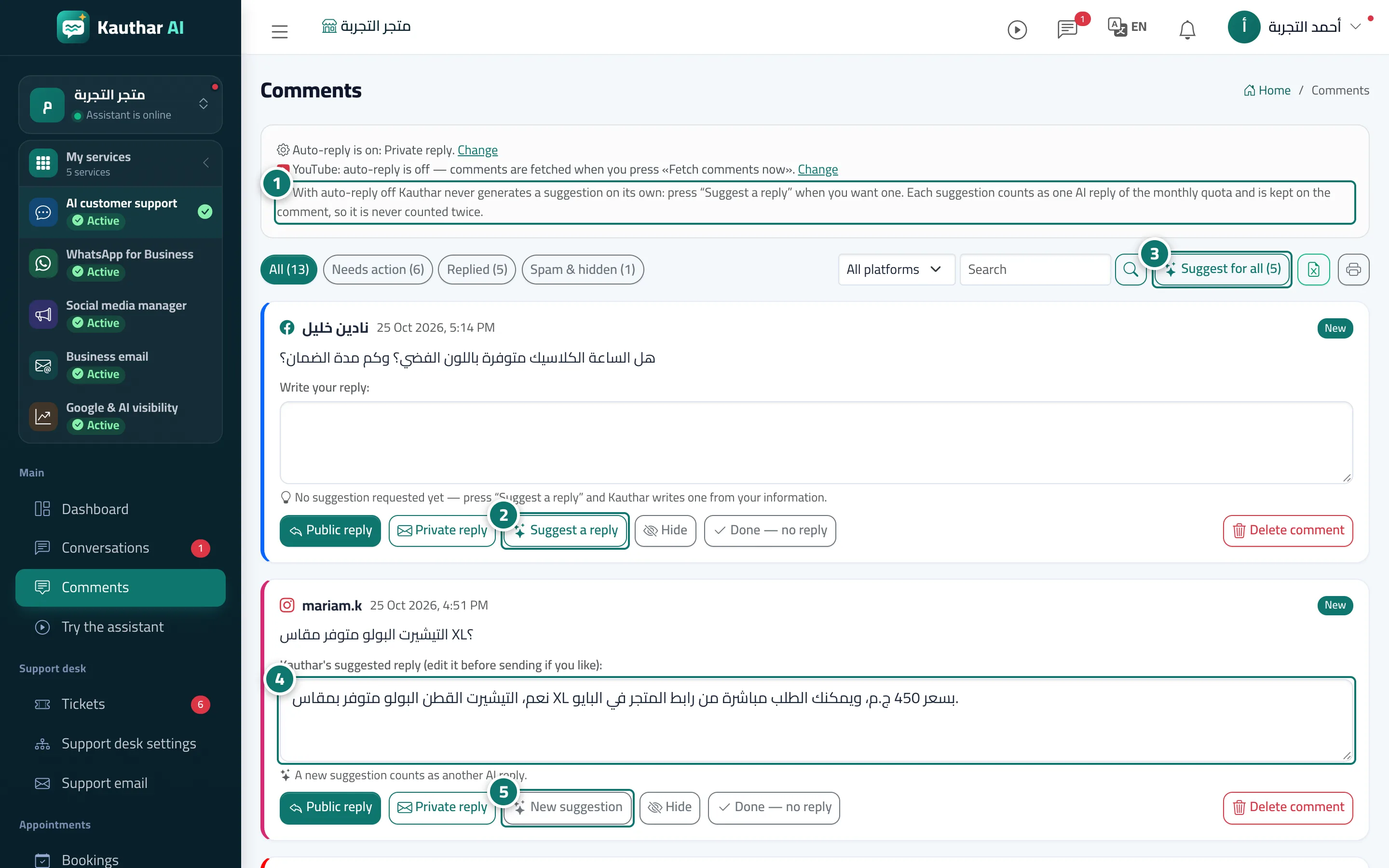
Steps
- Check the allowance line at the top of the screen (AI replies this month). Number 1 on the picture
- Click “Suggest a reply” under the comment; the suggested reply appears in the box. Number 2 on the picture
- Or click the suggest-for-all button to prepare replies for all visible comments. Number 3 on the picture
- Edit the suggested reply if you like, then click “Public reply” or “Private reply”. Number 4 on the picture
- If the suggestion doesn't suit you, click “New suggestion”. Number 5 on the picture