
Assistant et connaissances · Reply tone and language
How do I make the assistant reply in the customer's language automatically?
Pick a friendly, formal or brief tone, and the reply language: the customer's own language automatically (Arabic, English or French) or one fixed language.
Pour qui : Propriétaire et responsable
Où : Sidebar → Account → Assistant settings → «Messages and style» card
Étapes
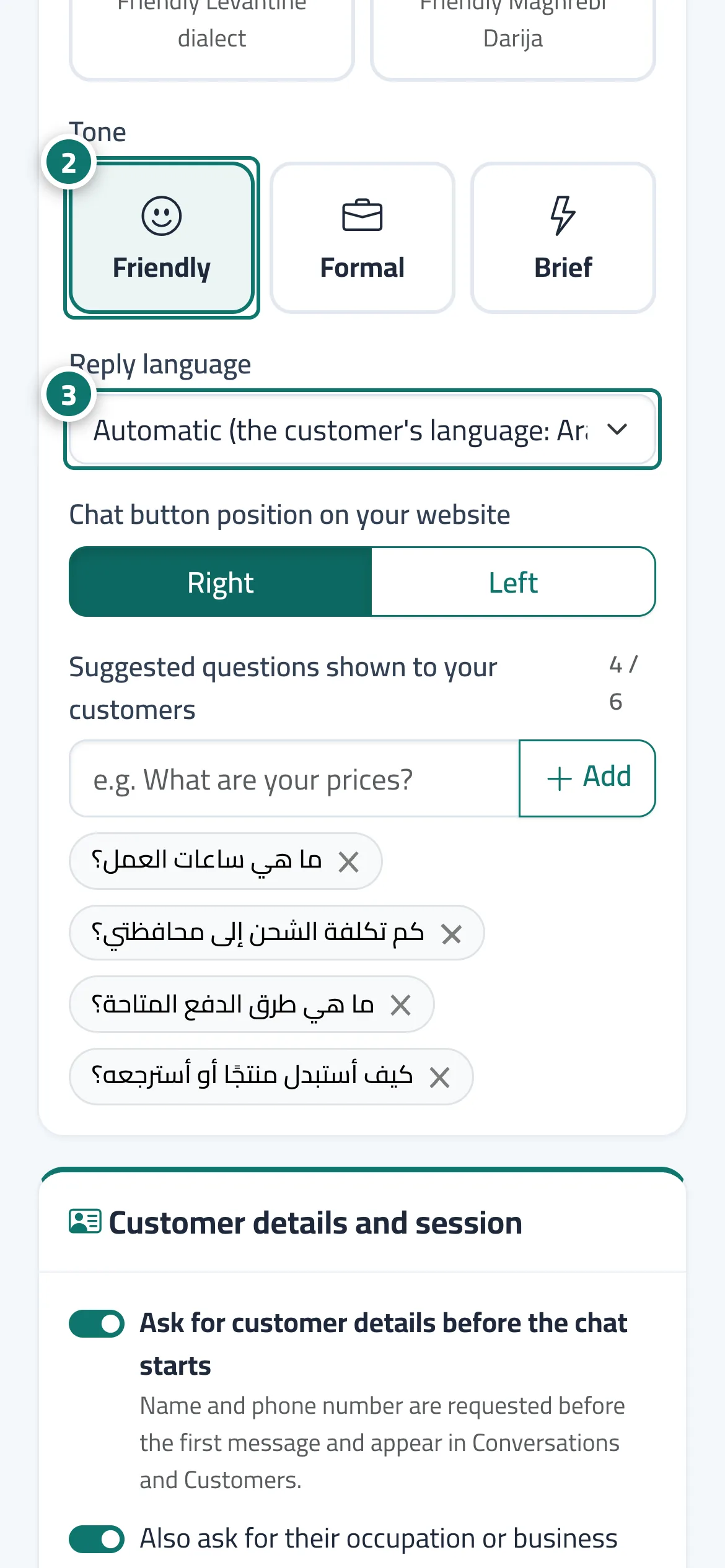
- Open «Assistant settings» and go to the «Messages and style» card.
- Choose the «Reply tone»: Friendly, Formal or Brief. Numéro 2 sur l’image
- Choose the «Reply language» from the list. Numéro 3 sur l’image
- Press «Save» and check the result in «Try the assistant».
Étapes
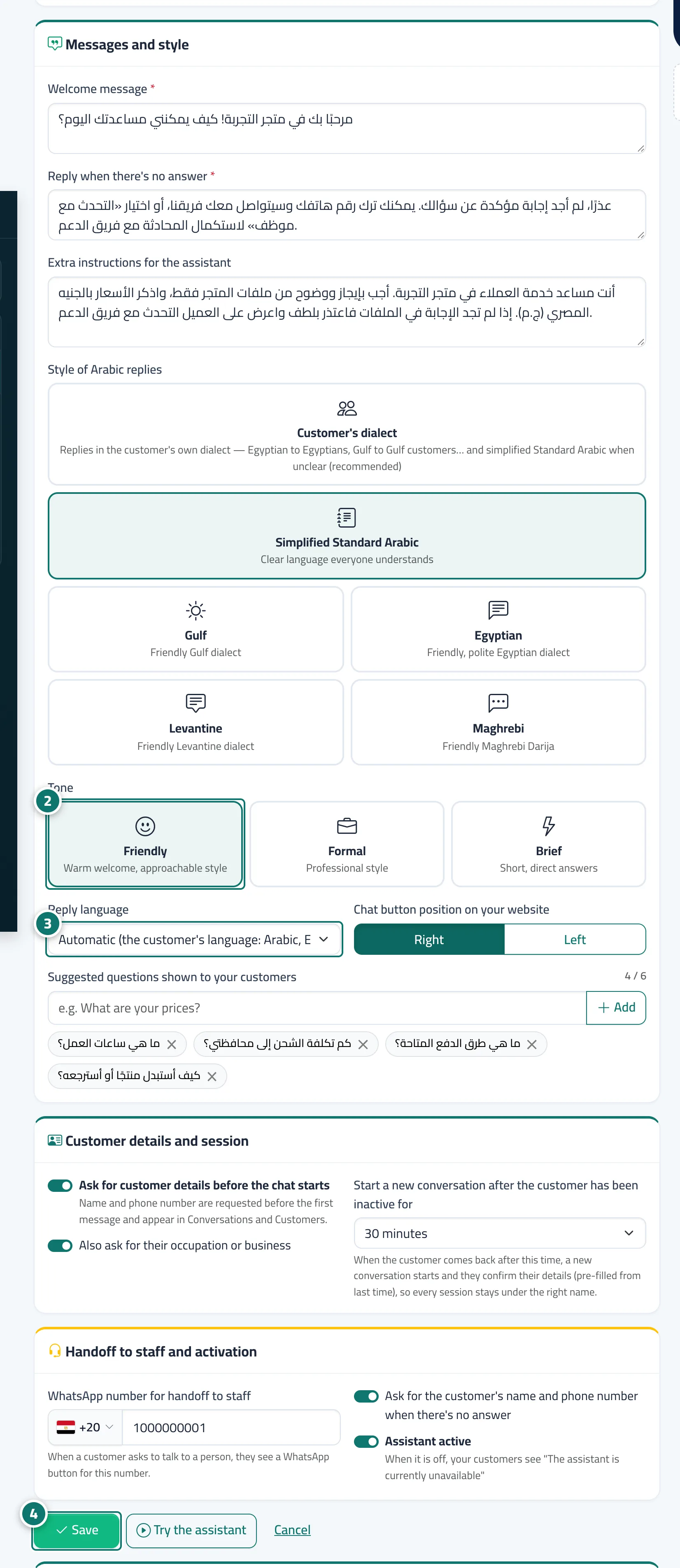
- Open «Assistant settings» and go to the «Messages and style» card.
- Choose the «Reply tone»: Friendly, Formal or Brief. Numéro 2 sur l’image
- Choose the «Reply language» from the list. Numéro 3 sur l’image
- Press «Save» and check the result in «Try the assistant». Numéro 4 sur l’image