
Assistant et connaissances · Assistant identity and messages
How do I change the assistant's name and welcome message?
Choose your assistant's name, picture and welcome message, tell her about your business, and check the result in a live preview before you save.
Pour qui : Propriétaire et responsable
Où : Sidebar → Account → Assistant settings
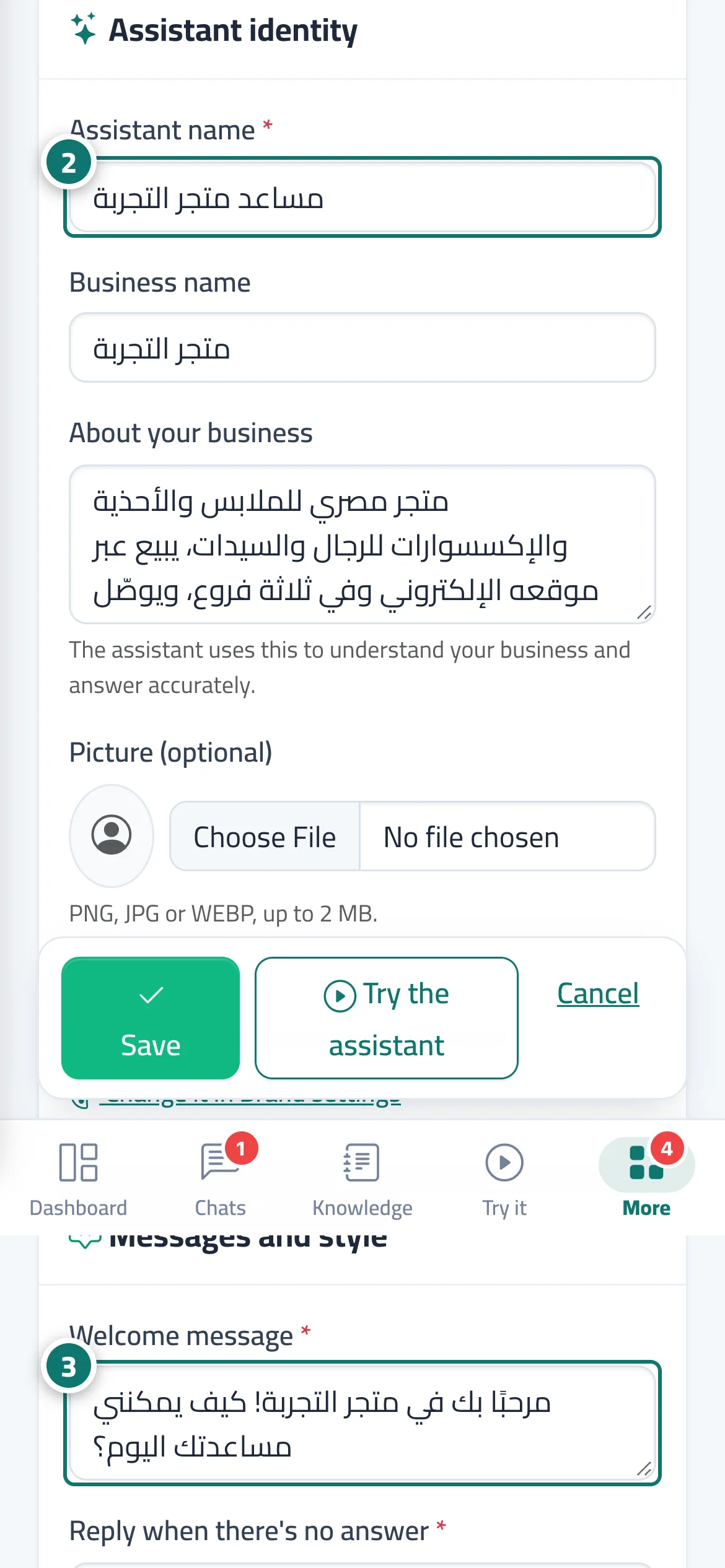
Étapes
- Open «Assistant settings» from the sidebar.
- Fill in the «Assistant identity» card: assistant name, business name, «About your business», and a picture if you like. Numéro 2 sur l’image
- In «Messages and style», write the «Welcome message», the «Reply when there's no answer» and the «Extra instructions for the assistant». Numéro 3 sur l’image
- Check the «Live preview» at the side.
- Press «Save», then test the result with the «Try the assistant» button.
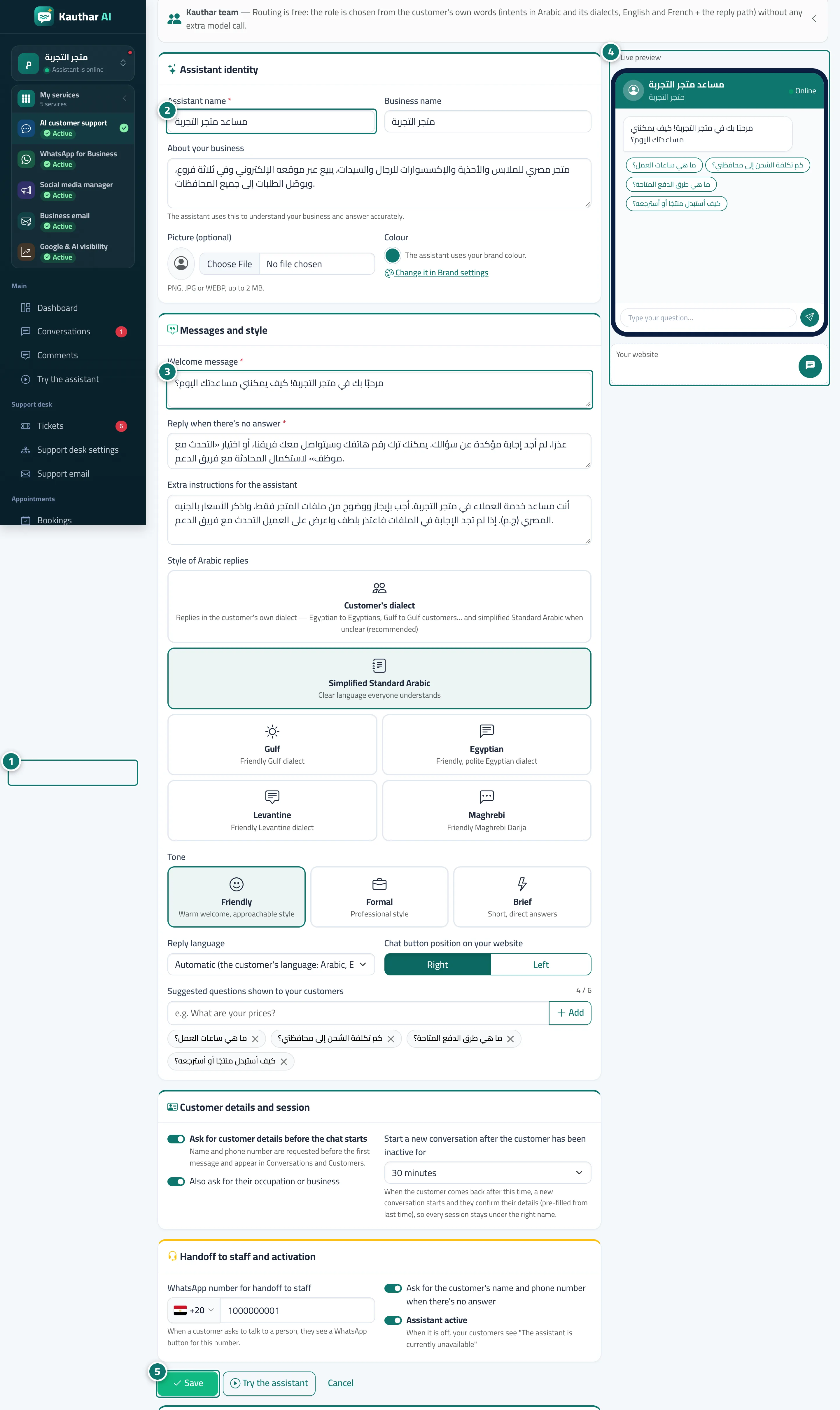
Étapes
- Open «Assistant settings» from the sidebar. Numéro 1 sur l’image
- Fill in the «Assistant identity» card: assistant name, business name, «About your business», and a picture if you like. Numéro 2 sur l’image
- In «Messages and style», write the «Welcome message», the «Reply when there's no answer» and the «Extra instructions for the assistant». Numéro 3 sur l’image
- Check the «Live preview» at the side. Numéro 4 sur l’image
- Press «Save», then test the result with the «Try the assistant» button. Numéro 5 sur l’image