
Assistant et connaissances · Test the assistant before your customers do
How do I test the AI assistant before sharing the link with my customers?
Ask the AI assistant the way your customers would, and check its replies and their sources before you publish the link.
Pour qui : Propriétaire et responsable · Membres de l'équipe
Où : Sidebar → Main → Try the assistant
Étapes
- Open “Try the assistant”.
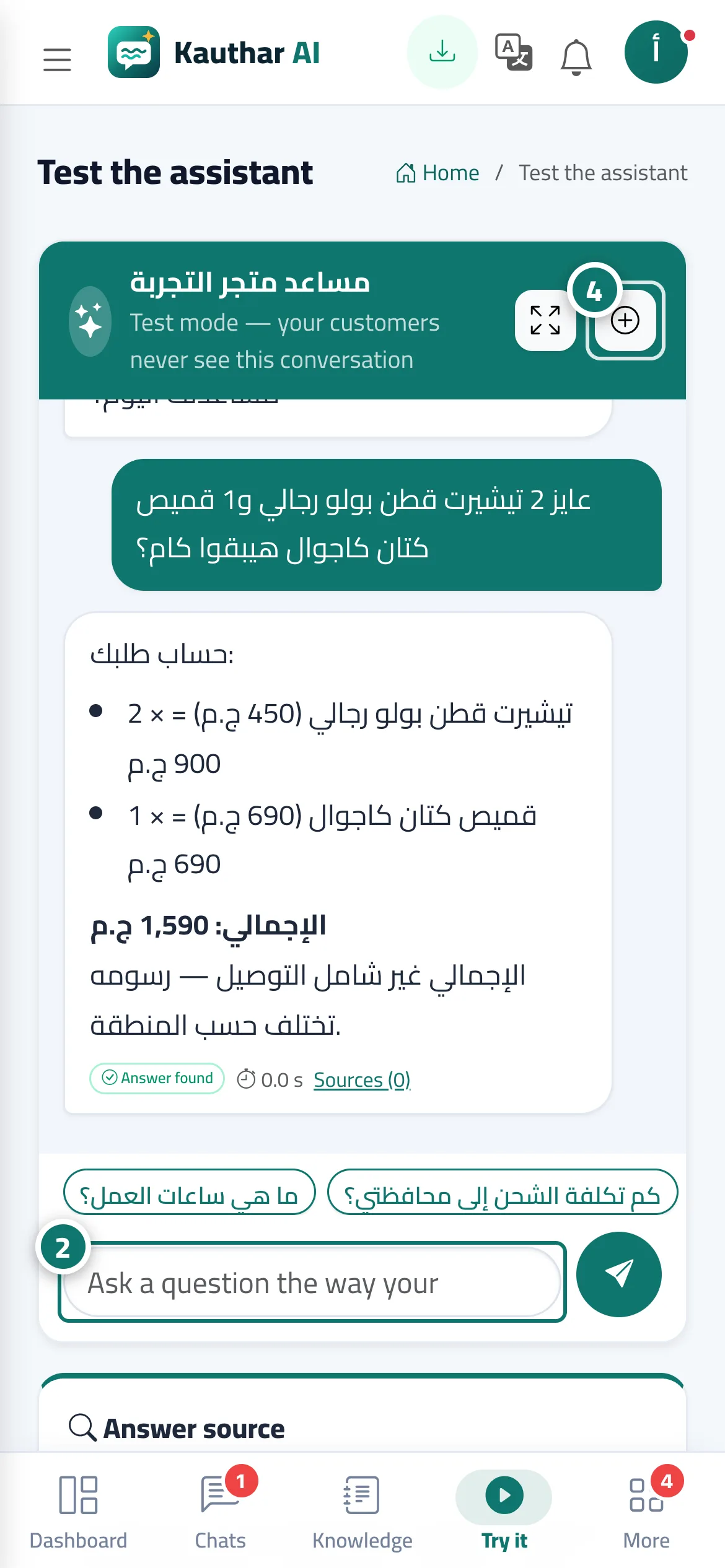
- Type a question in the “Ask a question the way your customers would…” box, or tap one of the suggested questions. Numéro 2 sur l’image
- Check the reply and its details in the “Answer source” panel.
- If the reply is wrong or incomplete, edit the knowledge base file or add a “Fixed answer”, then try again. The “New conversation” button starts the chat over. Numéro 4 sur l’image
Étapes
- Open “Try the assistant”.
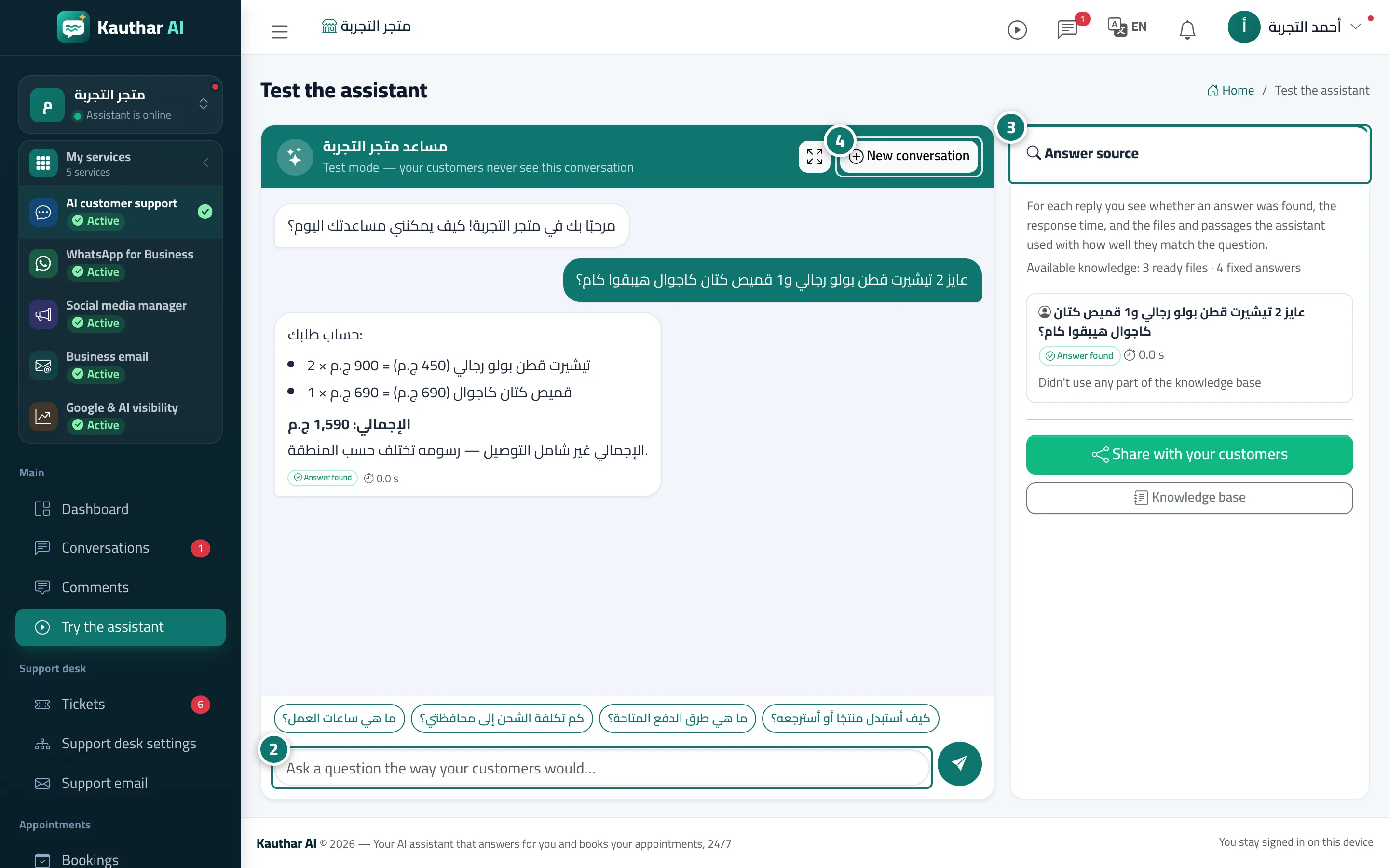
- Type a question in the “Ask a question the way your customers would…” box, or tap one of the suggested questions. Numéro 2 sur l’image
- Check the reply and its details in the “Answer source” panel. Numéro 3 sur l’image
- If the reply is wrong or incomplete, edit the knowledge base file or add a “Fixed answer”, then try again. The “New conversation” button starts the chat over. Numéro 4 sur l’image