
Assistant et connaissances · Handoff to staff and collecting customer details
How does a customer reach a real person when the assistant can't answer?
When the assistant has no answer or the customer asks for a person: a WhatsApp button to your number, a form where the customer leaves a name and number, and optional registration before the chat starts.
Pour qui : Propriétaire et responsable
Où : Sidebar → Account → Assistant settings → «Customer details and session» and «Handoff to staff and activation» cards
Étapes
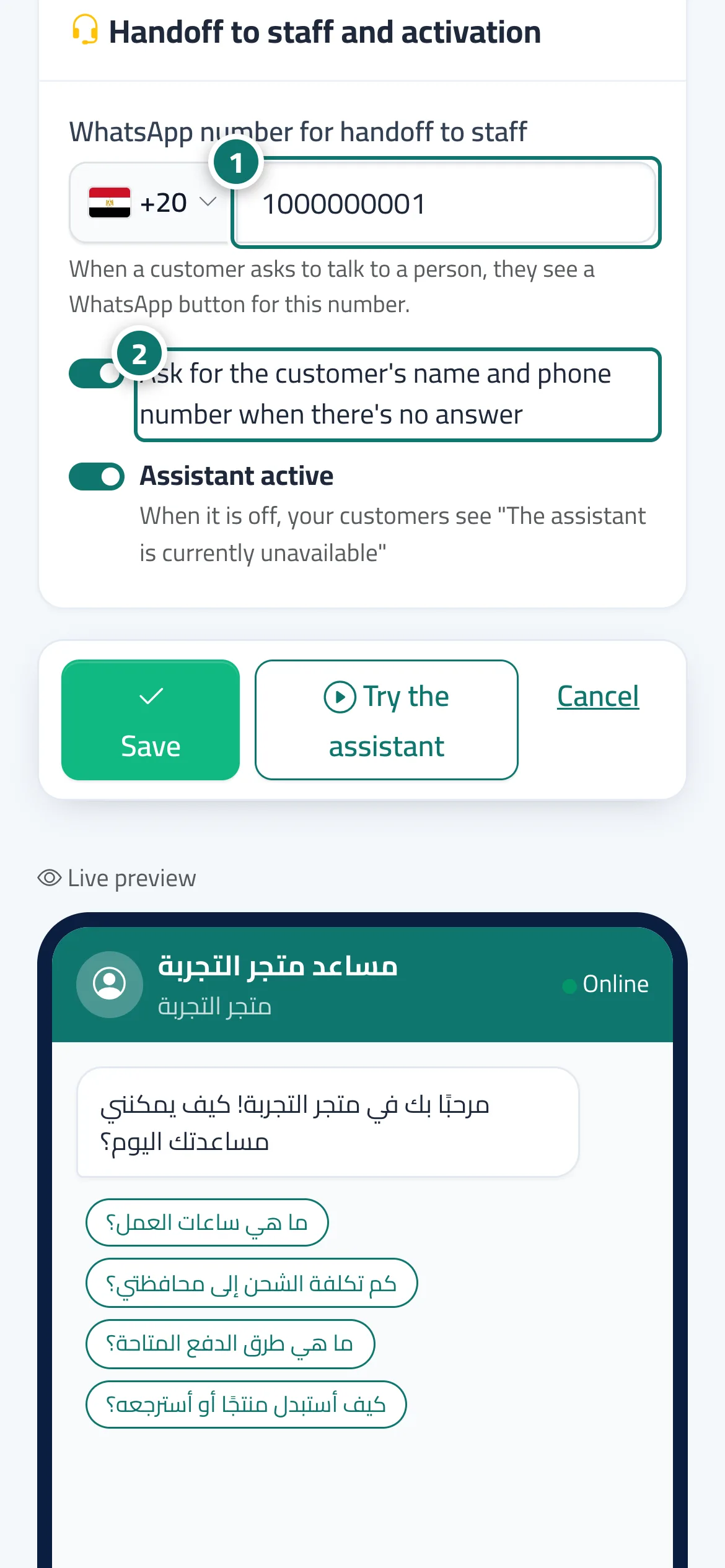
- Choose the country and type your number in «WhatsApp number for handoff to staff». Numéro 1 sur l’image
- Turn on «Ask for the customer's name and phone number when there's no answer». Numéro 2 sur l’image
- If you want customers to register first, turn on «Ask for customer details before the chat starts» and choose after how long a new conversation starts.
- Press «Save».
Étapes
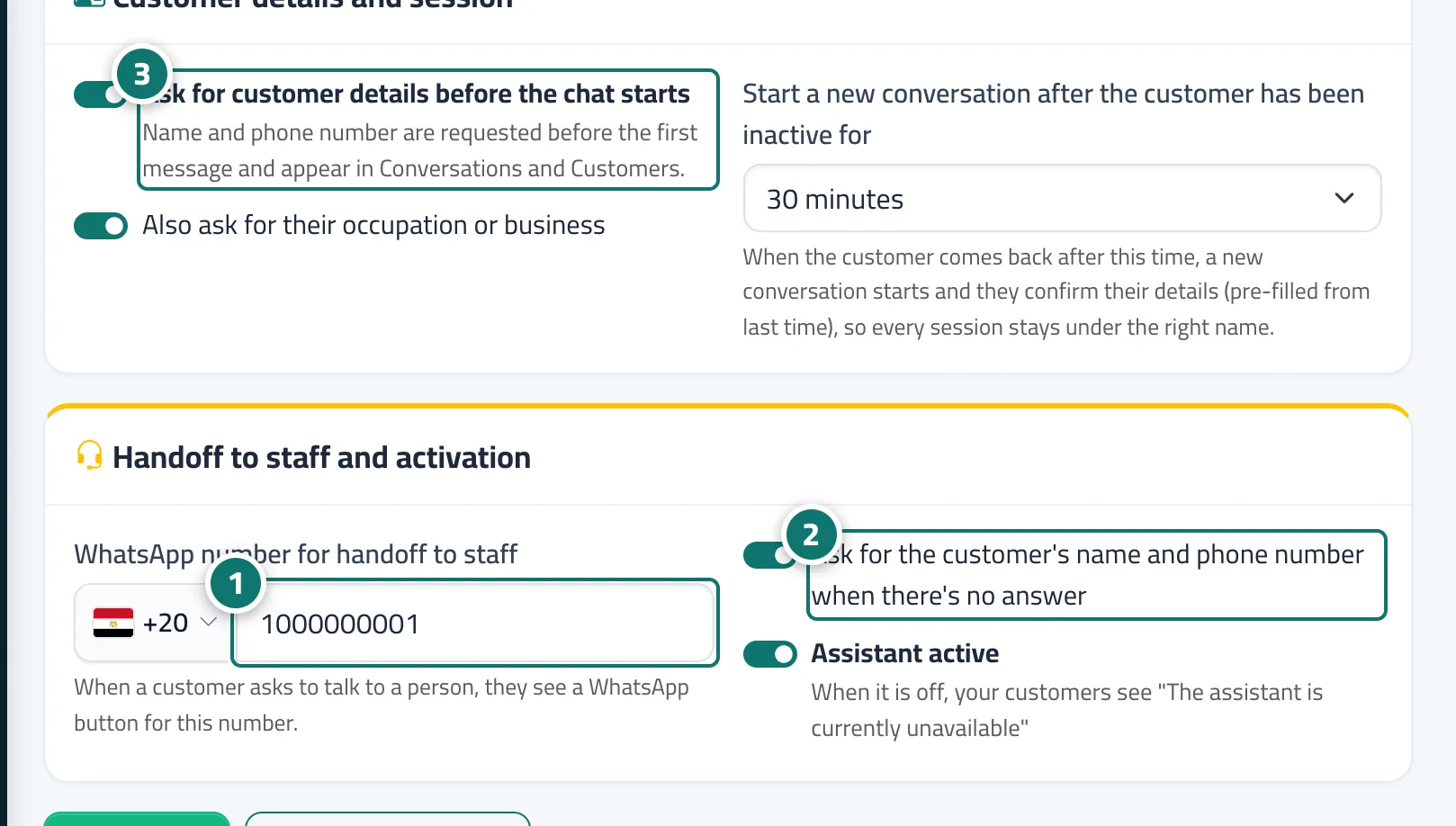
- Choose the country and type your number in «WhatsApp number for handoff to staff». Numéro 1 sur l’image
- Turn on «Ask for the customer's name and phone number when there's no answer». Numéro 2 sur l’image
- If you want customers to register first, turn on «Ask for customer details before the chat starts» and choose after how long a new conversation starts. Numéro 3 sur l’image
- Press «Save».