
Facturation et offres · Pause Kauthar AI for a service without cancelling
How do I pause the automatic replies?
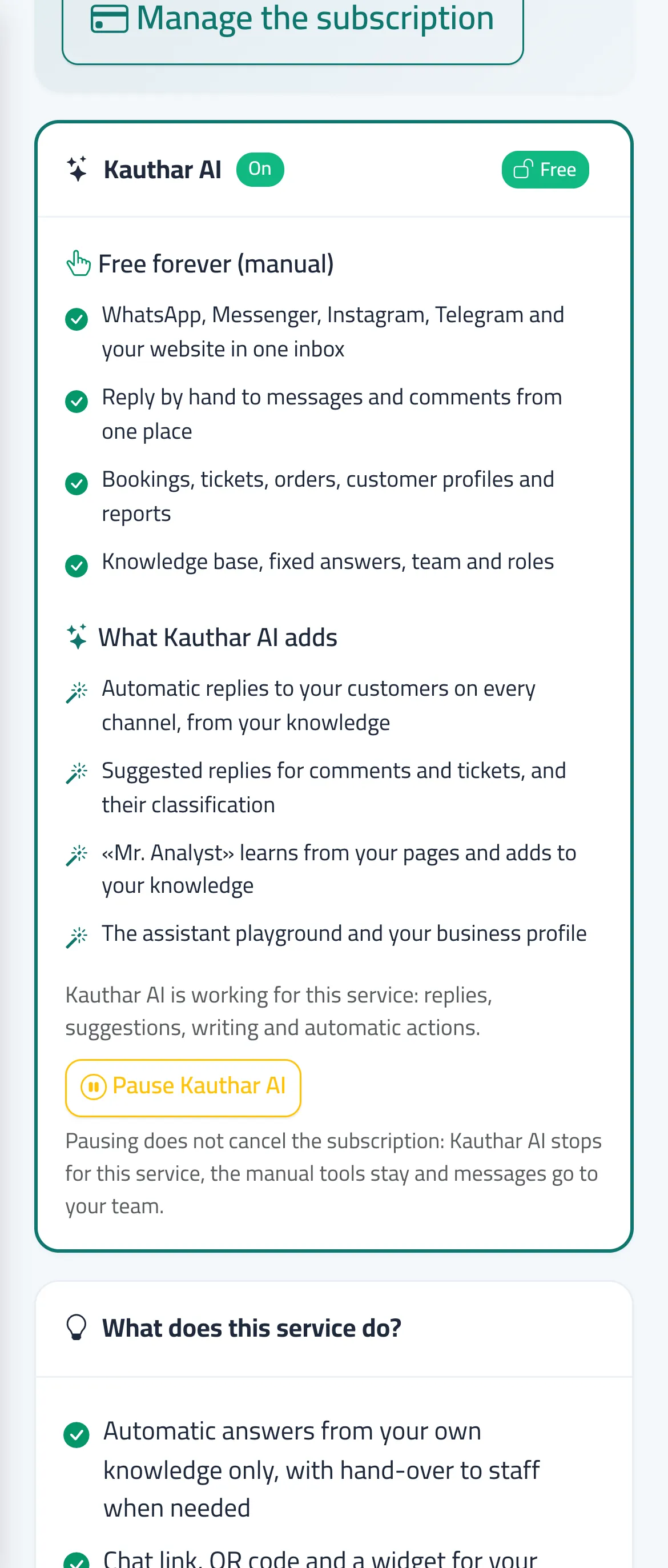
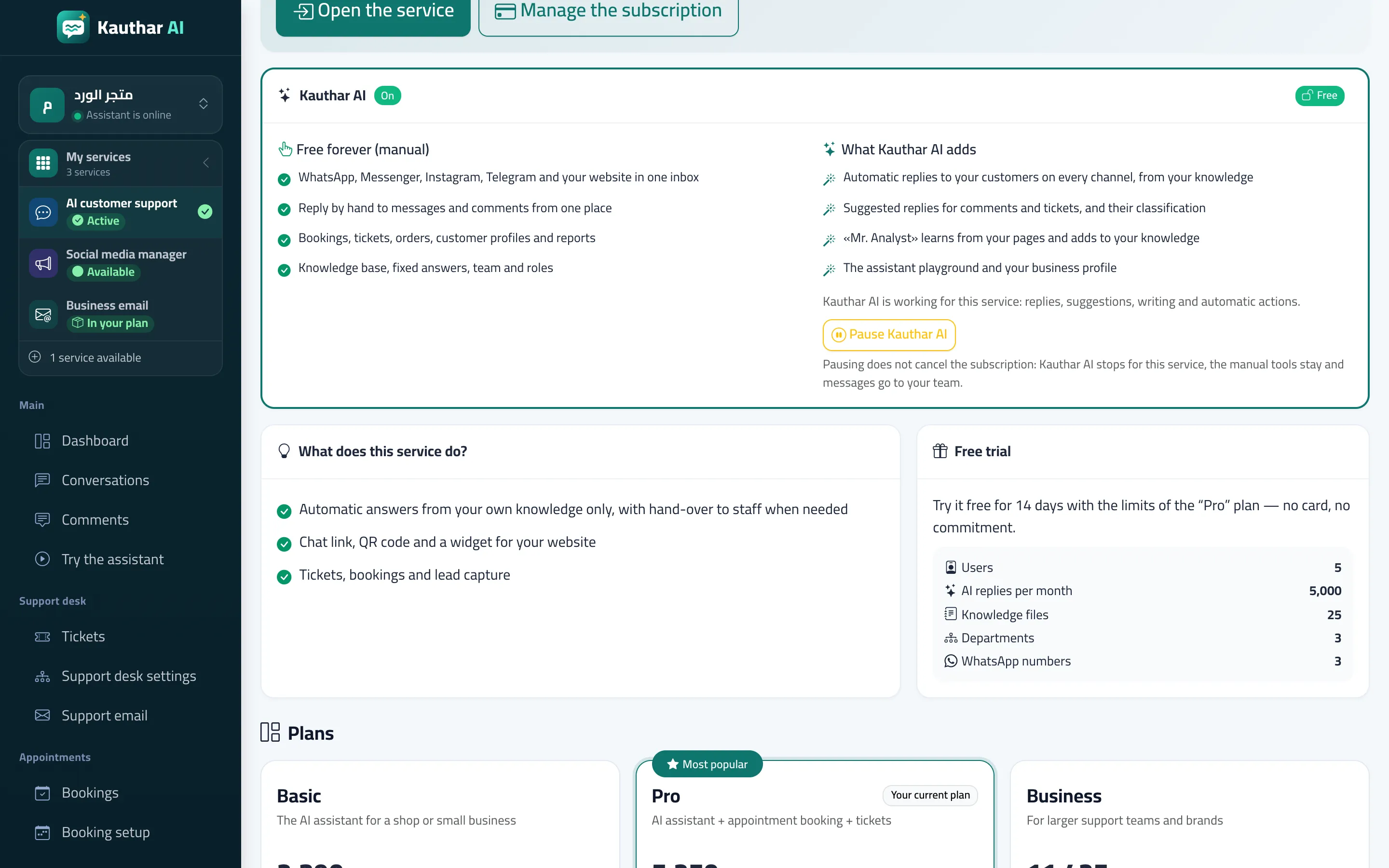
You can pause the AI of one service any time from its page: automatic replies, writing and automatic actions stop, the manual tools stay — and your subscription is unchanged.
Pour qui : Propriétaire et responsable
Où : «My services» → «Details» on the service card → the «Kauthar AI» section
Étapes
- Open the service page from «My services» → «Details». Numéro 1 sur l’image
- In the «Kauthar AI» section press «Pause Kauthar AI».
- To restore it press «Turn Kauthar AI back on» in the same section.
Étapes
- Open the service page from «My services» → «Details». Numéro 1 sur l’image
- In the «Kauthar AI» section press «Pause Kauthar AI».
- To restore it press «Turn Kauthar AI back on» in the same section.