
Facturation et offres · When a service subscription ends: only Kauthar AI stops
My AI customer support subscription ended. Does Business email stop too?
When a service's subscription or trial ends, only Kauthar AI (automatic replies and the paid features) stops in that service; its screens and manual tools, the account and your other services stay open for free with no time limit, and your data is kept.
Pour qui : Propriétaire et responsable · Membres de l'équipe
Où : “My services” → the ended service's card
Étapes
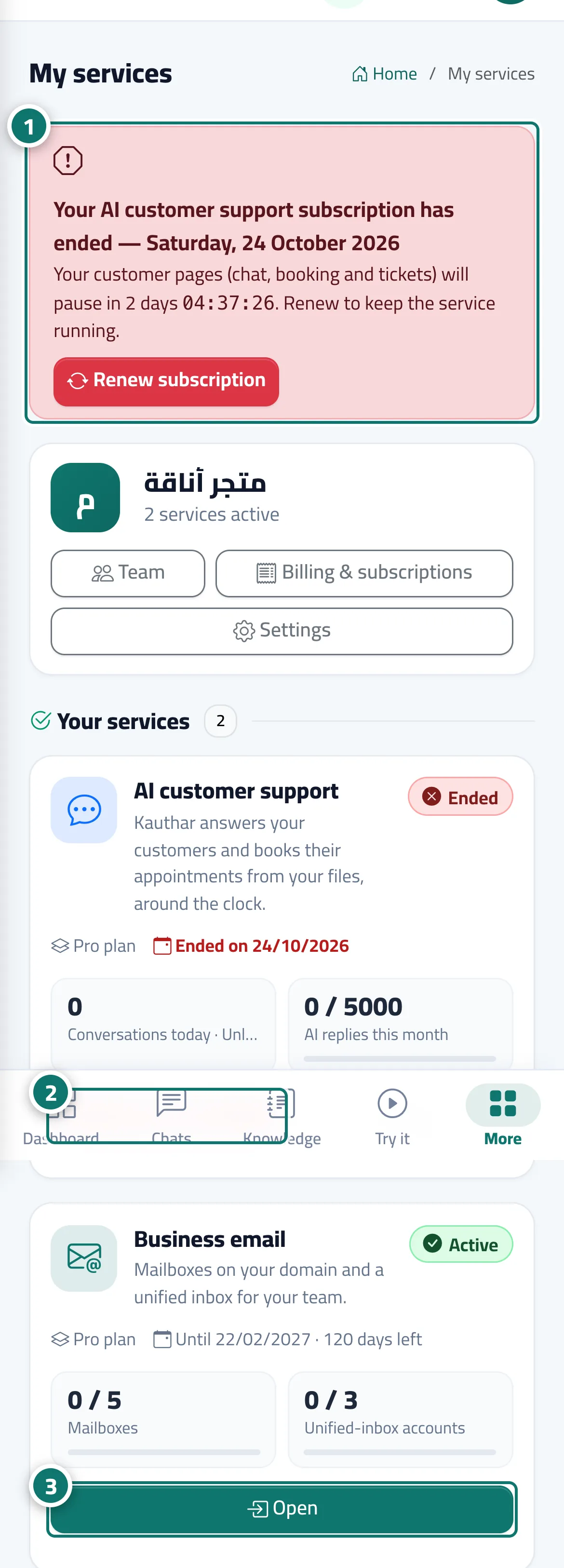
- Notice the red strip at the top of the page and the «Kauthar AI: Off» line on the service card in “My services”. Numéro 1 sur l’image
- Keep working by hand from the service's screens as usual; nothing locks. Numéro 2 sur l’image
- To turn Kauthar AI back on, click “Renew” on the card (or “Renew subscription” in the strip), choose the plan and duration and pay; Kauthar AI comes back as soon as the payment is confirmed. Numéro 3 sur l’image
Étapes
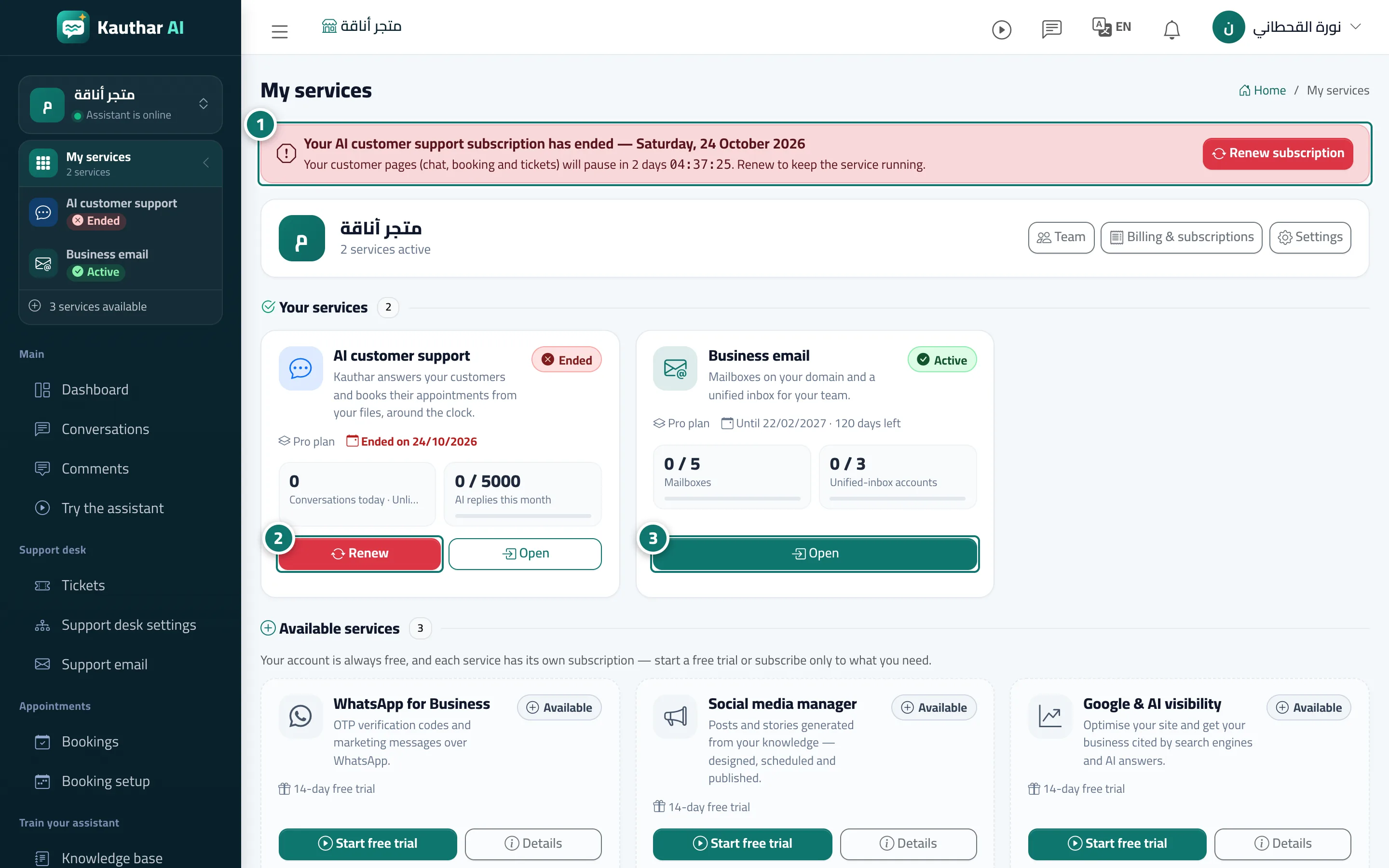
- Notice the red strip at the top of the page and the «Kauthar AI: Off» line on the service card in “My services”. Numéro 1 sur l’image
- Keep working by hand from the service's screens as usual; nothing locks. Numéro 2 sur l’image
- To turn Kauthar AI back on, click “Renew” on the card (or “Renew subscription” in the strip), choose the plan and duration and pay; Kauthar AI comes back as soon as the payment is confirmed. Numéro 3 sur l’image