
Facturation et offres · AI customer support expiry alert
What happens when my subscription ends?
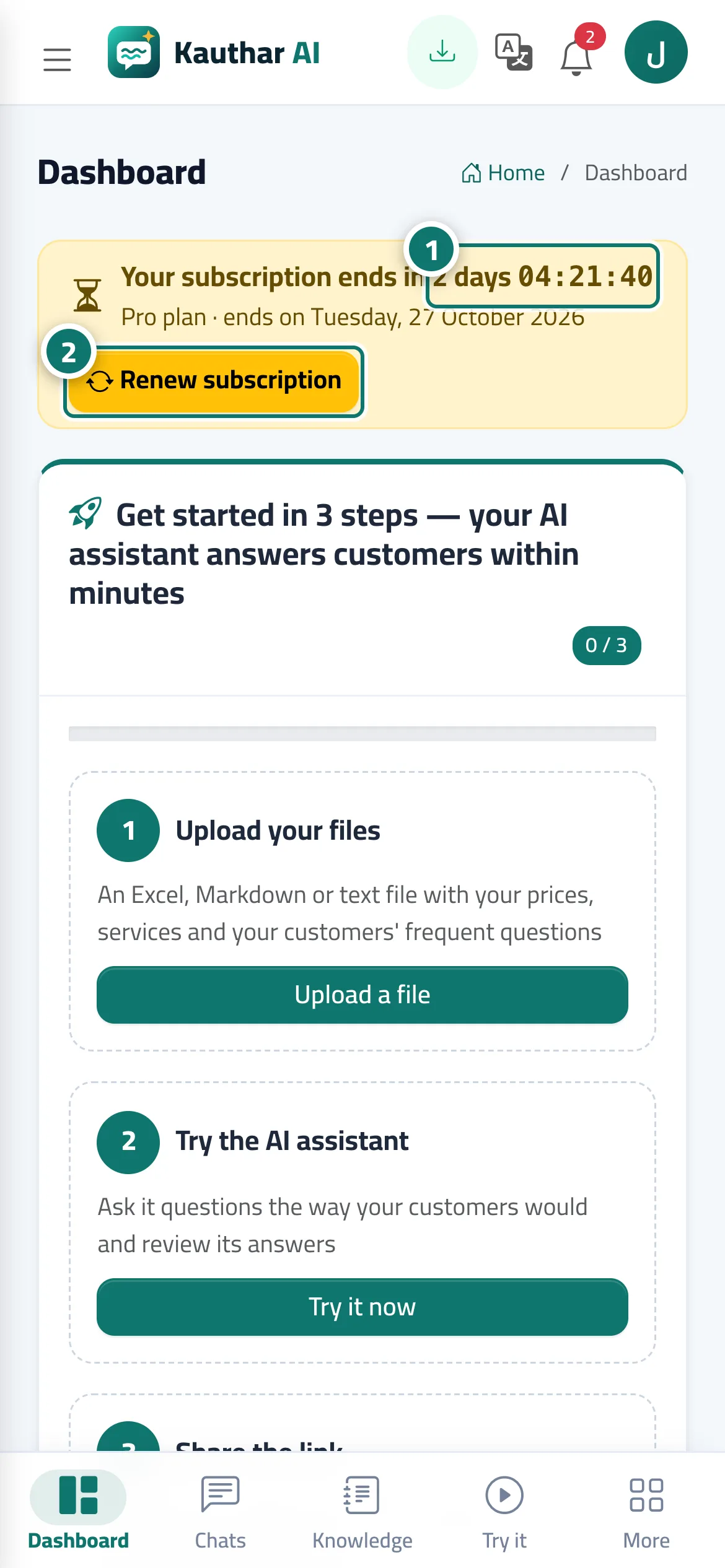
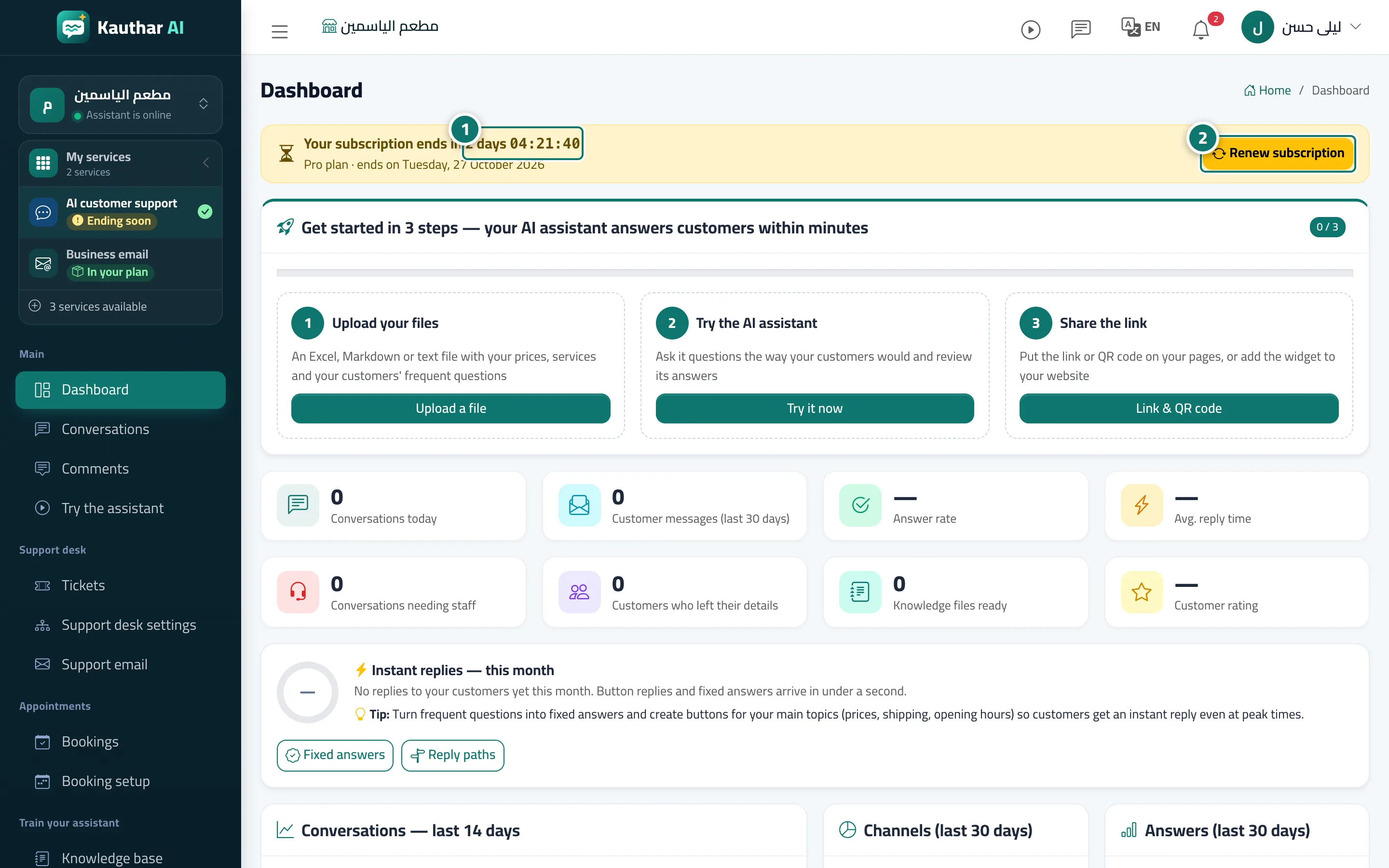
A countdown bar shown to the owner and admins before the «AI customer support» subscription or free trial ends; after it ends, only Kauthar AI stops and every screen stays open.
Pour qui : Propriétaire et responsable
Où : Appears automatically at the top of the dashboard pages, such as the «Dashboard»
Étapes
- When the yellow bar appears, watch the countdown and the "Ends on" date. Numéro 1 sur l’image
- Press «Renew subscription» (or «Subscribe now») to go to the «Subscription» page. Numéro 2 sur l’image
- Choose the plan and the period and press «Pay now»; the bar disappears as soon as the new subscription is active.
Étapes
- When the yellow bar appears, watch the countdown and the "Ends on" date. Numéro 1 sur l’image
- Press «Renew subscription» (or «Subscribe now») to go to the «Subscription» page. Numéro 2 sur l’image
- Choose the plan and the period and press «Pay now»; the bar disappears as soon as the new subscription is active.