Where do I find the chat link to share with my customers?
One link with your business's name that any customer can open to ask the assistant and get an instant reply — no account to create, no app to download.
Pour qui : Propriétaire et responsable
Où : Sidebar → Channels & customers → Channels
Étapes
1
Open «Channels» from the sidebar.
2
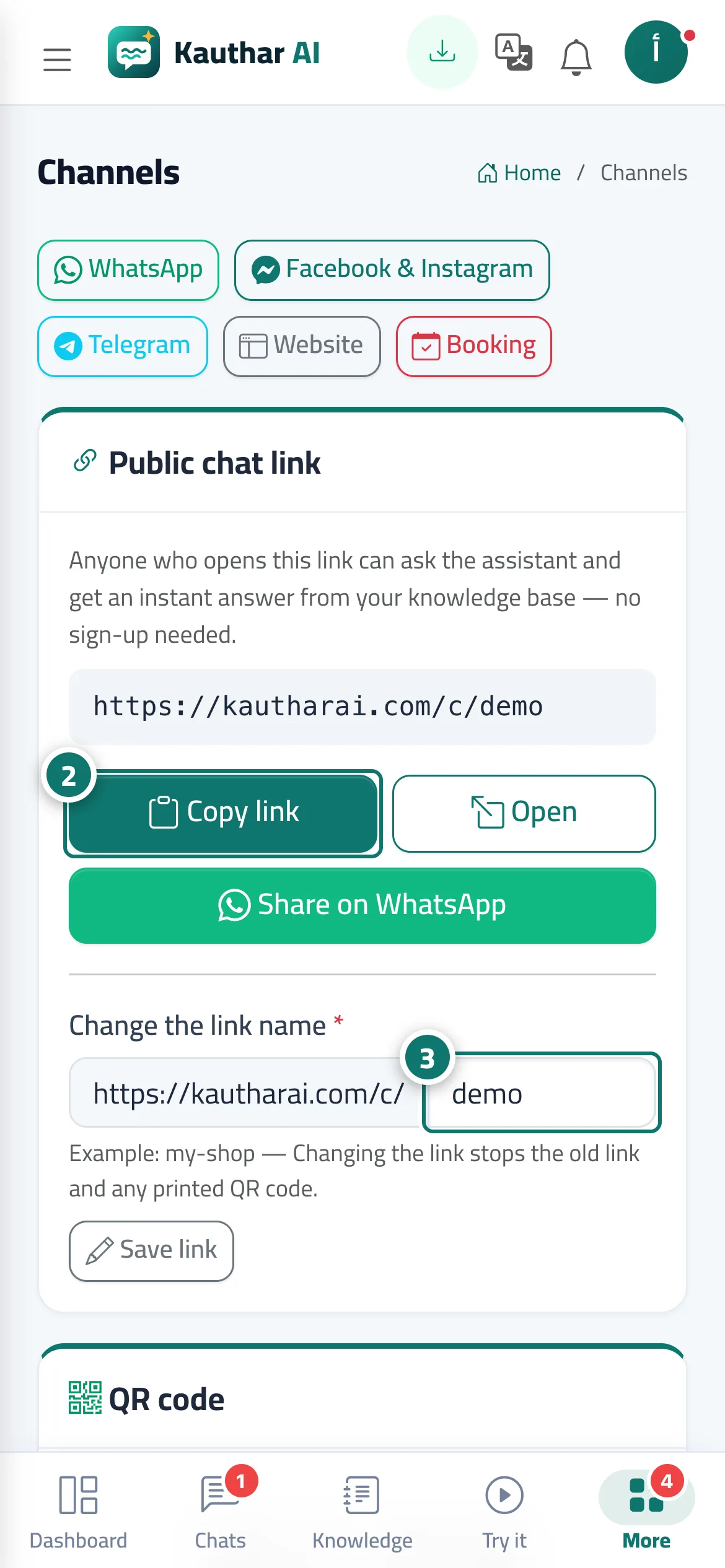
In the «Public chat link» card, click «Copy link», «Open» or «Share on WhatsApp». Numéro 2 sur l’image
3
To change the name: type the new name under «Change the link name» in small English letters (for example: my-shop), then click «Save link» and confirm. Numéro 3 sur l’image
Étapes
1
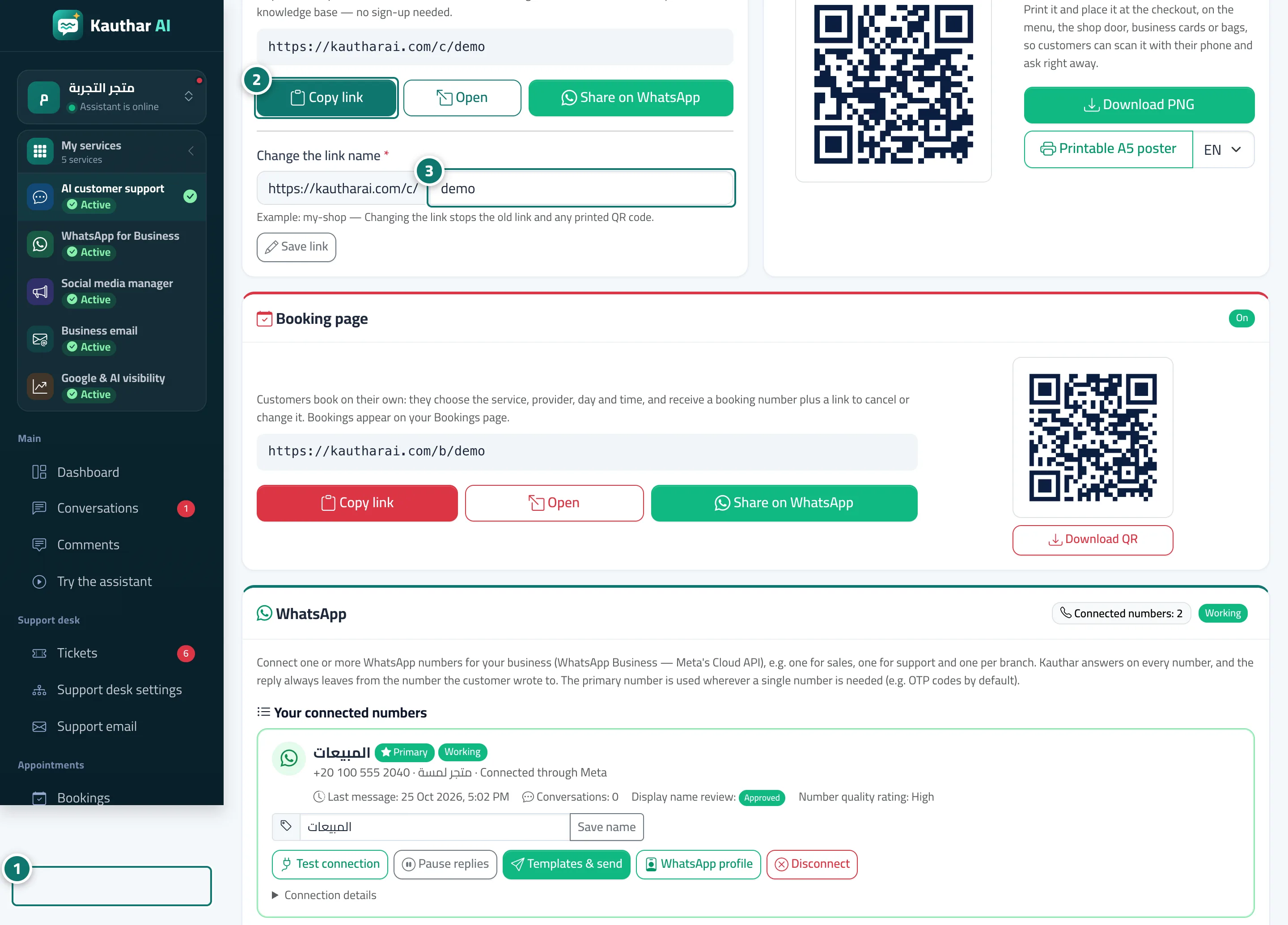
Open «Channels» from the sidebar. Numéro 1 sur l’image
2
In the «Public chat link» card, click «Copy link», «Open» or «Share on WhatsApp». Numéro 2 sur l’image
3
To change the name: type the new name under «Change the link name» in small English letters (for example: my-shop), then click «Save link» and confirm. Numéro 3 sur l’image