
Canaux · Connect ClickUp
How do I connect Kauthar AI to ClickUp?
Connect your ClickUp workspace: a task is created automatically for every ticket, complaint, lead, unanswered question, booking or order, and when your team closes the task in ClickUp the ticket is closed in Kauthar AI.
Pour qui : Propriétaire et responsable · Membres de l'équipe
Où : Sidebar → Channels & customers → ClickUp
Étapes
- Open “ClickUp” in the sidebar.
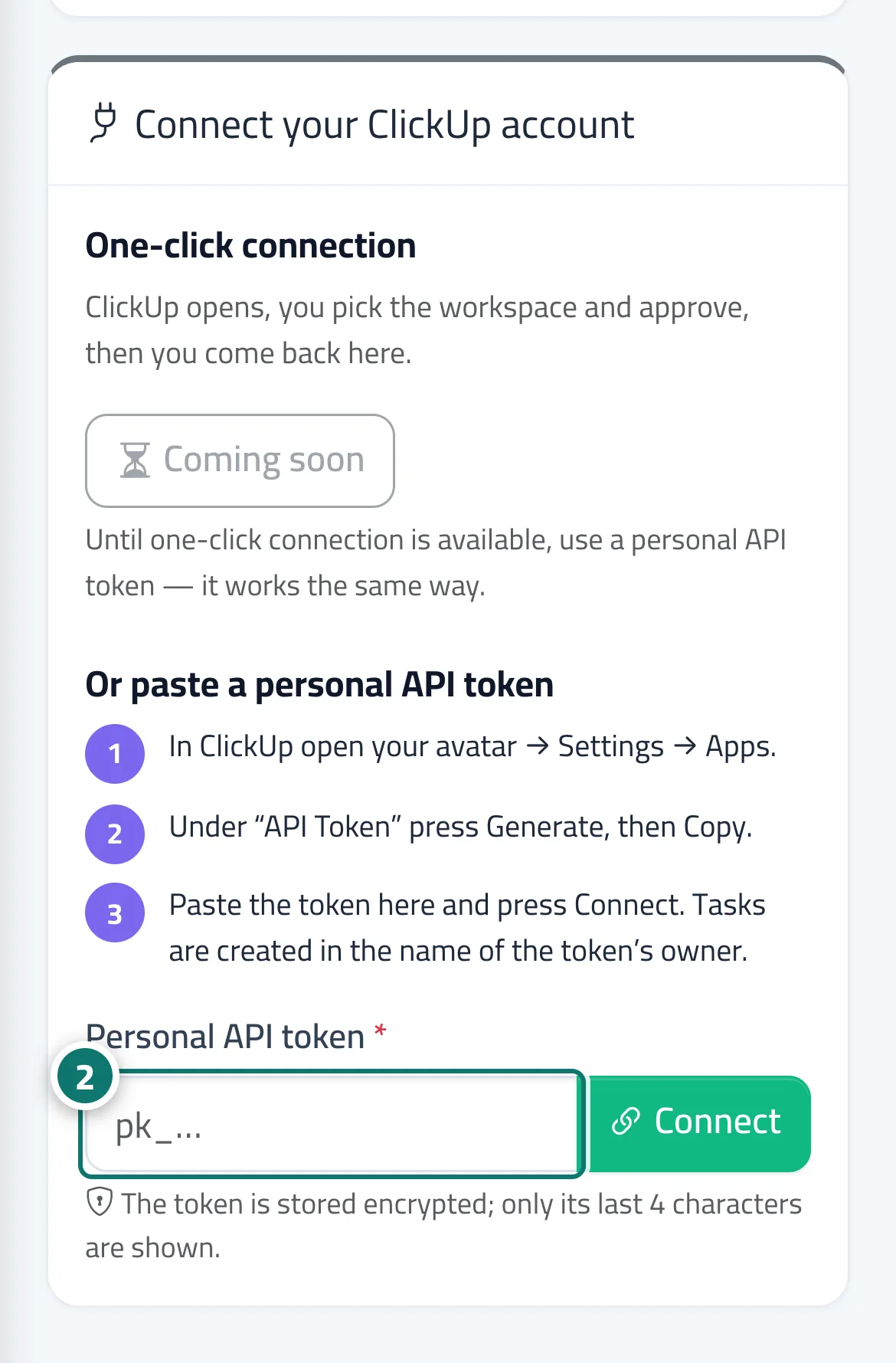
- Press “Connect with ClickUp”, or copy your personal API token from ClickUp, paste it into the field and press “Connect”. Numéro 2 sur l’image
- Choose the workspace if your account has more than one.
- Under “What is sent, and where”, turn on the types you want, pick the space and list for each, then press “Save”.
- Press “Send a test task” and check that it appears in your ClickUp list.
Étapes
- Open “ClickUp” in the sidebar.
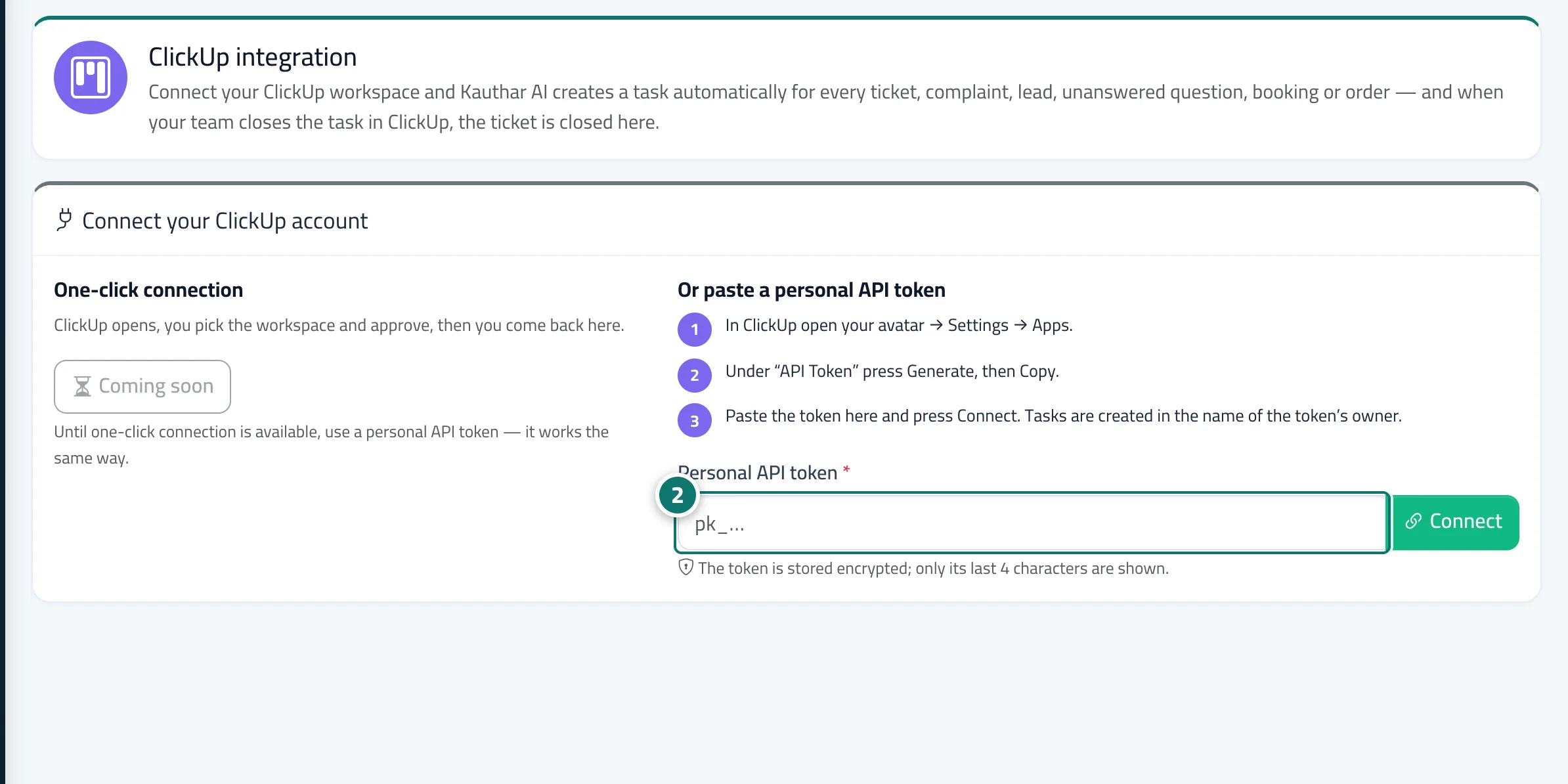
- Press “Connect with ClickUp”, or copy your personal API token from ClickUp, paste it into the field and press “Connect”. Numéro 2 sur l’image
- Choose the workspace if your account has more than one.
- Under “What is sent, and where”, turn on the types you want, pick the space and list for each, then press “Save”.
- Press “Send a test task” and check that it appears in your ClickUp list.