
Canaux · Disconnect a WhatsApp number and release it from Meta
How do I disconnect a WhatsApp number from Kauthar?
Disconnect any WhatsApp number from Kauthar and choose to release it from Meta so you can use it again in the WhatsApp app on your phone; your other numbers and their conversations stay as they are.
Pour qui : Propriétaire et responsable · Membres de l'équipe
Où : Sidebar → Channels & customers → Channels → the number's card → «Disconnect number»
Étapes
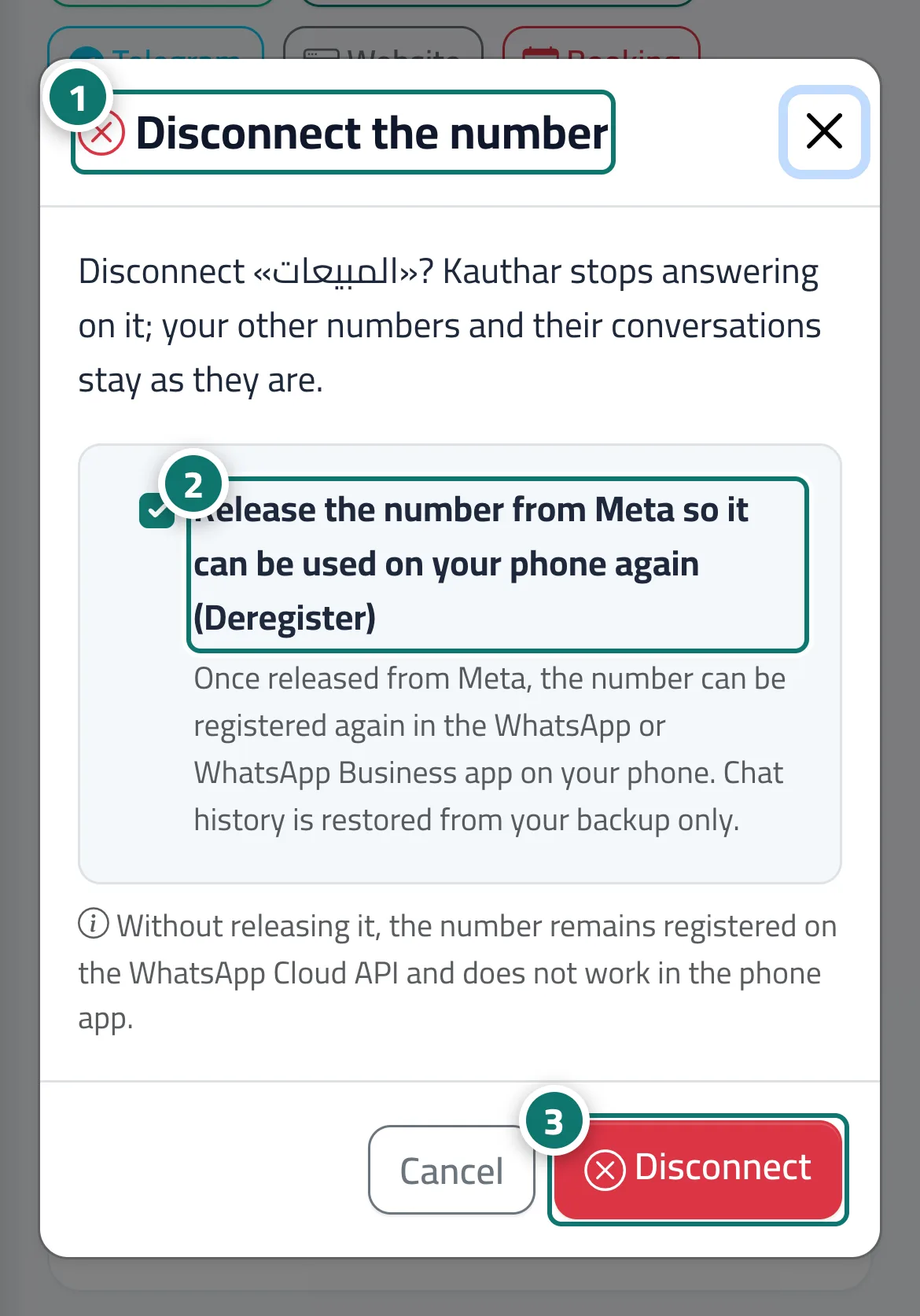
- Click «Disconnect number» on the number's card; the «Disconnect number» window opens. Numéro 1 sur l’image
- Keep «Release the number from Meta…» ticked if you want to use the number in the WhatsApp app on your phone, or untick it to keep it registered on the Cloud API. Numéro 2 sur l’image
- Click «Disconnect number» to confirm. Numéro 3 sur l’image
Étapes
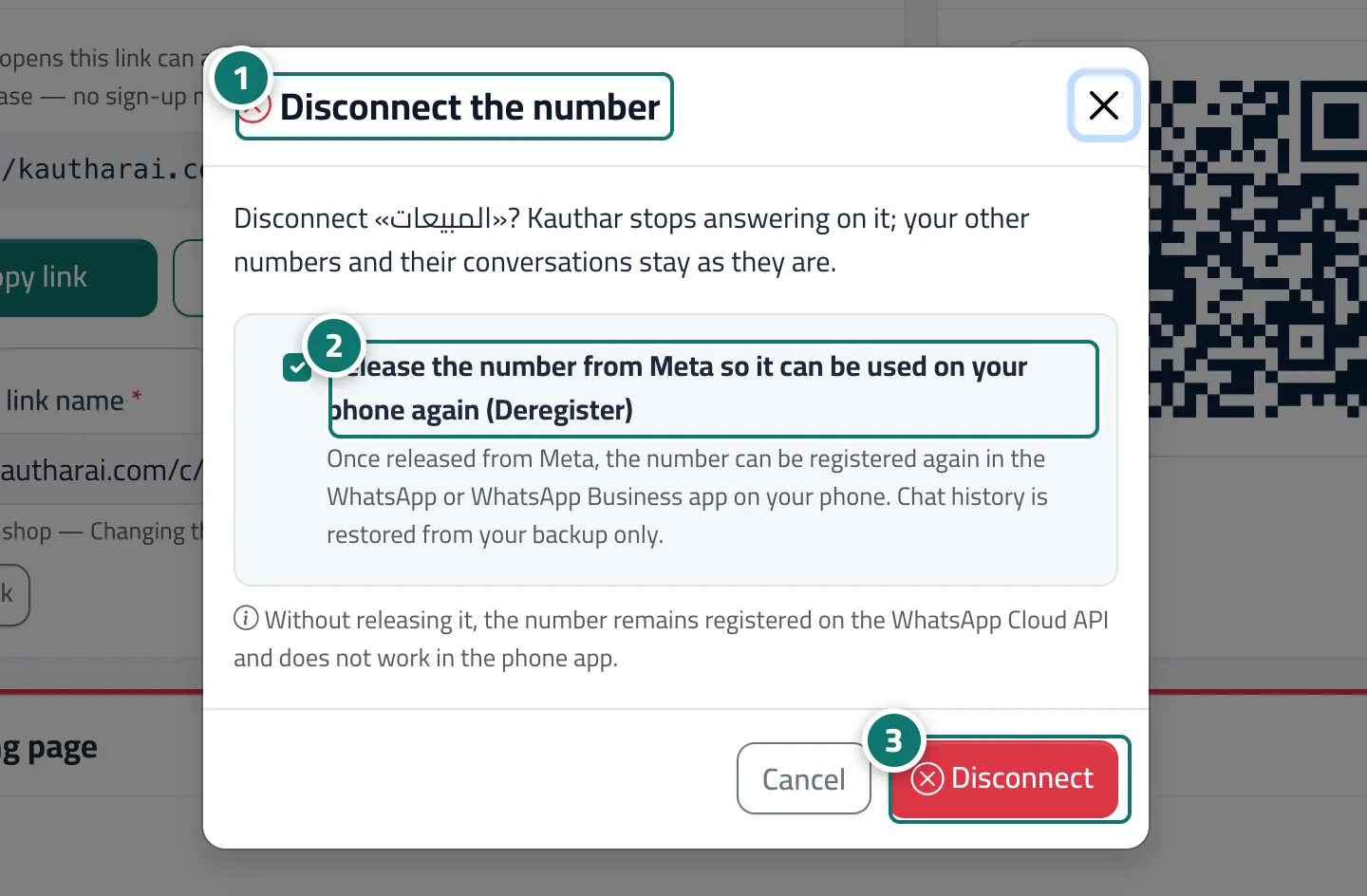
- Click «Disconnect number» on the number's card; the «Disconnect number» window opens. Numéro 1 sur l’image
- Keep «Release the number from Meta…» ticked if you want to use the number in the WhatsApp app on your phone, or untick it to keep it registered on the Cloud API. Numéro 2 sur l’image
- Click «Disconnect number» to confirm. Numéro 3 sur l’image