
Boutiques et intégrations · Connect your store in one click: Kauthar apps on Shopify, Salla, Zid and YouCan
How do I connect my Salla or Zid store to Kauthar in one click?
Install the Kauthar app from your platform's app store and approve: Kauthar receives the connection directly and starts syncing your products — no key to copy.
Pour qui : Propriétaire et responsable
Où : Sidebar → Train your assistant → “Connect your store” → choose your platform
Étapes
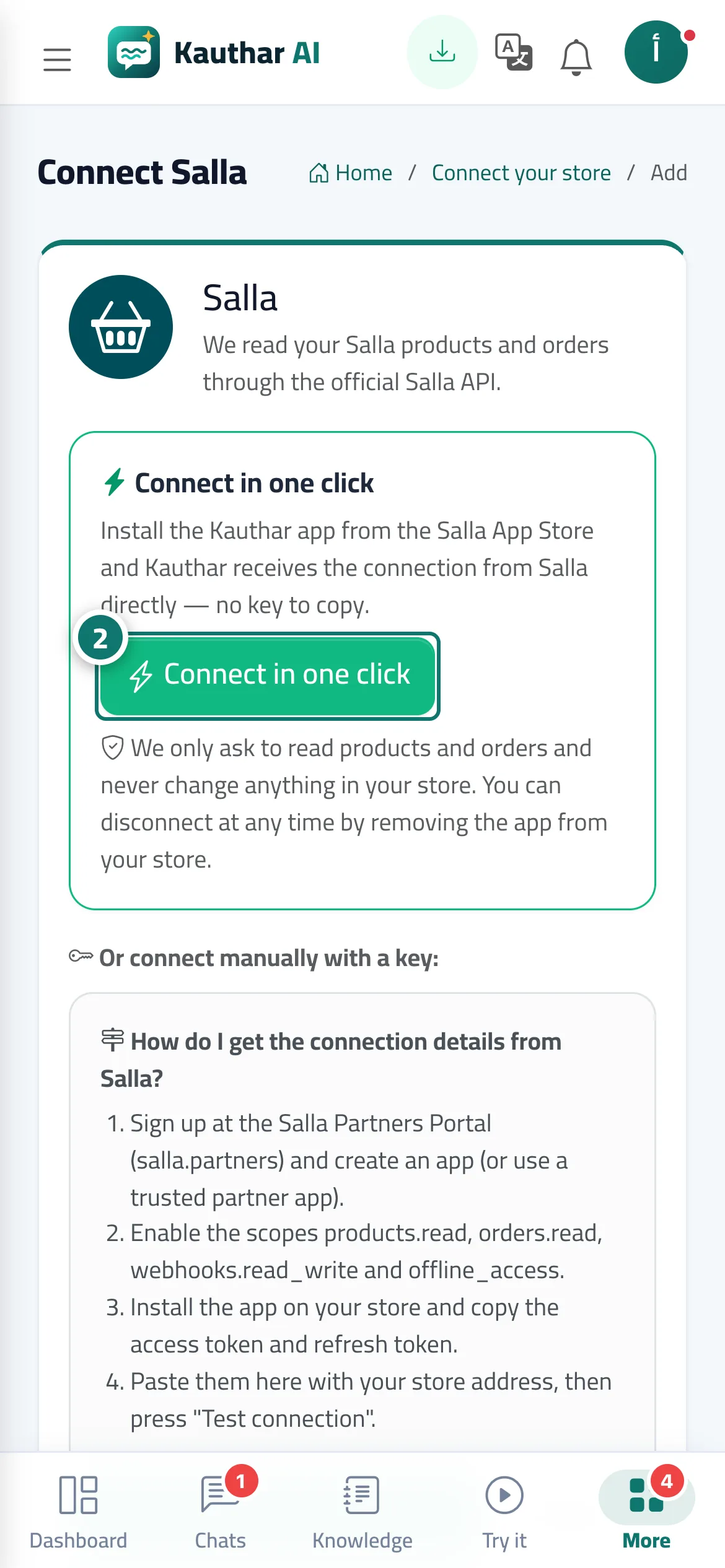
- Open “Connect your store” and press your platform (for example Salla).
- In the “Connect in one click” card press the install or connect button, and approve on the platform's page. Numéro 2 sur l’image
- Come back to Kauthar: the store card shows “Connected” with the “one-click” badge, and the sync starts.
Étapes
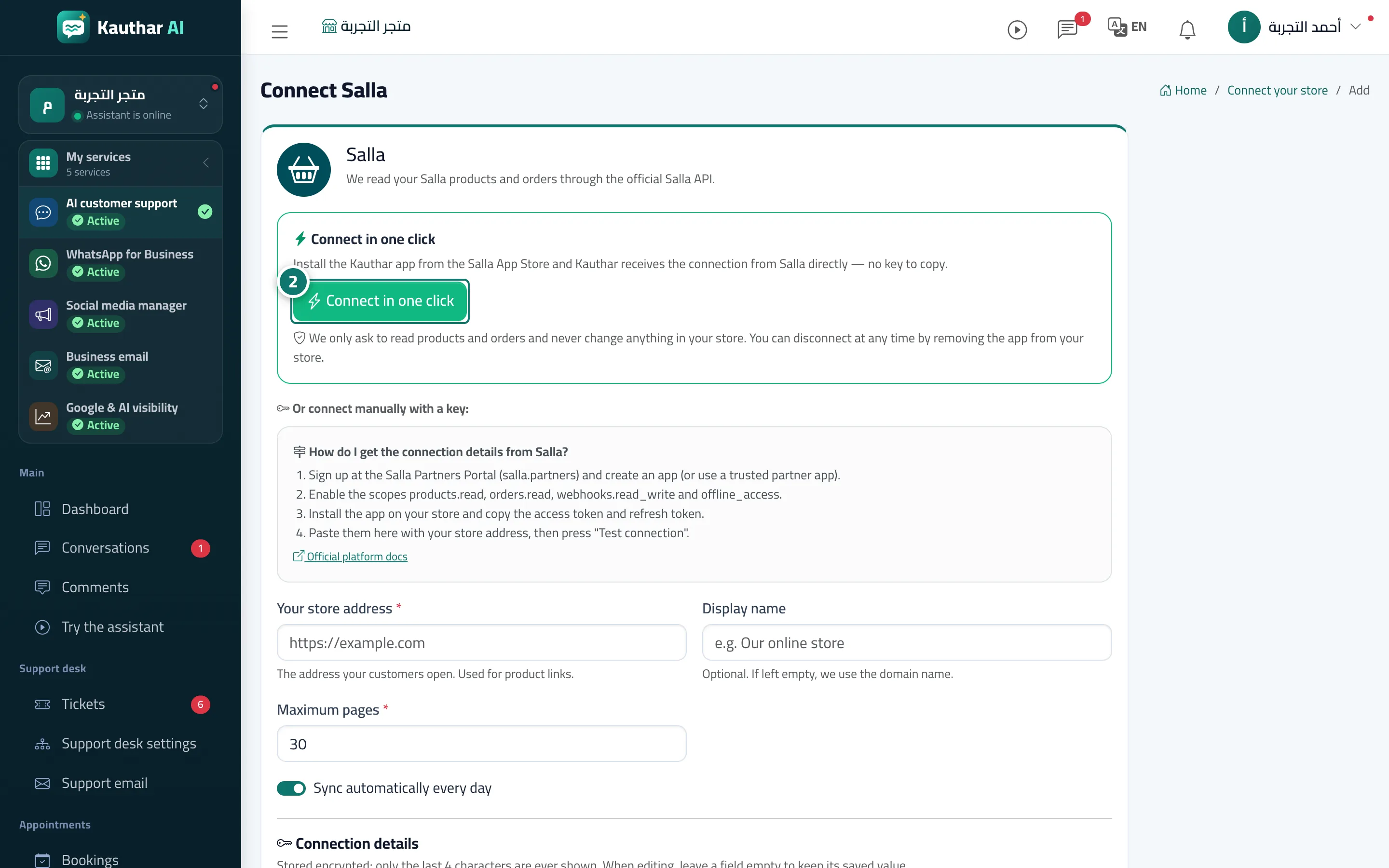
- Open “Connect your store” and press your platform (for example Salla).
- In the “Connect in one click” card press the install or connect button, and approve on the platform's page. Numéro 2 sur l’image
- Come back to Kauthar: the store card shows “Connected” with the “one-click” badge, and the sync starts.