
Boutiques et intégrations · Kauthar plugin for WordPress and WooCommerce
How do I add Kauthar to a WordPress site?
The free Kauthar AI plugin for WordPress adds Kauthar's chat bubble to your site and, with WooCommerce, syncs your products and order status — connected in one click or with a connection code, no keys to copy.
Pour qui : Propriétaire et responsable
Où : Connect your store → «WordPress plugin»
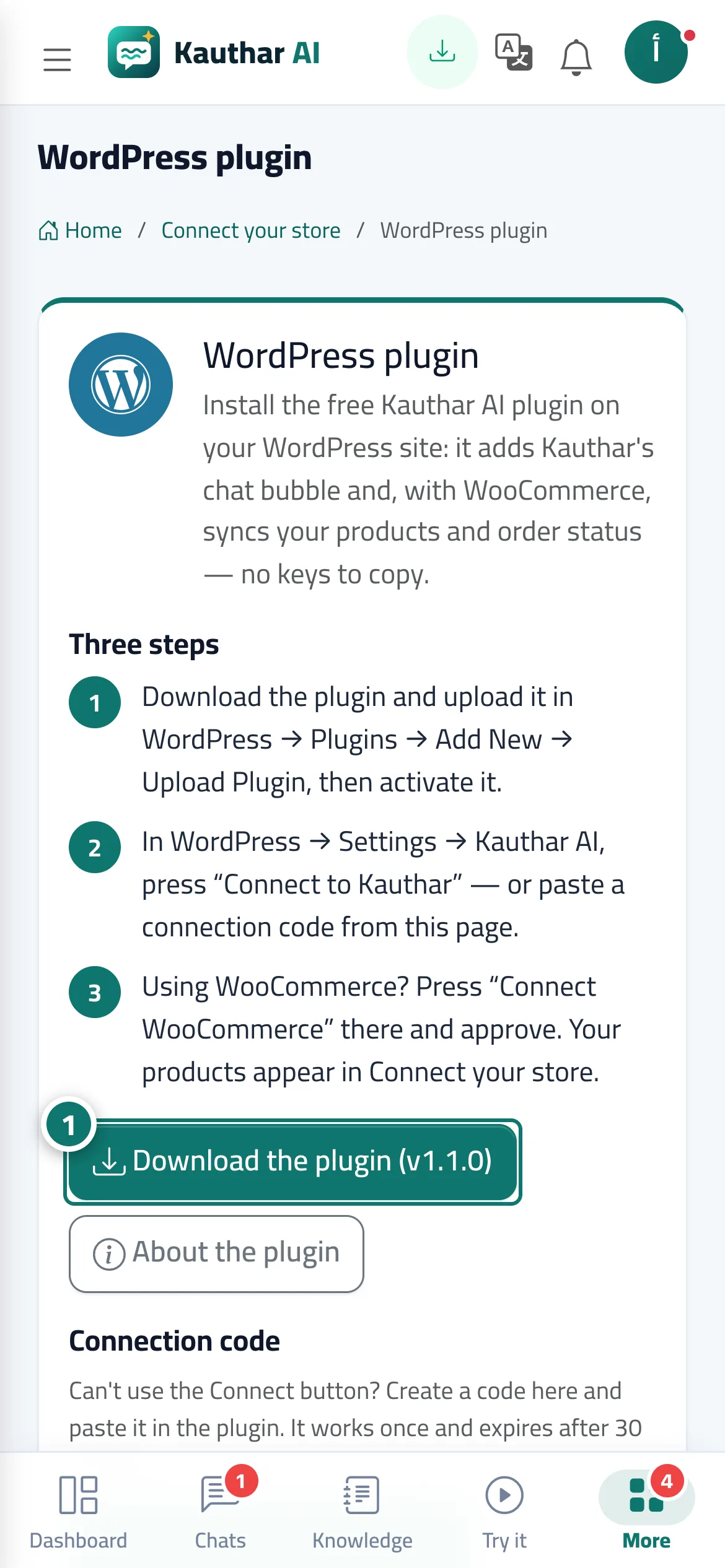
Étapes
- Click «Download the plugin», upload it in WordPress and activate it. Numéro 1 sur l’image
- In WordPress → Settings → Kauthar AI click «Connect to Kauthar» and approve in Kauthar (or create a connection code here and paste it into the plugin).
- For WooCommerce stores, click «WooCommerce sync» in the plugin and approve; the products appear in «Connect your store».
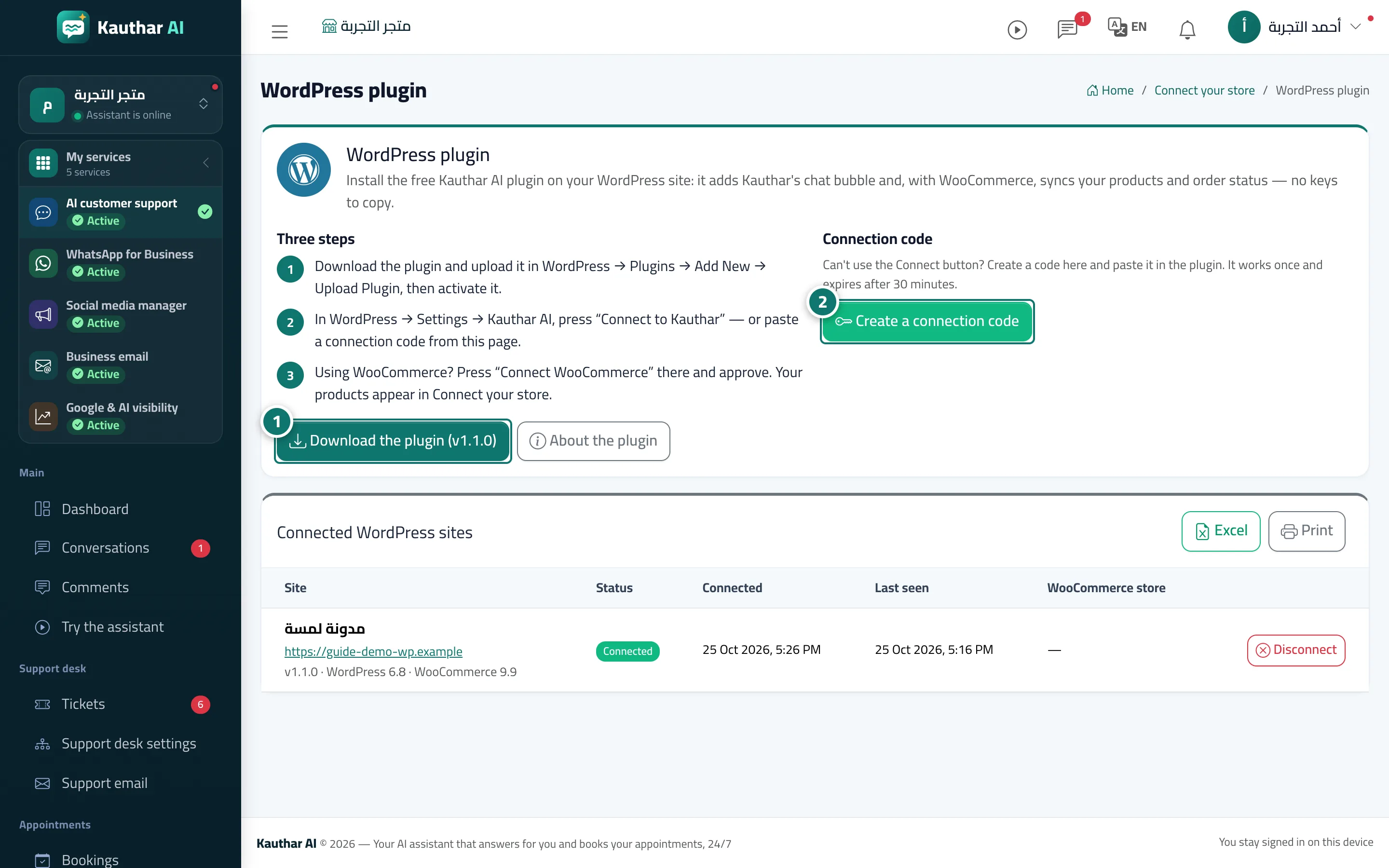
Étapes
- Click «Download the plugin», upload it in WordPress and activate it. Numéro 1 sur l’image
- In WordPress → Settings → Kauthar AI click «Connect to Kauthar» and approve in Kauthar (or create a connection code here and paste it into the plugin). Numéro 2 sur l’image
- For WooCommerce stores, click «WooCommerce sync» in the plugin and approve; the products appear in «Connect your store».