
Boutiques et intégrations · Kauthar AI extension for OpenCart, PrestaShop and Odoo
How do I connect my OpenCart store to Kauthar?
Install the free Kauthar AI extension in your OpenCart, PrestaShop or Odoo store: it shares your products with Kauthar and adds the chat bubble to your store — connected with a button or a code, no keys to copy.
Pour qui : Propriétaire et responsable · Membres de l'équipe
Où : Sidebar → Train your assistant → Connect your store → OpenCart, PrestaShop or Odoo
Étapes
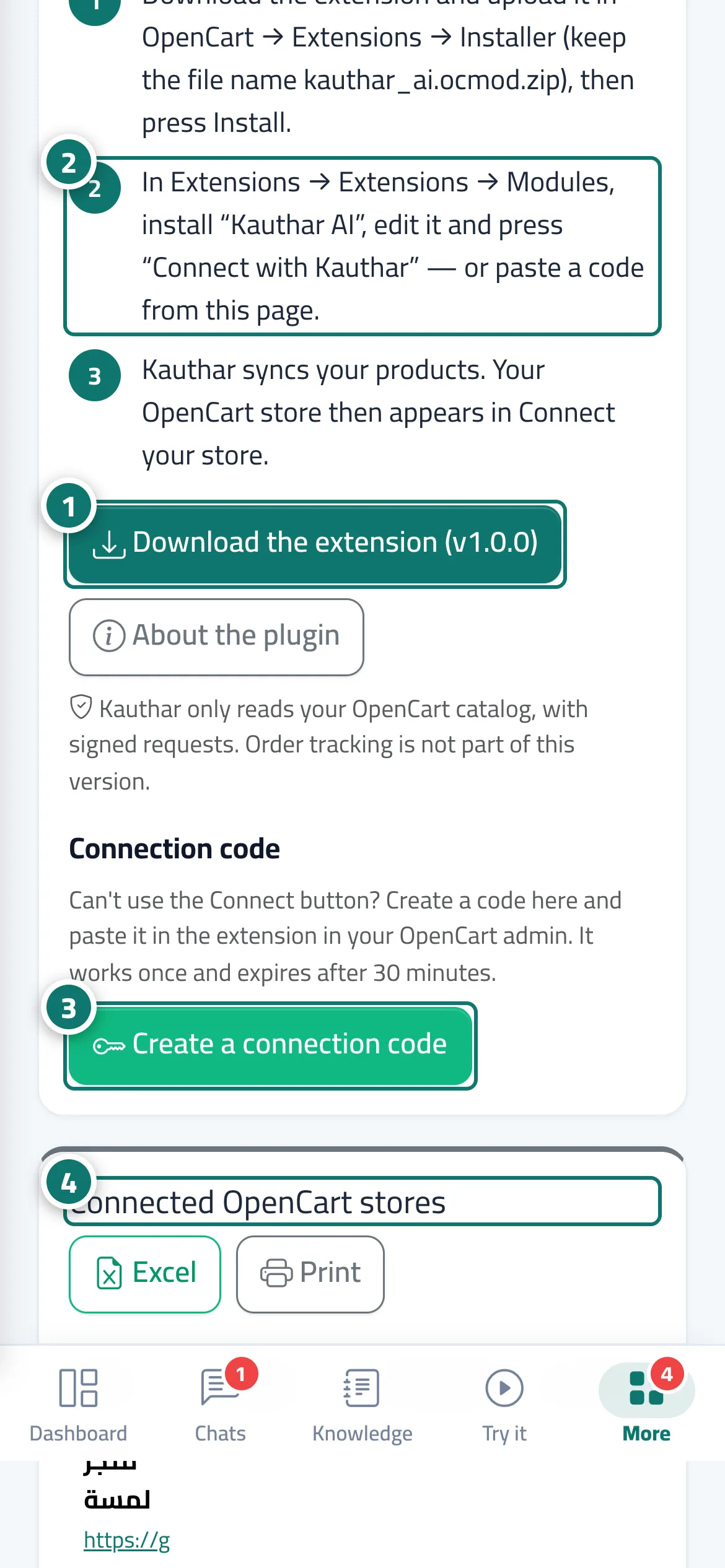
- On the “Kauthar AI for <platform>” page press “Download the extension”. Numéro 1 sur l’image
- Install it in your store: OpenCart in Extensions → Installer and then Modules; PrestaShop in Modules → Module Manager → Upload a module; Odoo by adding the module to your addons and installing “Kauthar AI”. Numéro 2 sur l’image
- Inside the extension press “Connect with Kauthar”, then “Connect” on Kauthar's confirmation page — or press “Create a connection code” here and paste the code into the extension. Numéro 3 sur l’image
- Your store appears under “Connected <platform> stores” and in “Connect your store”, and the product sync starts. Numéro 4 sur l’image
Étapes
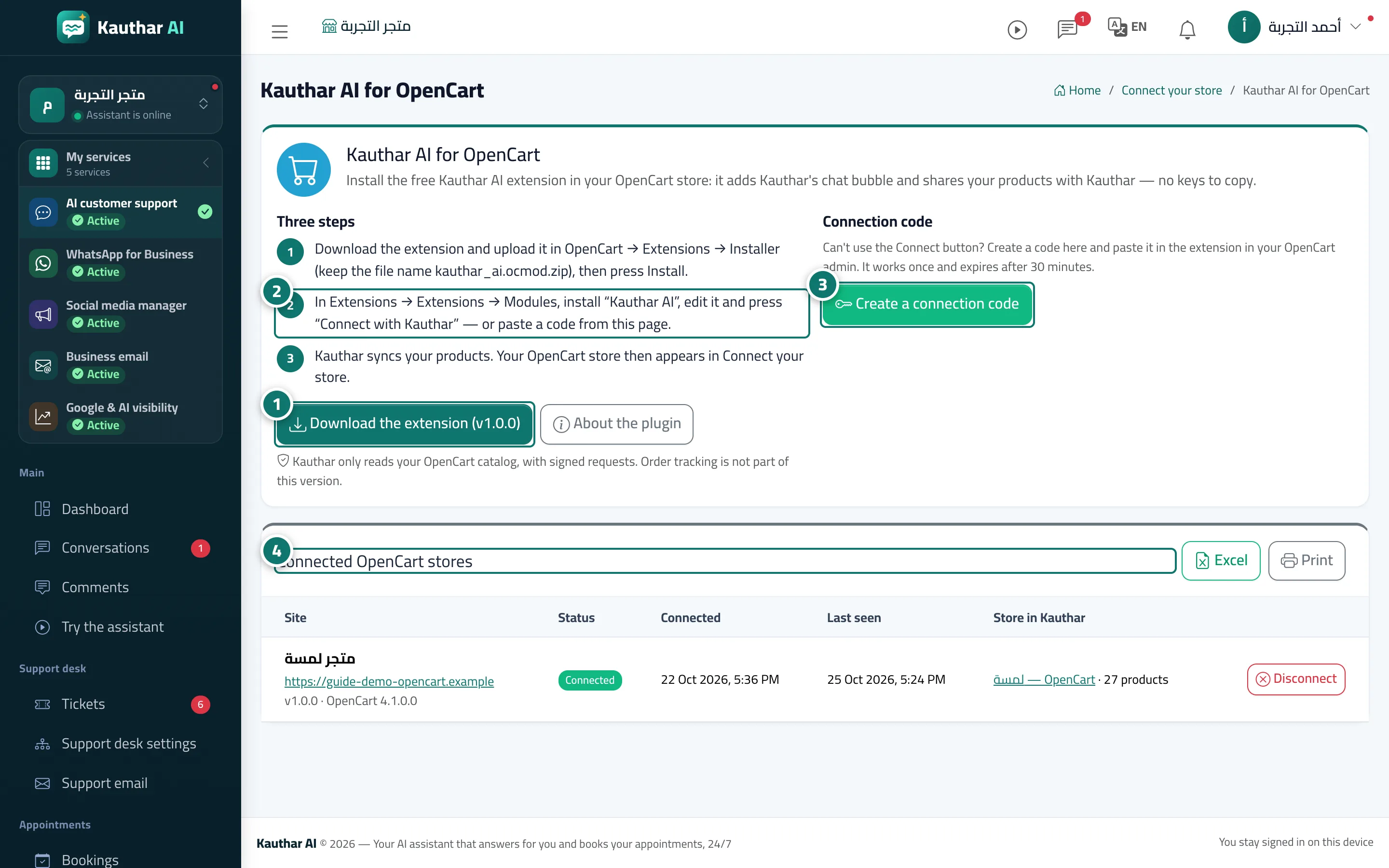
- On the “Kauthar AI for <platform>” page press “Download the extension”. Numéro 1 sur l’image
- Install it in your store: OpenCart in Extensions → Installer and then Modules; PrestaShop in Modules → Module Manager → Upload a module; Odoo by adding the module to your addons and installing “Kauthar AI”. Numéro 2 sur l’image
- Inside the extension press “Connect with Kauthar”, then “Connect” on Kauthar's confirmation page — or press “Create a connection code” here and paste the code into the extension. Numéro 3 sur l’image
- Your store appears under “Connected <platform> stores” and in “Connect your store”, and the product sync starts. Numéro 4 sur l’image