
Boutiques et intégrations · The Kauthar app for Wix and the chat bubble
How do I install the Kauthar app on my Wix site?
Install the Kauthar app on your Wix site so your products sync automatically and the Kauthar chat bubble appears on your site with no code, and manage everything from the “Kauthar” page of your Wix dashboard.
Pour qui : Propriétaire et responsable
Où : Sidebar → Train your assistant → Connect your store → Wix (or the “Kauthar” page in your Wix site dashboard)
Étapes
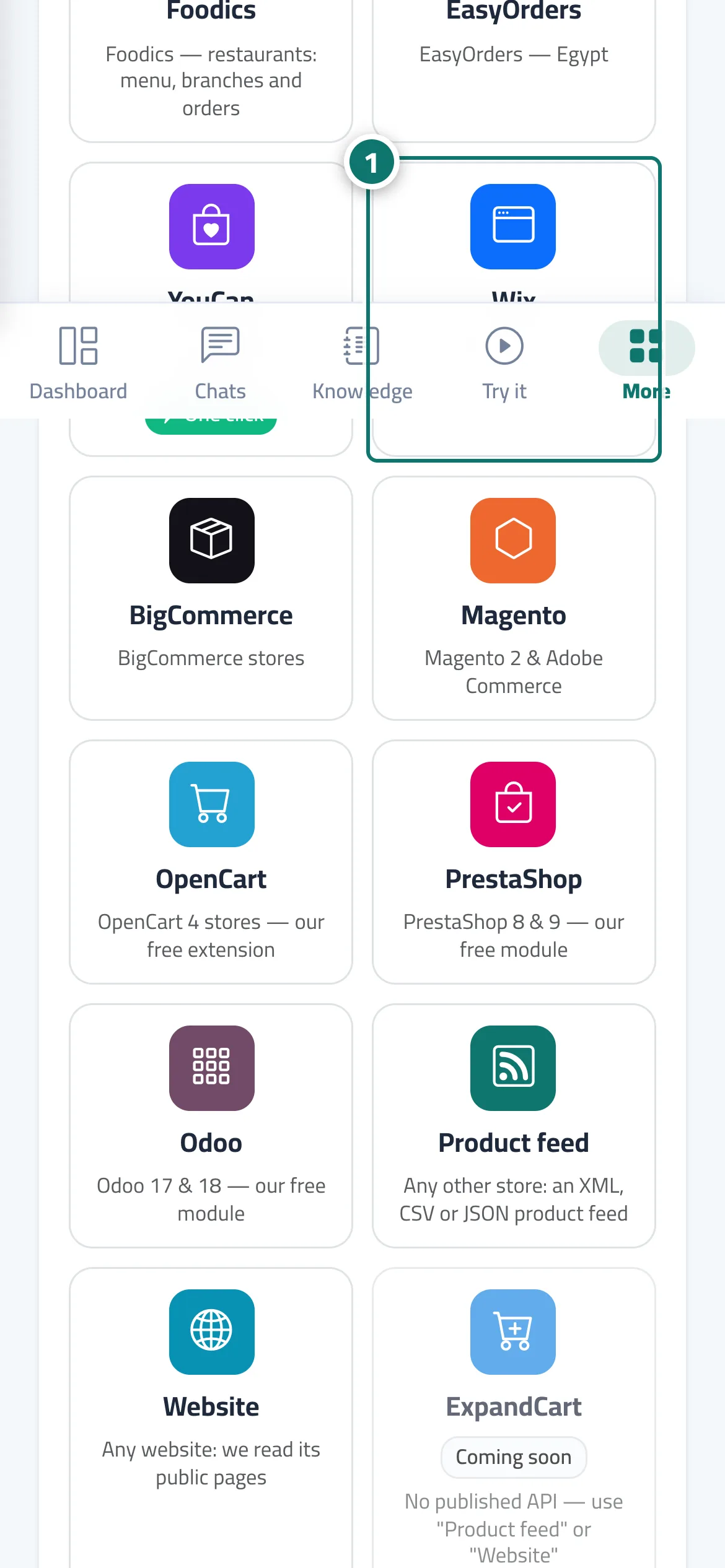
- In “Connect your store” press Wix, then “Connect in one click” (or install the Kauthar app from the Wix App Market). Numéro 1 sur l’image
- Approve the permissions on Wix's page.
- If you started on Wix: open the “Kauthar” page in your site dashboard and press “Connect my site to Kauthar”, then sign in or create your account.
- Your site card appears with the “one-click” badge, the product sync starts, and the Kauthar bubble shows on your site.
Étapes
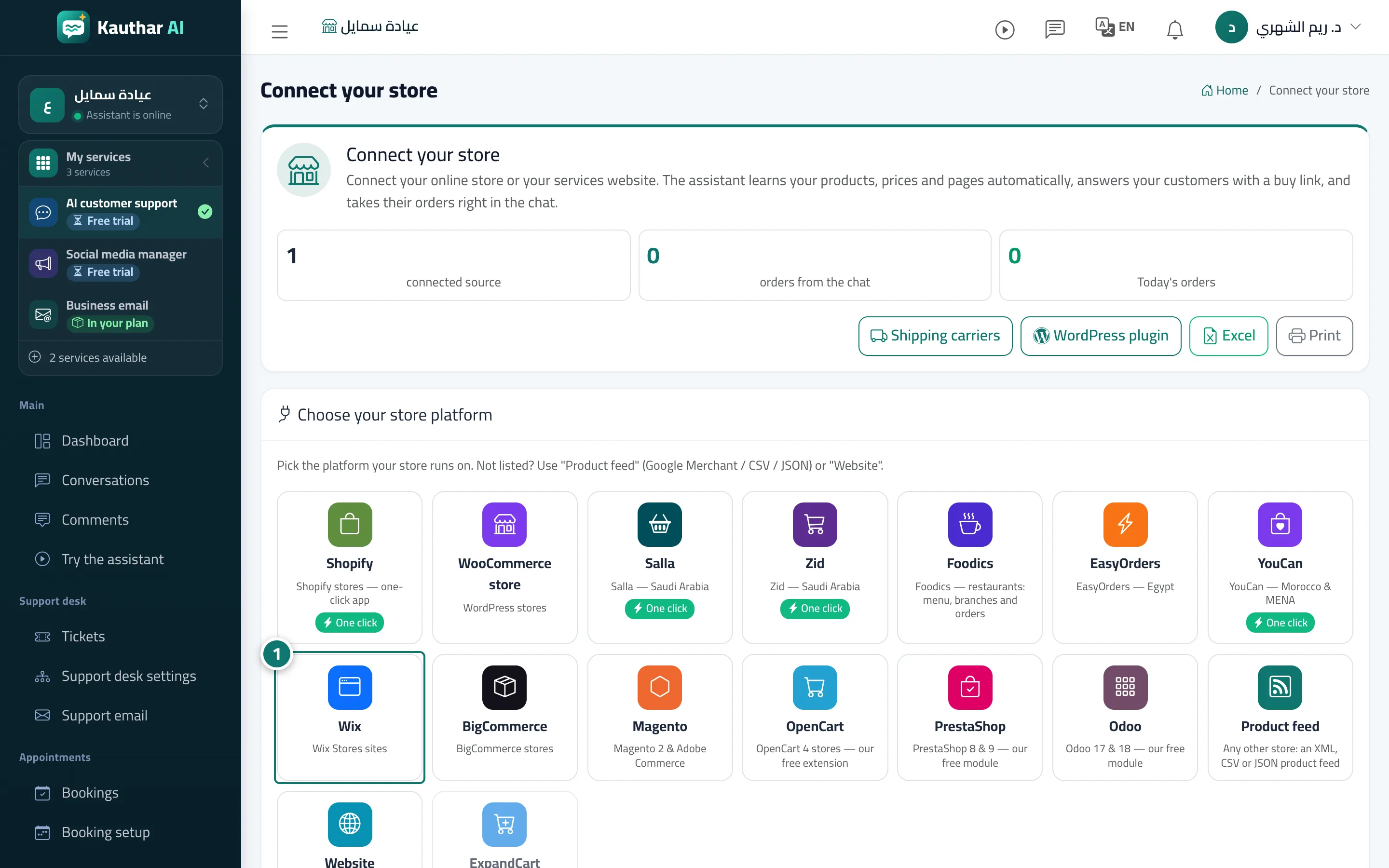
- In “Connect your store” press Wix, then “Connect in one click” (or install the Kauthar app from the Wix App Market). Numéro 1 sur l’image
- Approve the permissions on Wix's page.
- If you started on Wix: open the “Kauthar” page in your site dashboard and press “Connect my site to Kauthar”, then sign in or create your account.
- Your site card appears with the “one-click” badge, the product sync starts, and the Kauthar bubble shows on your site.