
Assistant & knowledge · Learning from your team's replies
How does the assistant learn from my team's replies to customers?
When a team member answers a question the assistant couldn't, their reply appears in «Unanswered questions» so you can approve it as a fixed answer in one click after reviewing it.
Who this is for: Owner & manager · Team members
Where: Sidebar → Train your assistant → Unanswered questions
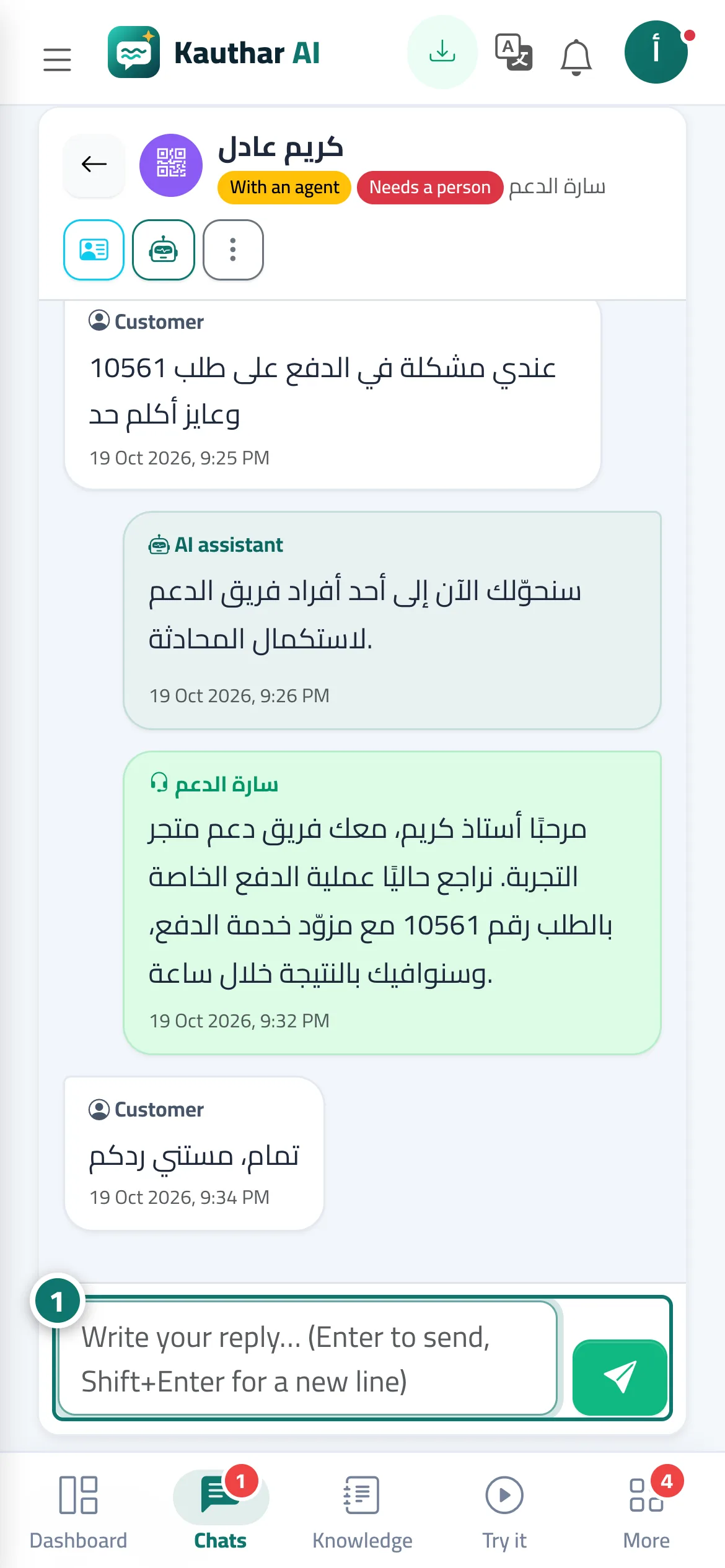
Steps
- The team member replies to the customer from «Conversations» as usual (after taking over the conversation). Number 1 on the picture
- Open «Unanswered questions»; you'll find the «Staff reply» under the question.
- Click «Approve as answer», review the text and remove any details specific to one customer.
- Click «Save answer»; the assistant uses it from now on.
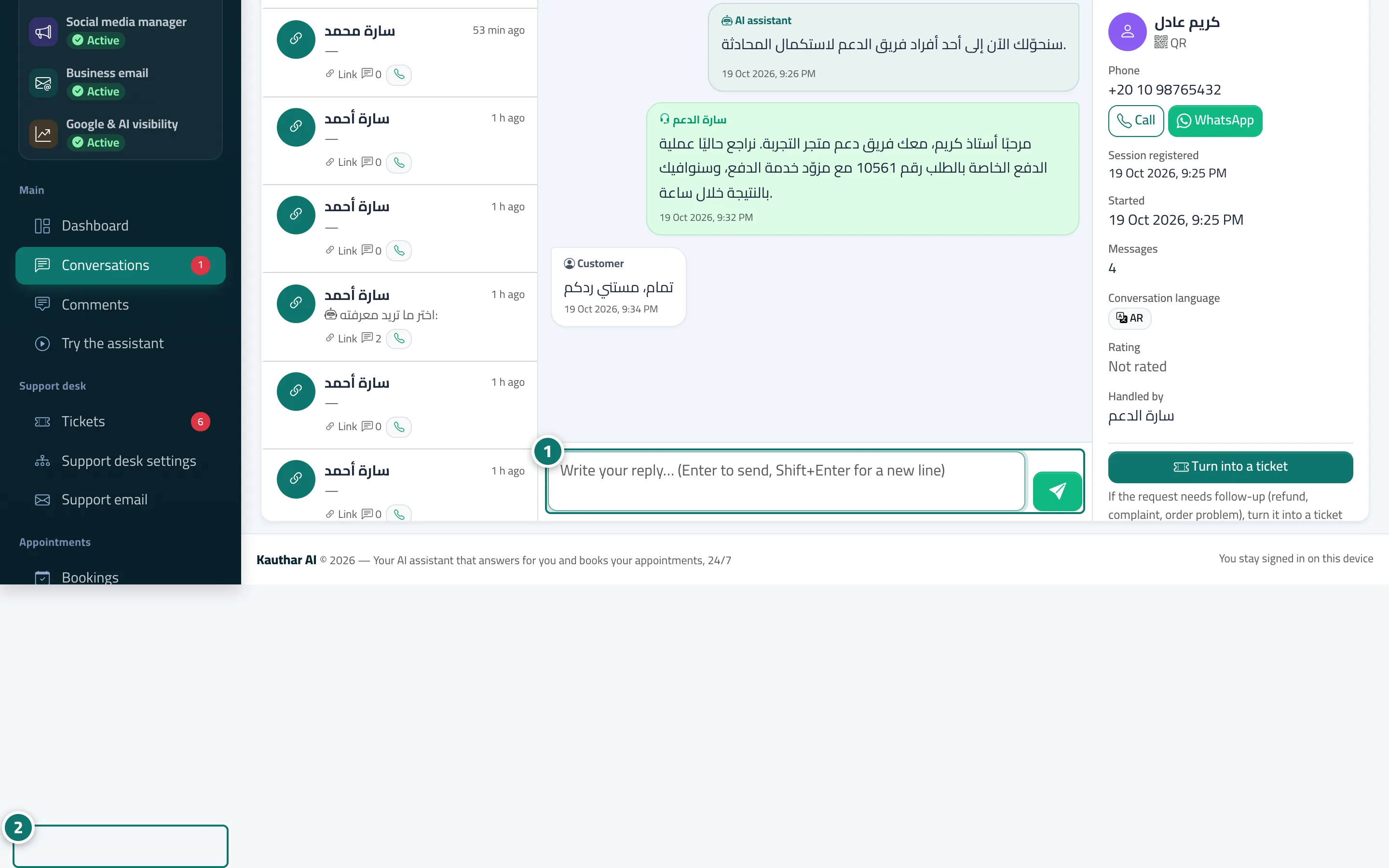
Steps
- The team member replies to the customer from «Conversations» as usual (after taking over the conversation). Number 1 on the picture
- Open «Unanswered questions»; you'll find the «Staff reply» under the question. Number 2 on the picture
- Click «Approve as answer», review the text and remove any details specific to one customer.
- Click «Save answer»; the assistant uses it from now on.