
Team & security · Notifications and today's reminders
Where do I see all notifications?
A bell at the top for everything new: a ticket assigned to you, a customer reply, an unanswered question, a customer who left their number, plus a summary for the day — each notification in its reader's language.
Who this is for: Owner & manager · Team members
Where: Bell in the top bar · Sidebar → Account → Notifications
Steps
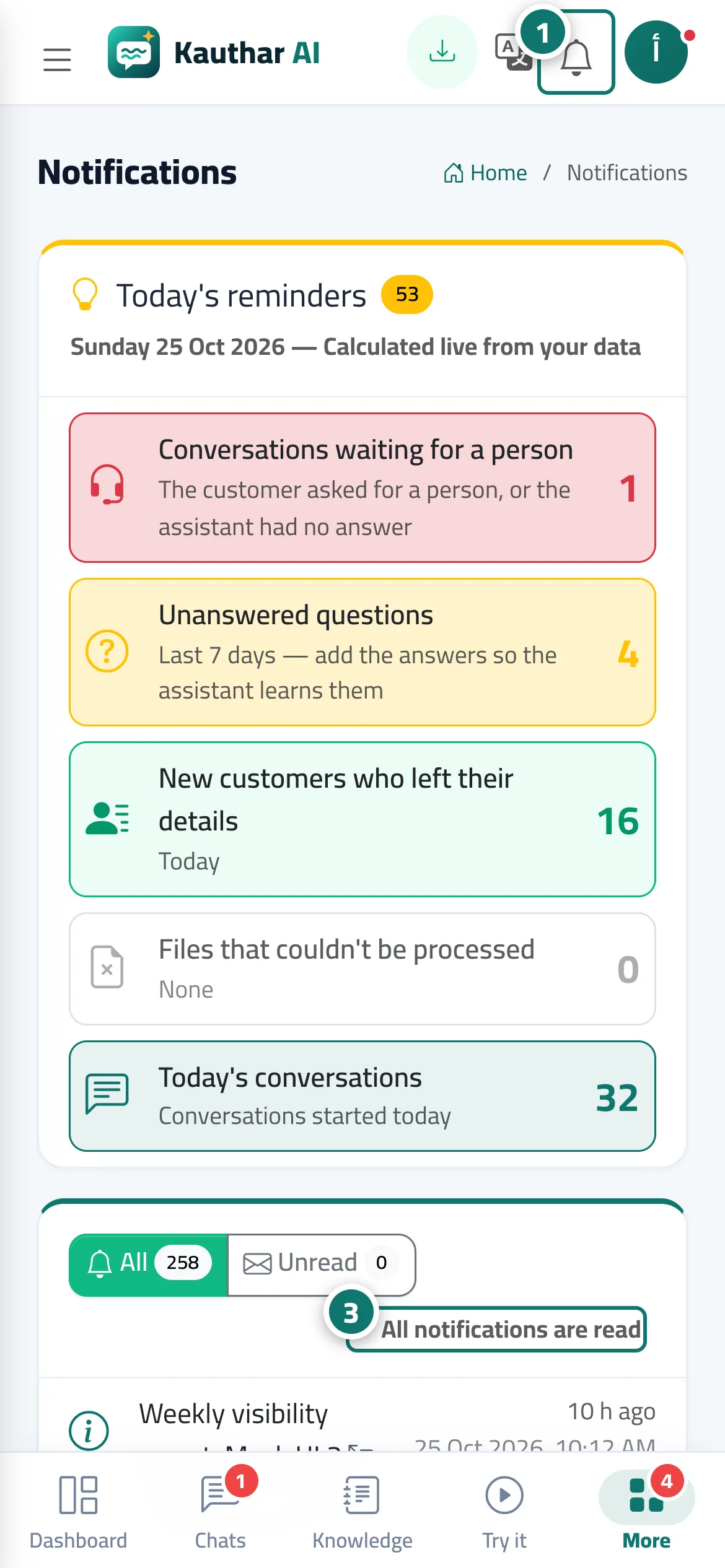
- Click the bell in the top bar to see the latest notifications, or open «Notifications» from the sidebar. Number 1 on the picture
- Click any notification to open the screen it relates to.
- Press «Mark all as read» when you're done. Number 3 on the picture
Steps
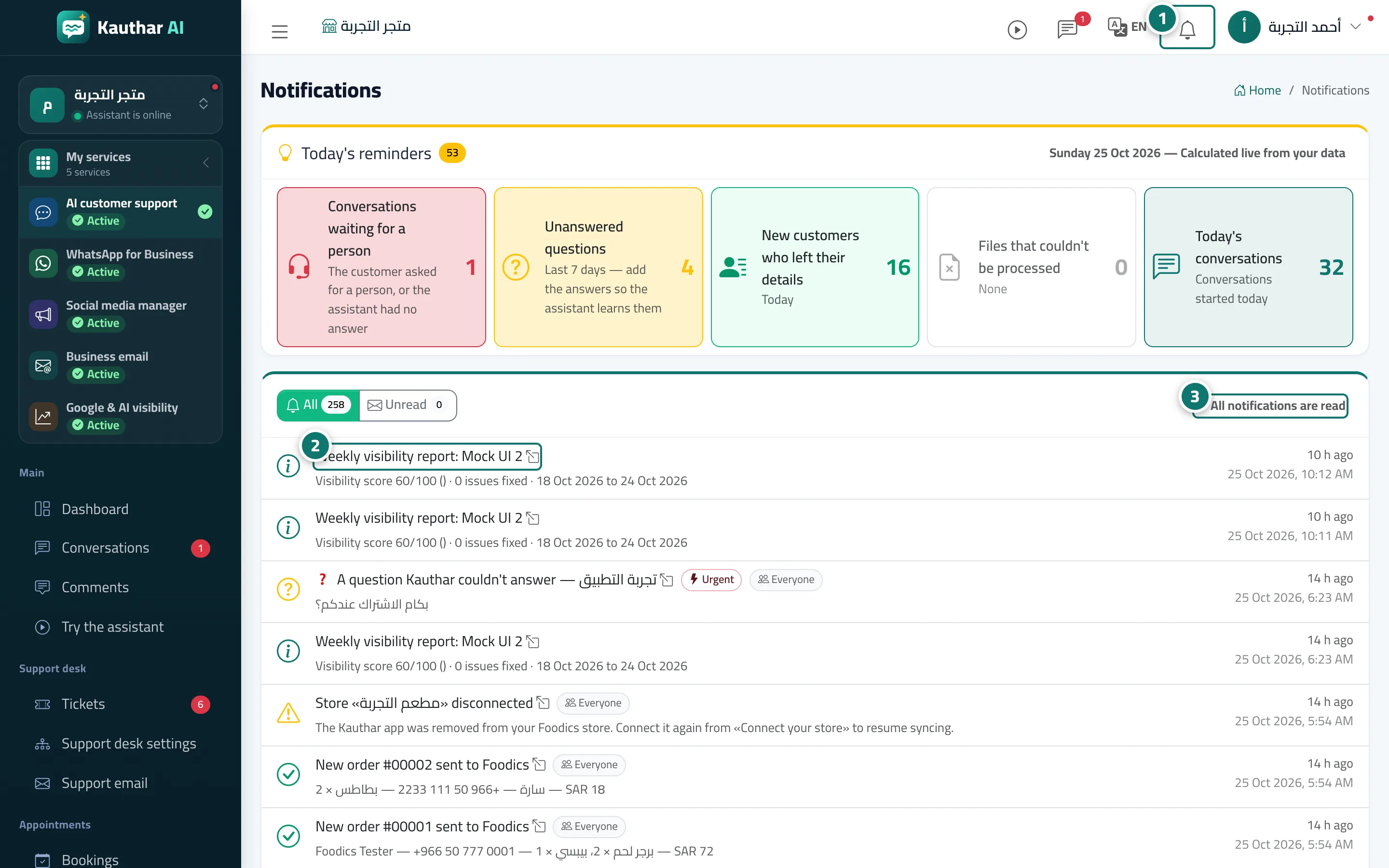
- Click the bell in the top bar to see the latest notifications, or open «Notifications» from the sidebar. Number 1 on the picture
- Click any notification to open the screen it relates to. Number 2 on the picture
- Press «Mark all as read» when you're done. Number 3 on the picture