
Team & security · Notifications on your phone and browser
How do I turn on notifications on my device?
Alerts reach you as notifications on your phone or computer even when Kauthar is closed — from the browser or from the Kauthar mobile app.
Who this is for: Owner & manager · Team members
Where: The bell in the top bar → «Turn on notifications on this device»
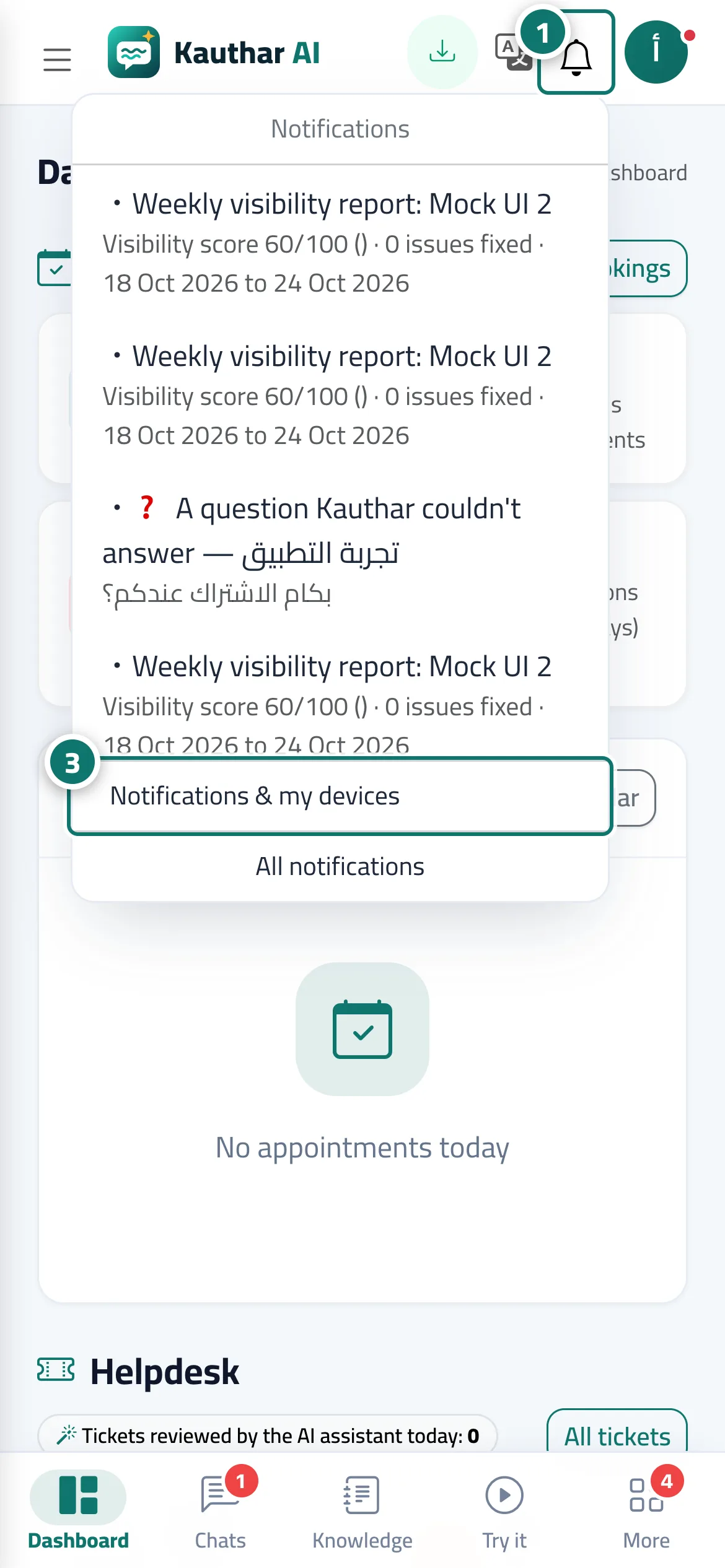
Steps
- Press the bell in the top bar. Number 1 on the picture
- Press «Turn on notifications on this device», then «Allow» in the browser prompt.
- Open «Notifications & my devices» from the same menu to test each device and choose what you receive, and repeat on every device you use. Number 3 on the picture
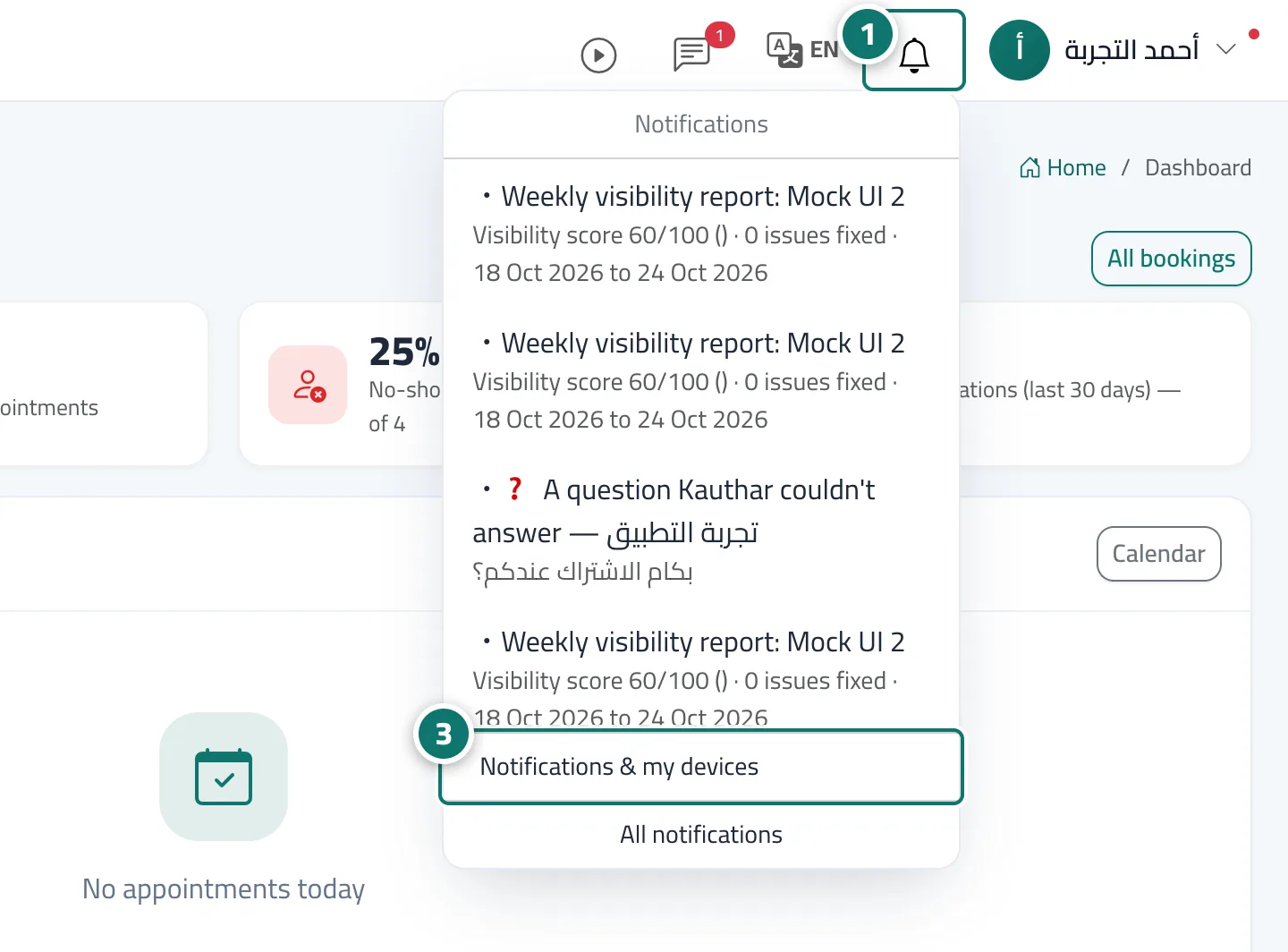
Steps
- Press the bell in the top bar. Number 1 on the picture
- Press «Turn on notifications on this device», then «Allow» in the browser prompt.
- Open «Notifications & my devices» from the same menu to test each device and choose what you receive, and repeat on every device you use. Number 3 on the picture