
Connect with a key
Kauthar AI for BigCommerce
Create a BigCommerce API account, paste it in Kauthar, and your AI assistant answers from your catalog and order status.
Already with Kauthar? Connect BigCommerce from your dashboard
14-day free trial Free to install

What you get
Answers from your real catalog
Kauthar reads your BigCommerce products — names, prices, stock and options — and answers with product cards that link to the product page.
“Where is my order?” answered safely
Customers get the status, date and tracking only after giving the order number plus the phone or email on the order. Never an address.
Product changes in minutes
When a product changes on BigCommerce, Kauthar re-syncs it within minutes — and checks the whole catalog again every day.
Chat on your storefront
Paste one line in your BigCommerce theme to show the Kauthar chat bubble — or share your chat link and QR code.
How it works
- 1
In BigCommerce → Settings → Store-level API accounts, create an account with read-only Products, Orders and Information & settings.
- 2
In Kauthar → Connect your store → BigCommerce, paste the store hash and access token and press “Test connection”.
- 3
Kauthar syncs your catalog and subscribes to BigCommerce webhooks for live updates.
Requirements: A BigCommerce store and a Kauthar account.
Screenshots
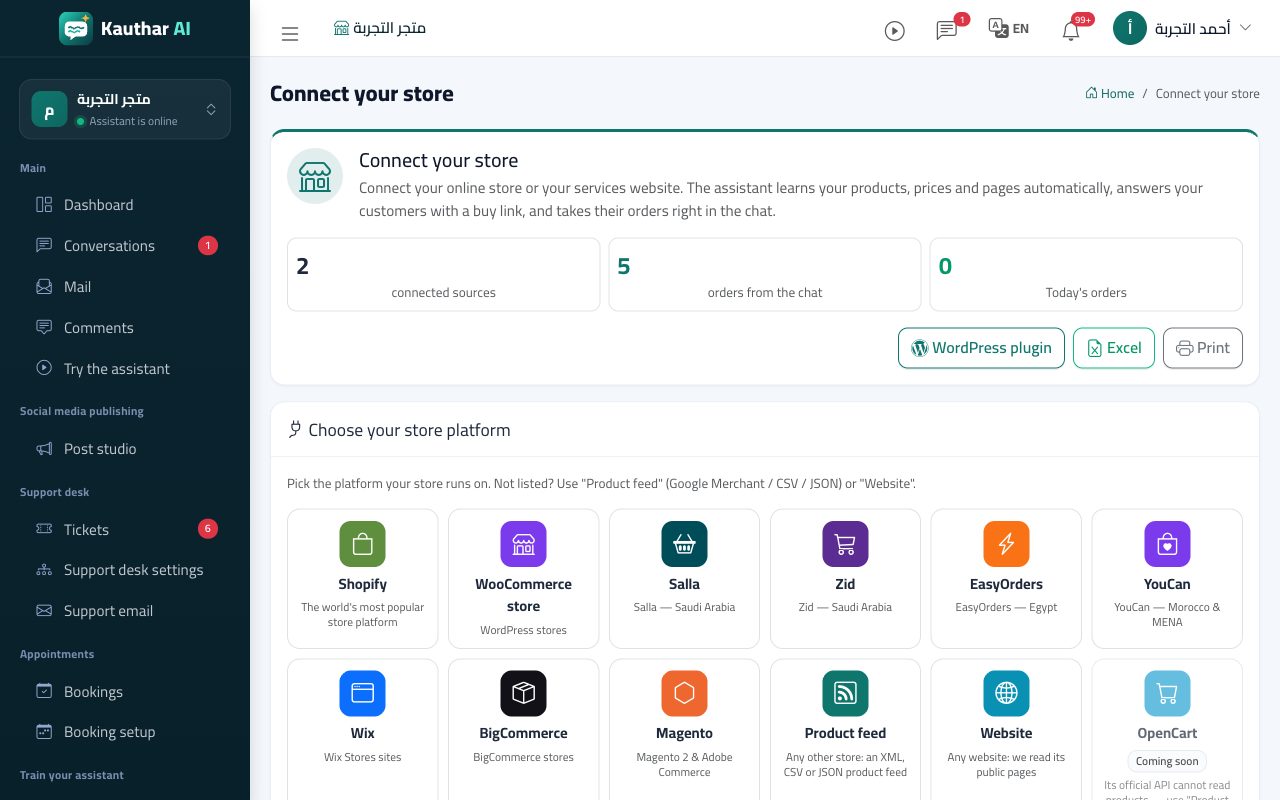
Connect your store in the Kauthar dashboard 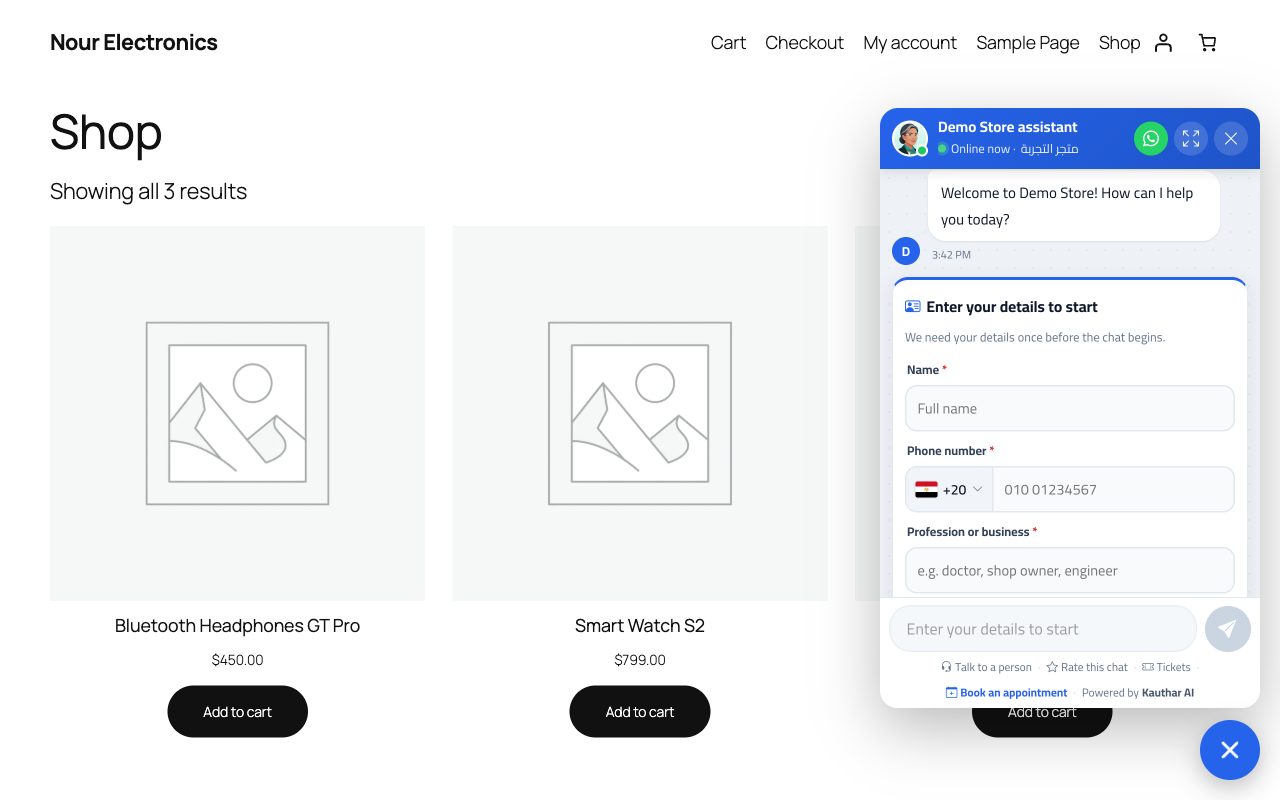
The Kauthar chat bubble on a website 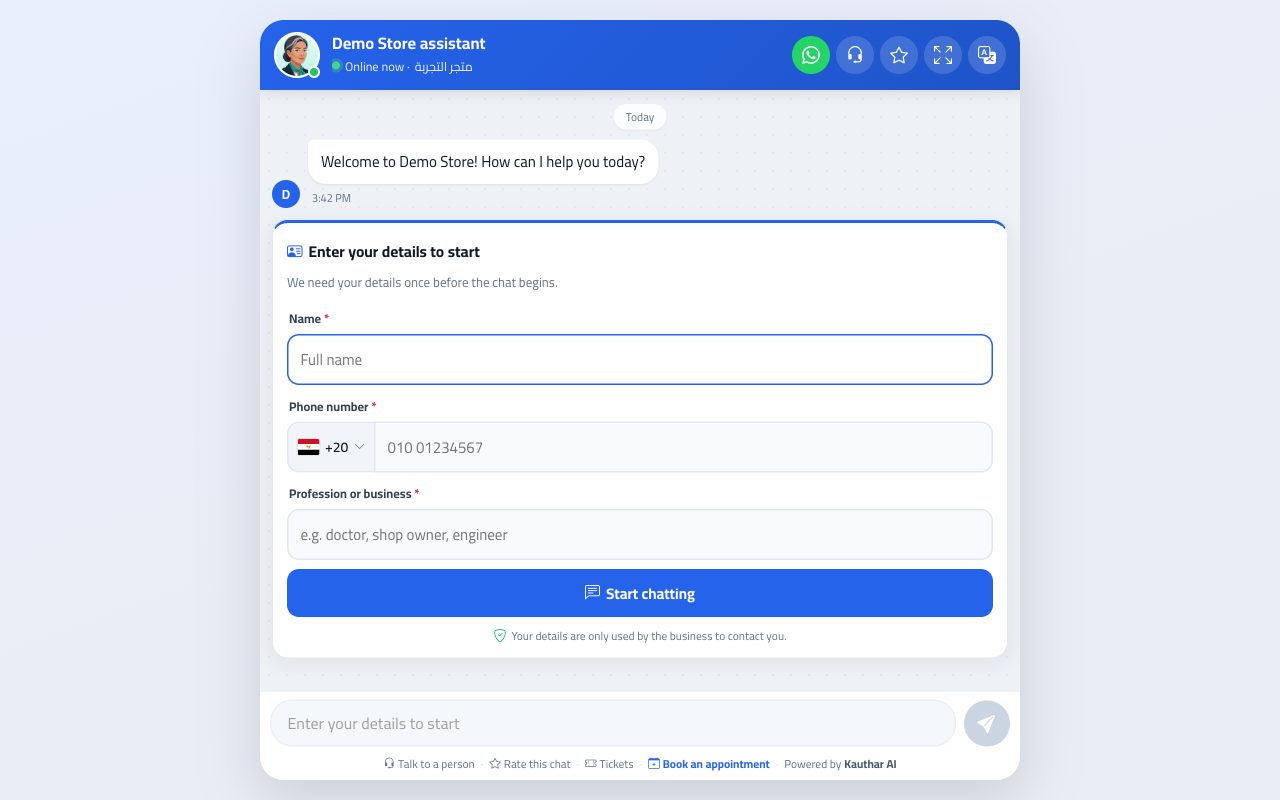
Customers chat with Kauthar on your chat link
Pricing
The BigCommerce integration is free to install and included in every Kauthar plan. New businesses start with a 14-day free trial — no credit card.
FAQ
Is the BigCommerce integration free?
Yes. Installing it costs nothing and it is included in every Kauthar plan. New businesses start with a 14-day free trial, no credit card needed.
What does Kauthar read from my store?
Products (name, price, stock, options, images and links) and, to answer “where is my order?”, an order's status, date, total and tracking. Kauthar never shows a customer's address, name or items in the chat.
Will Kauthar change anything in my store?
No. The BigCommerce connection only reads your catalog and order status.
How fast do product changes show up?
Within minutes: BigCommerce tells Kauthar when a product changes, and the whole catalog is checked again every day.
Which languages does Kauthar reply in?
Kauthar detects the language of each customer message and replies in it — Arabic (in the style you choose), English, French and more — without translating your catalog.
Can I disconnect?
Yes, at any time: remove the store in Kauthar → Connect your store, or uninstall the plugin or app. Its keys are deleted and syncing stops.
Is my data — and my customers' — safe?
Each business sees only its own data, it is stored on our servers in Frankfurt, Germany, and we don't sell it. Kauthar writes replies with a cloud AI model from Google (Gemini) under Kauthar's own account: to write each reply, the customer's message, the recent conversation and the parts of the business's information it needs are sent to Google, which processes them on our behalf; if that service can't be reached, a backup model on our own servers answers. On the Business plan you can instead connect your own OpenAI, Anthropic or Google account. Our Security & trust page lists every measure in place.

Let Kauthar answer for you, starting today
Sign up with your phone number, upload your files and share the link with your customers. Kauthar handles the rest, around the clock.
Explore the dashboard with a ready demo account
14-day free trialNo credit cardLive in minutes