
Assistant et connaissances · Kauthar team: specialised roles behind one assistant
How do I make sales and support reply in two different styles?
Instead of a single assistant, run a team behind Kauthar — reception, support, sales, marketing and social media (plus custom roles). The customer talks to one Kauthar in the same chat, and the right role answers.
Pour qui : Propriétaire et responsable
Où : Sidebar → Account → «Kauthar team» (or from «Assistant settings»)
Étapes
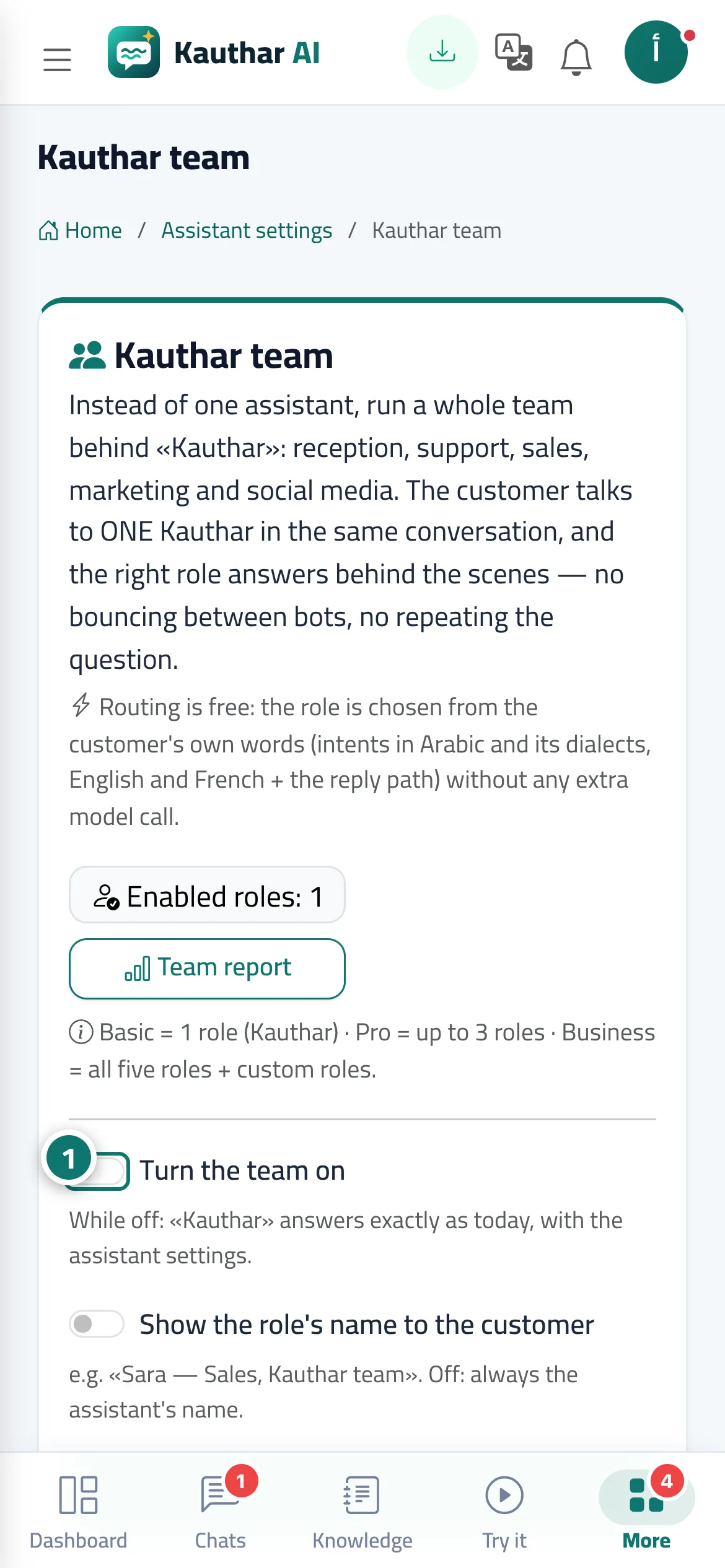
- Turn on «Turn the team on», choose whether to «Show the role's name to the customer», then click «Save». Numéro 1 sur l’image
- Open a role's card (such as sales): name, style, instructions, files, «Allowed actions» and «Human department for handoffs», then click «Save role».
- Type a question in «Try this role» to see the role's reply before it goes live for your customers.
- Follow the «Team report» to see the number of conversations and replies per role.
Étapes
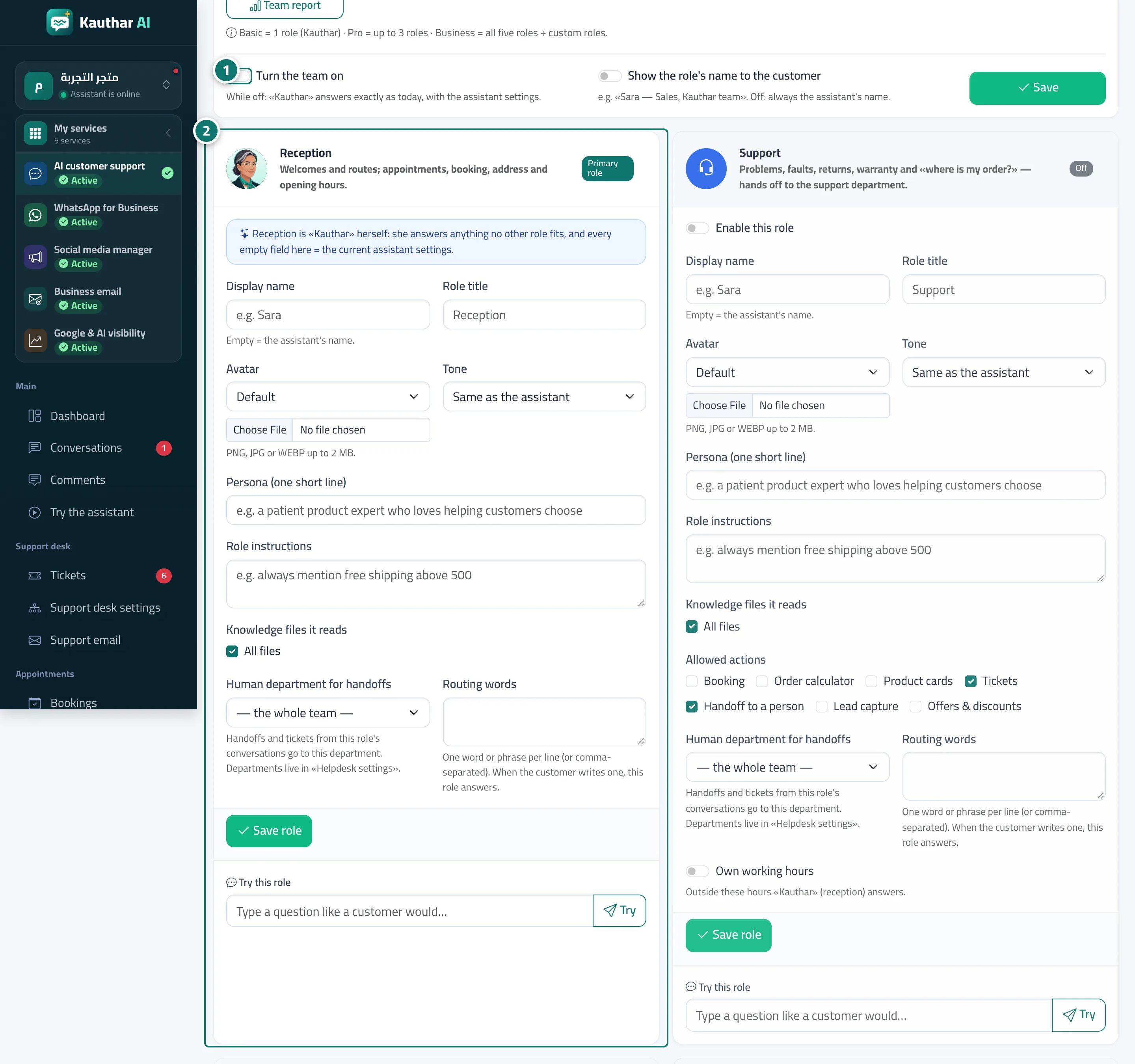
- Turn on «Turn the team on», choose whether to «Show the role's name to the customer», then click «Save». Numéro 1 sur l’image
- Open a role's card (such as sales): name, style, instructions, files, «Allowed actions» and «Human department for handoffs», then click «Save role». Numéro 2 sur l’image
- Type a question in «Try this role» to see the role's reply before it goes live for your customers.
- Follow the «Team report» to see the number of conversations and replies per role.