
Conversations et support · AI-suggested replies
How do I get a suggested reply from the AI assistant on a ticket?
The AI assistant reads the ticket and drafts a reply from your business's files — you review it and send it in one click.
Pour qui : Propriétaire et responsable · Membres de l'équipe
Où : Sidebar → Support desk → Tickets → (the ticket) → AI suggestion
Étapes
- Open the ticket. If the suggestion is still being prepared, you'll see «The AI assistant is analysing the ticket…».
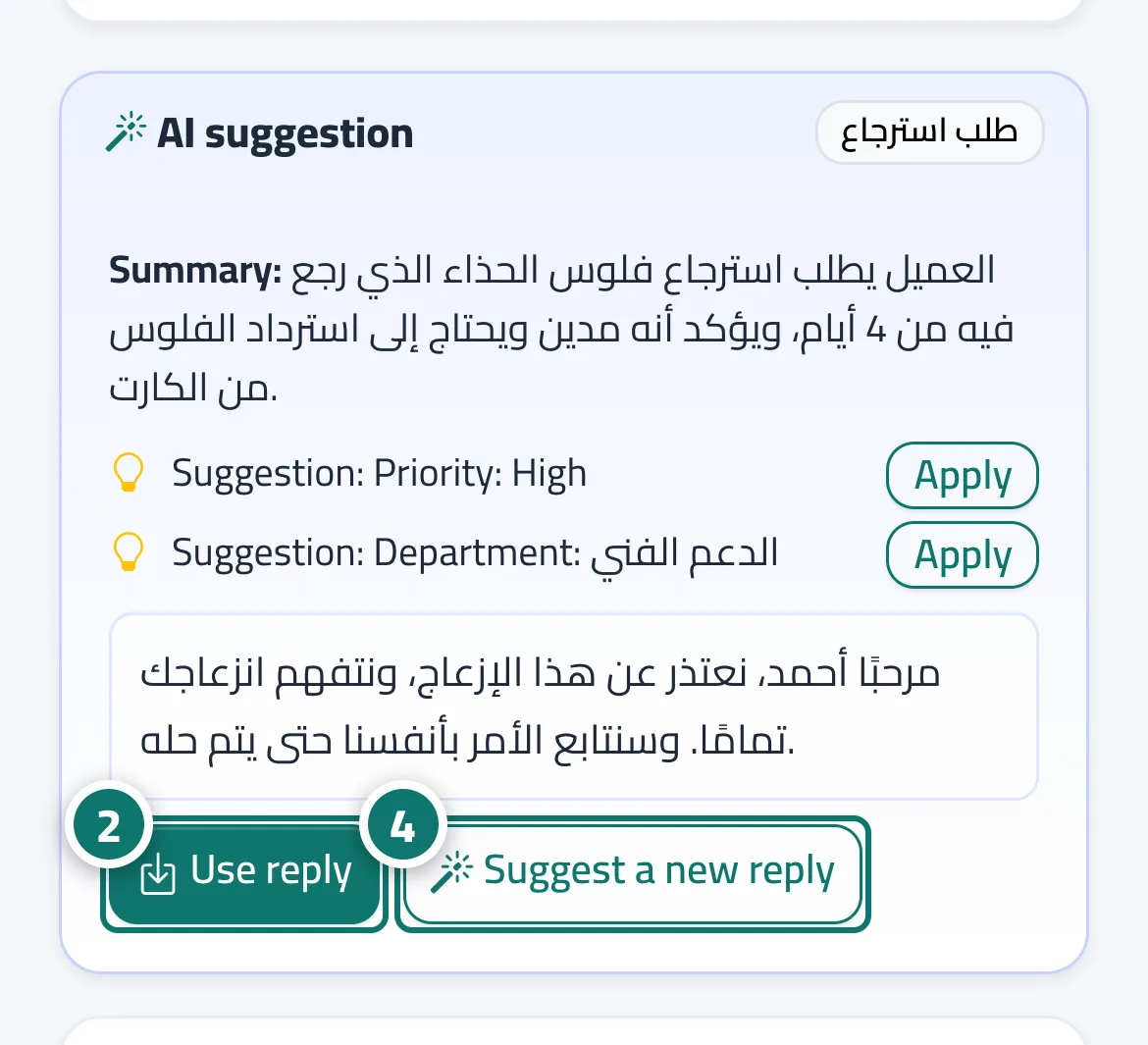
- When the suggestion appears, press «Use reply»; it is placed in the «Reply to customer» box. Numéro 2 sur l’image
- Edit whatever you need, then press «Send».
- Want a different wording? Press «Suggest a new reply» (it can take up to 40 seconds). Numéro 4 sur l’image
Étapes
- Open the ticket. If the suggestion is still being prepared, you'll see «The AI assistant is analysing the ticket…».
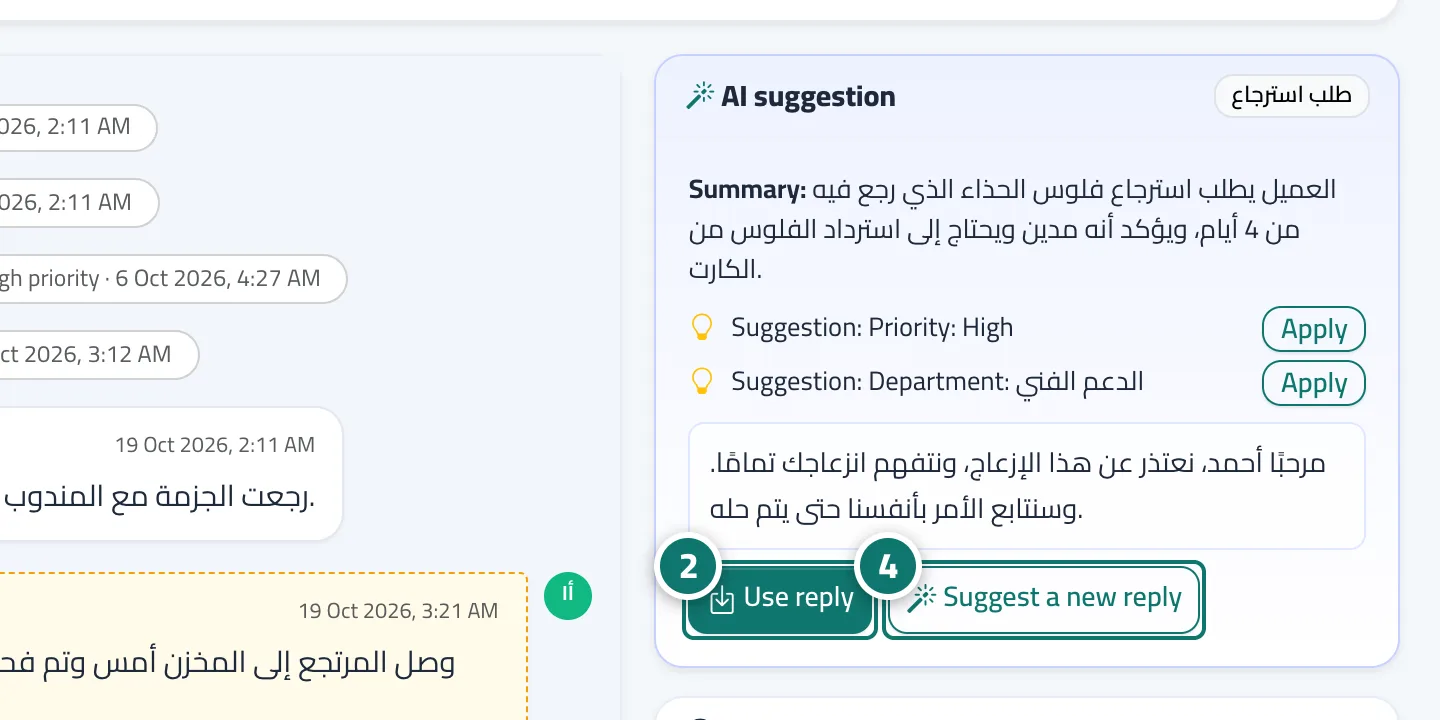
- When the suggestion appears, press «Use reply»; it is placed in the «Reply to customer» box. Numéro 2 sur l’image
- Edit whatever you need, then press «Send».
- Want a different wording? Press «Suggest a new reply» (it can take up to 40 seconds). Numéro 4 sur l’image