
Conversations et support · Opening a ticket on the customer's behalf
How do I open a ticket for a customer who phoned me?
Customer called or messaged you on WhatsApp? Log the request as a ticket in a minute so it gets followed up and isn't forgotten.
Pour qui : Propriétaire et responsable · Membres de l'équipe
Où : Sidebar → Support desk → Tickets → New ticket
Étapes
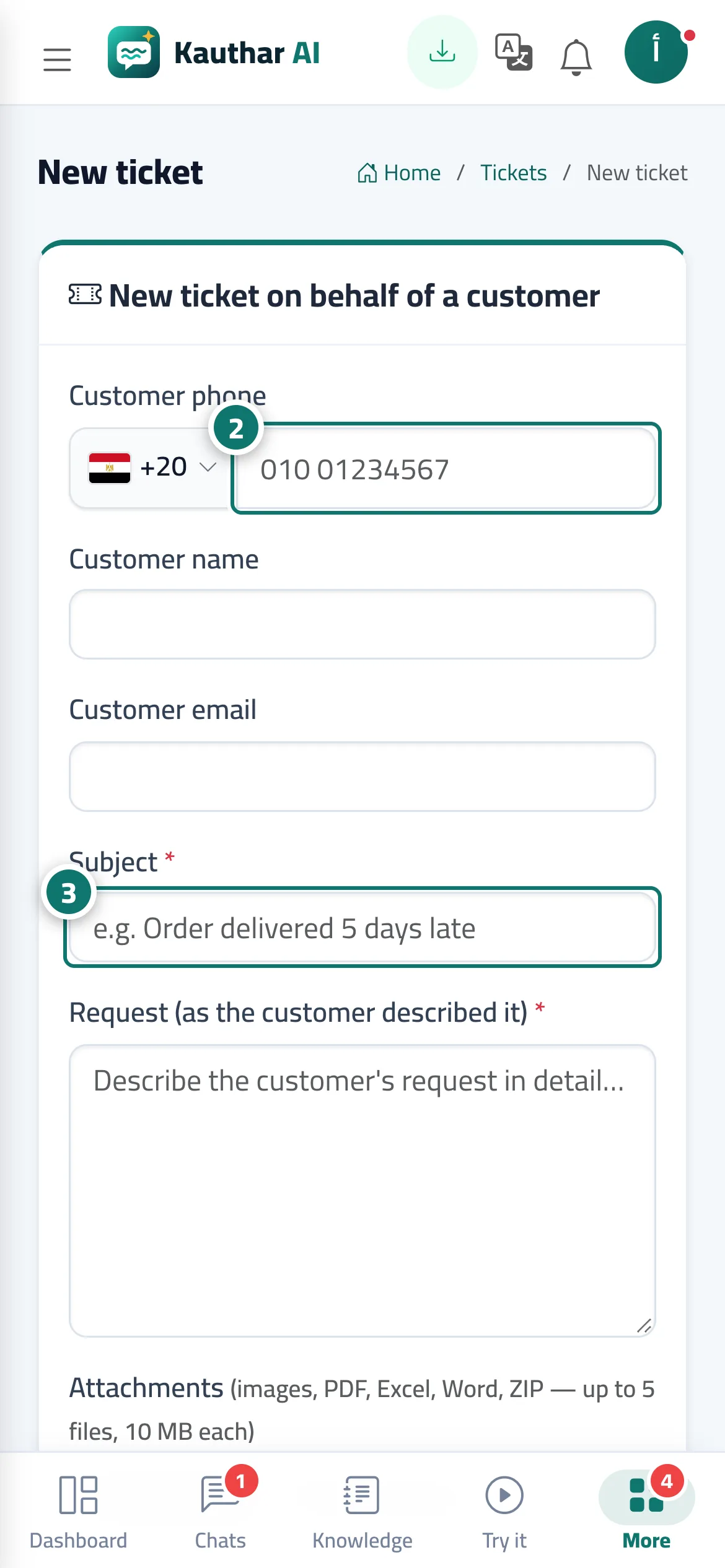
- On the Tickets screen, press «New ticket».
- Enter the «Customer phone» (and the «Customer name» and «Customer email» if you have them). Numéro 2 sur l’image
- Enter the «Title» and the «Request (as the customer described it)». Numéro 3 sur l’image
- Choose the «Channel» (phone, agent, WhatsApp, Facebook, email), «Priority», «Type», «Department» and «Assignee», and add tags separated by commas.
- Press «Create ticket».
Étapes
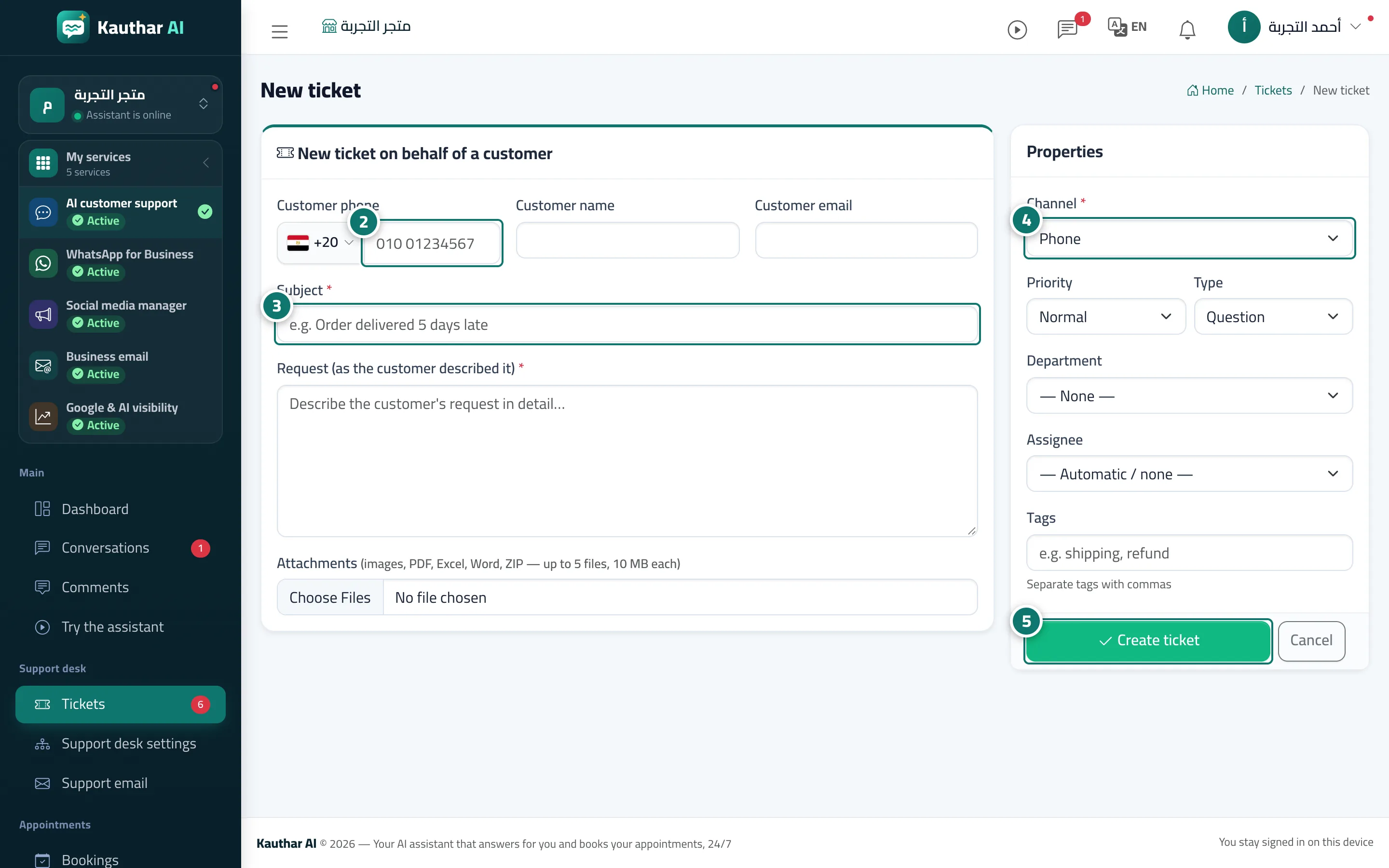
- On the Tickets screen, press «New ticket».
- Enter the «Customer phone» (and the «Customer name» and «Customer email» if you have them). Numéro 2 sur l’image
- Enter the «Title» and the «Request (as the customer described it)». Numéro 3 sur l’image
- Choose the «Channel» (phone, agent, WhatsApp, Facebook, email), «Priority», «Type», «Department» and «Assignee», and add tags separated by commas. Numéro 4 sur l’image
- Press «Create ticket». Numéro 5 sur l’image