
Équipe et sécurité · My accounts: several businesses with one sign-in
How do I switch between the businesses I work for on Kauthar?
If you work for more than one business on Kauthar (owner of a shop and admin at a restaurant, say), switch between them in one tap from «My accounts», without signing out.
Pour qui : Propriétaire et responsable · Membres de l'équipe
Où : Menu under your name in the top bar → «My accounts» · On a phone: «More» → tap the business name at the top of the menu
Étapes
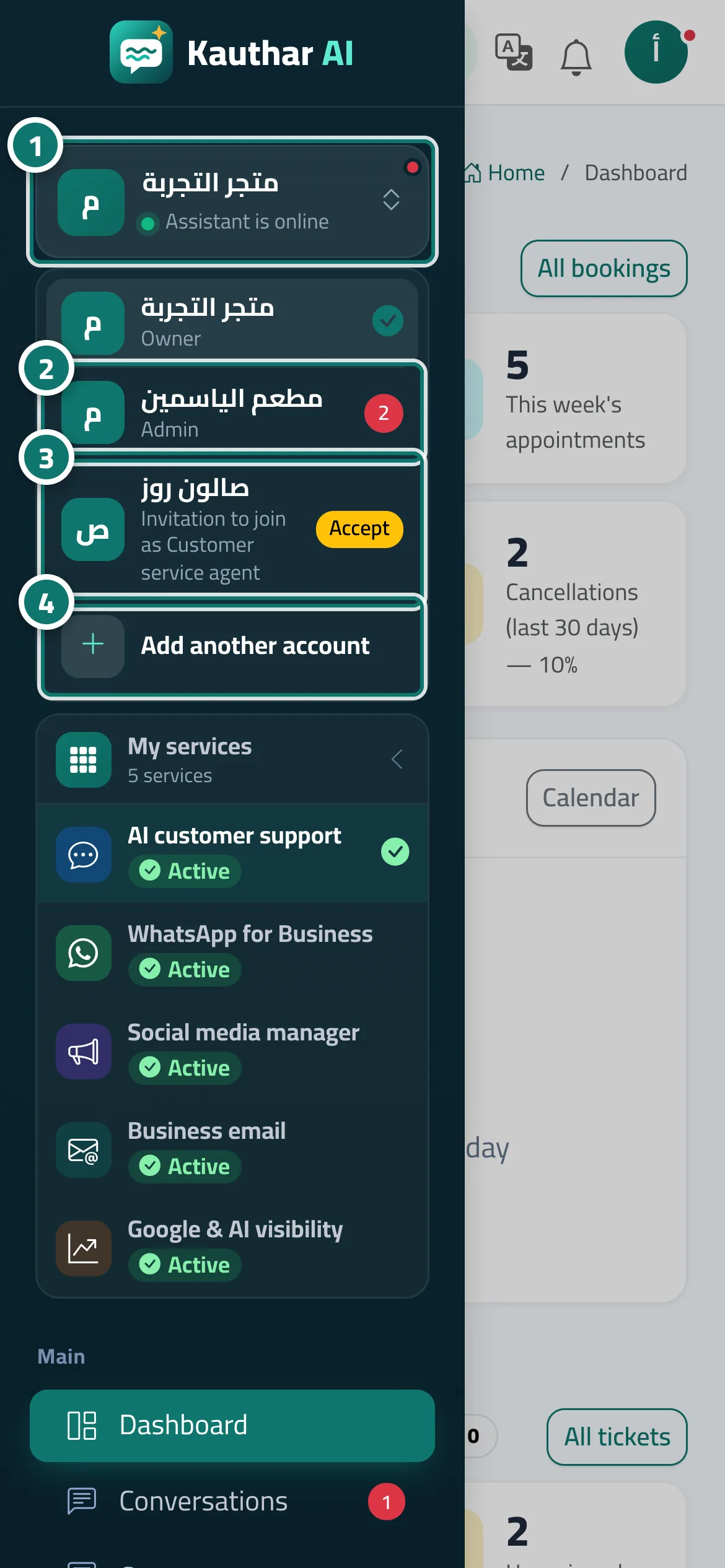
- Open «My accounts»: click your name in the top bar, or on a phone tap «More» and then the business name at the top of the menu. Numéro 1 sur l’image
- Tap the business you want to switch to; it opens at once with "You are now in «…»". The red number next to it is its count of new notifications. Numéro 2 sur l’image
- If a business shows "Invitation to join as …", tap «Accept», then enter your name and password to activate your account there. Numéro 3 sur l’image
- For a business with another phone number, tap «Add another account», then enter that account's number and its password. Numéro 4 sur l’image
Étapes
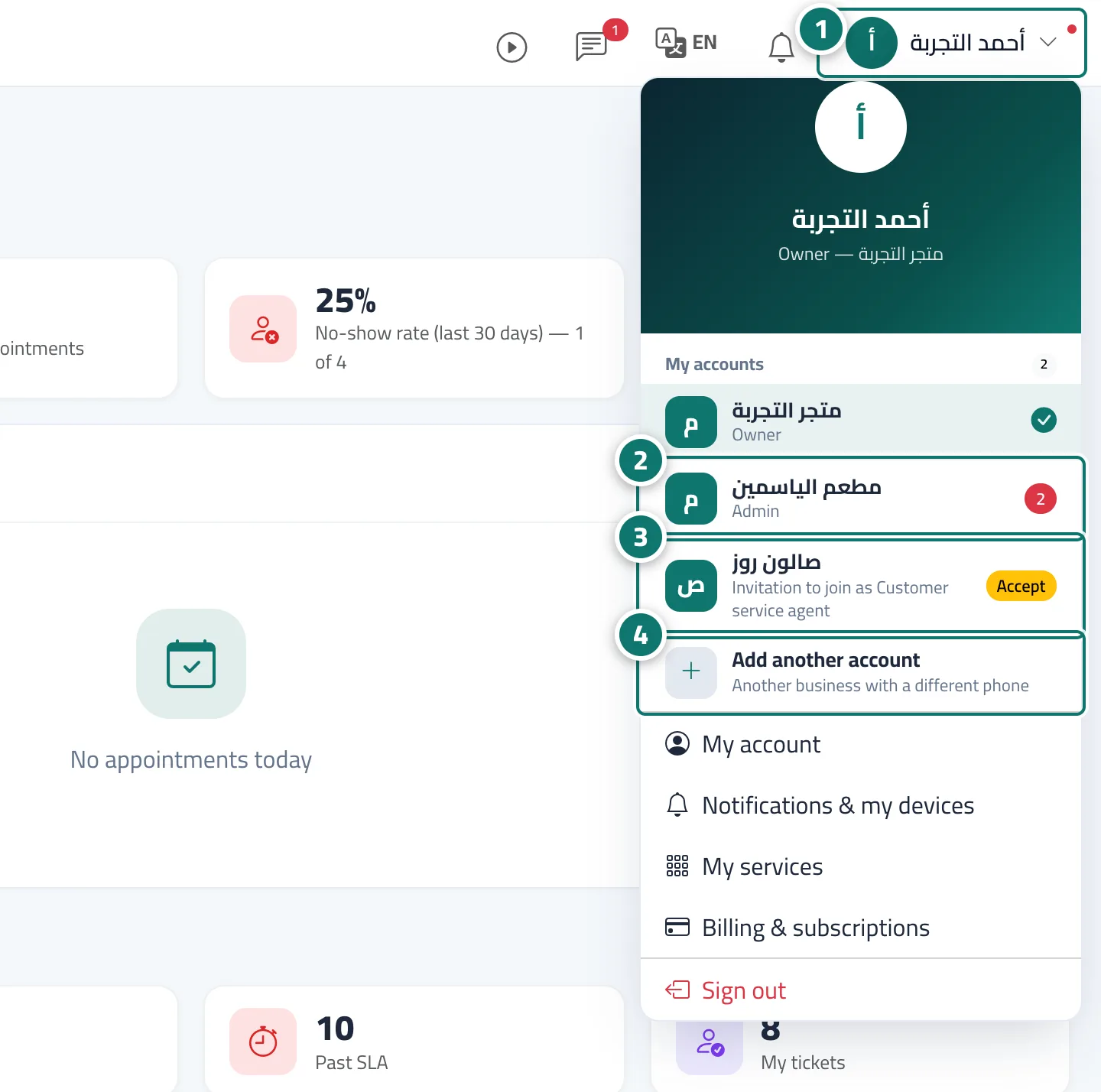
- Open «My accounts»: click your name in the top bar, or on a phone tap «More» and then the business name at the top of the menu. Numéro 1 sur l’image
- Tap the business you want to switch to; it opens at once with "You are now in «…»". The red number next to it is its count of new notifications. Numéro 2 sur l’image
- If a business shows "Invitation to join as …", tap «Accept», then enter your name and password to activate your account there. Numéro 3 sur l’image
- For a business with another phone number, tap «Add another account», then enter that account's number and its password. Numéro 4 sur l’image