
Équipe et sécurité · Manage your account from WhatsApp
How do I manage my Kauthar account from WhatsApp?
Message Kauthar's official number from your registered phone and run your account with menus, plain words or a voice note: summary and per-platform reports, unanswered questions and replying to them, appointments, knowledge and files, services, channels, team and subscription — with the «customer needs someone» alert and a confirm button before any change.
Pour qui : Propriétaire et responsable · Membres de l'équipe
Où : WhatsApp → Kauthar's official number · Switch: your name menu → «Notifications & my devices» → «Manage my account from WhatsApp»
Étapes
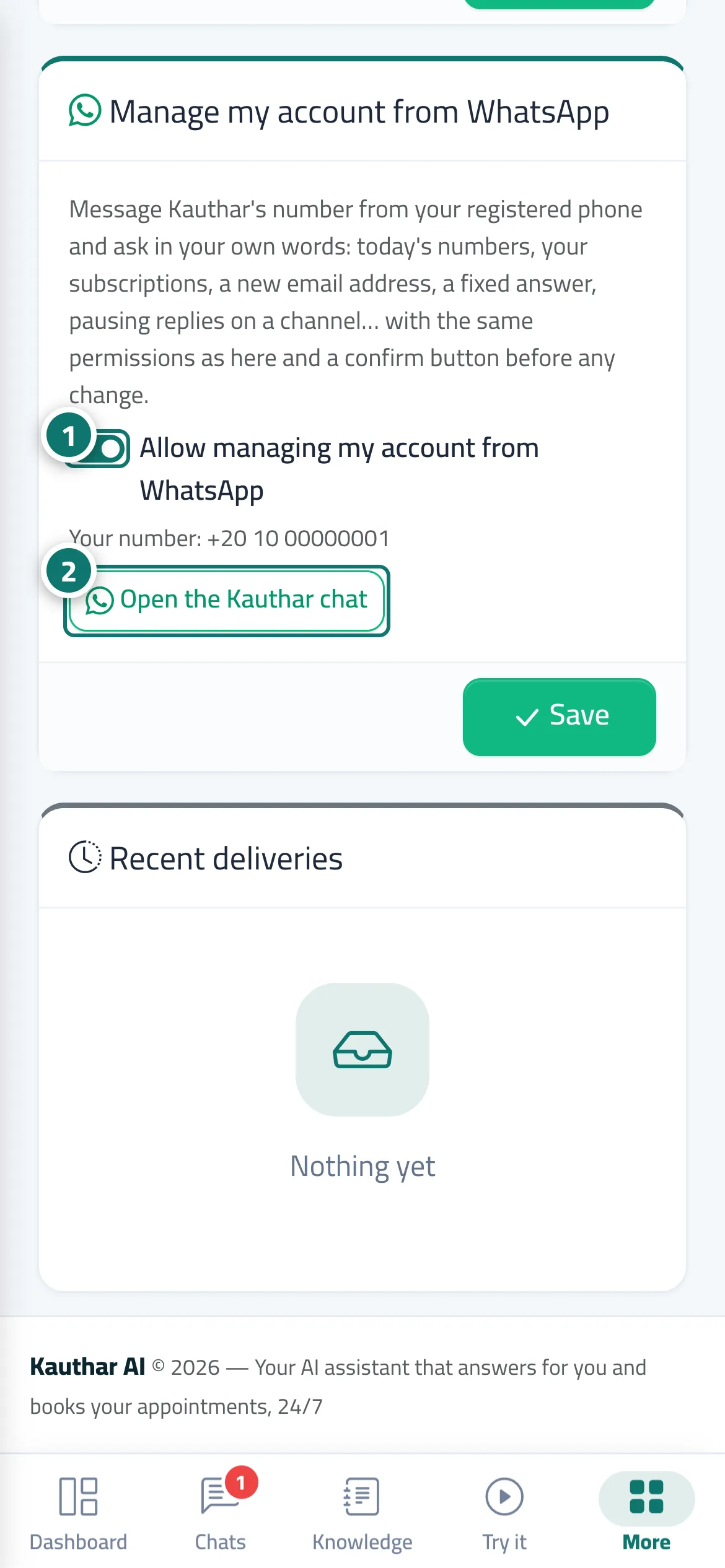
- Open «Notifications & my devices» and make sure «Allow managing my account from WhatsApp» is on (it is by default) and that your number is verified. Numéro 1 sur l’image
- Tap «Open the Kauthar chat», or message Kauthar's official WhatsApp number from your registered phone. Numéro 2 sur l’image
- Type your request in your own words, send a voice note, or pick from the list Kauthar sends you.
- If the request changes something, check the summary and press «Confirm» to go ahead or «Cancel».
- Type «support» to talk to Kauthar's support team, and «manager» to go back to managing your account.
Étapes
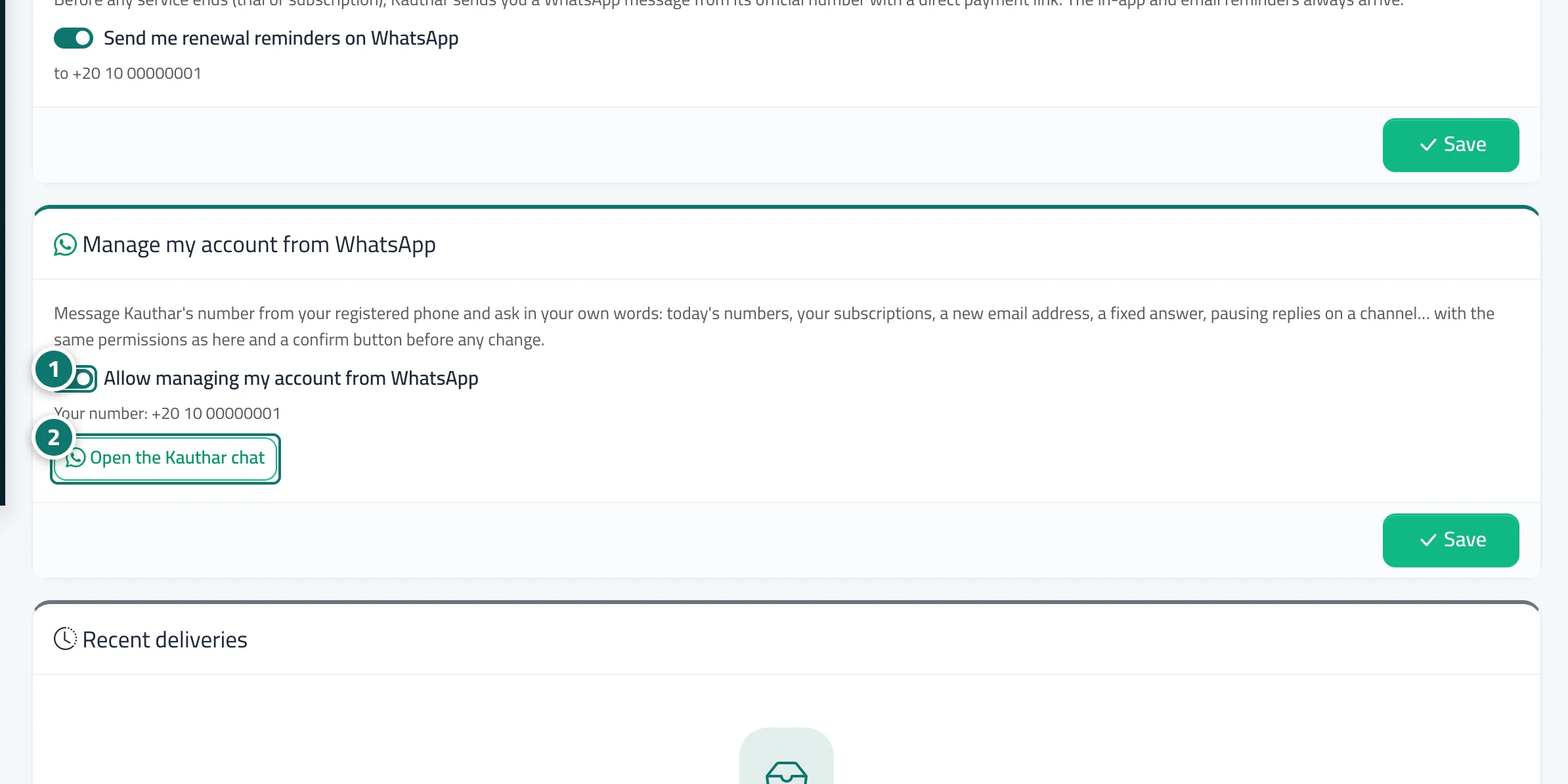
- Open «Notifications & my devices» and make sure «Allow managing my account from WhatsApp» is on (it is by default) and that your number is verified. Numéro 1 sur l’image
- Tap «Open the Kauthar chat», or message Kauthar's official WhatsApp number from your registered phone. Numéro 2 sur l’image
- Type your request in your own words, send a voice note, or pick from the list Kauthar sends you.
- If the request changes something, check the summary and press «Confirm» to go ahead or «Cancel».
- Type «support» to talk to Kauthar's support team, and «manager» to go back to managing your account.