
Équipe et sécurité · Deleting the business account or your personal account
How do I delete my business account permanently?
The owner deletes the business with all its data, with 14 days to change their mind; a team member deletes only their own account; and anyone who can't sign in has a public deletion request page.
Pour qui : Propriétaire et responsable · Membres de l'équipe
Où : Sidebar → Account → Settings & subscription → «Business details» tab → «Danger zone» → «Delete the business account…» · Menu under your name → «My account» → «Delete my account»
Étapes
- Open «Settings & subscription», scroll down the «Business details» tab to the «Danger zone», then press «Delete the business account…».
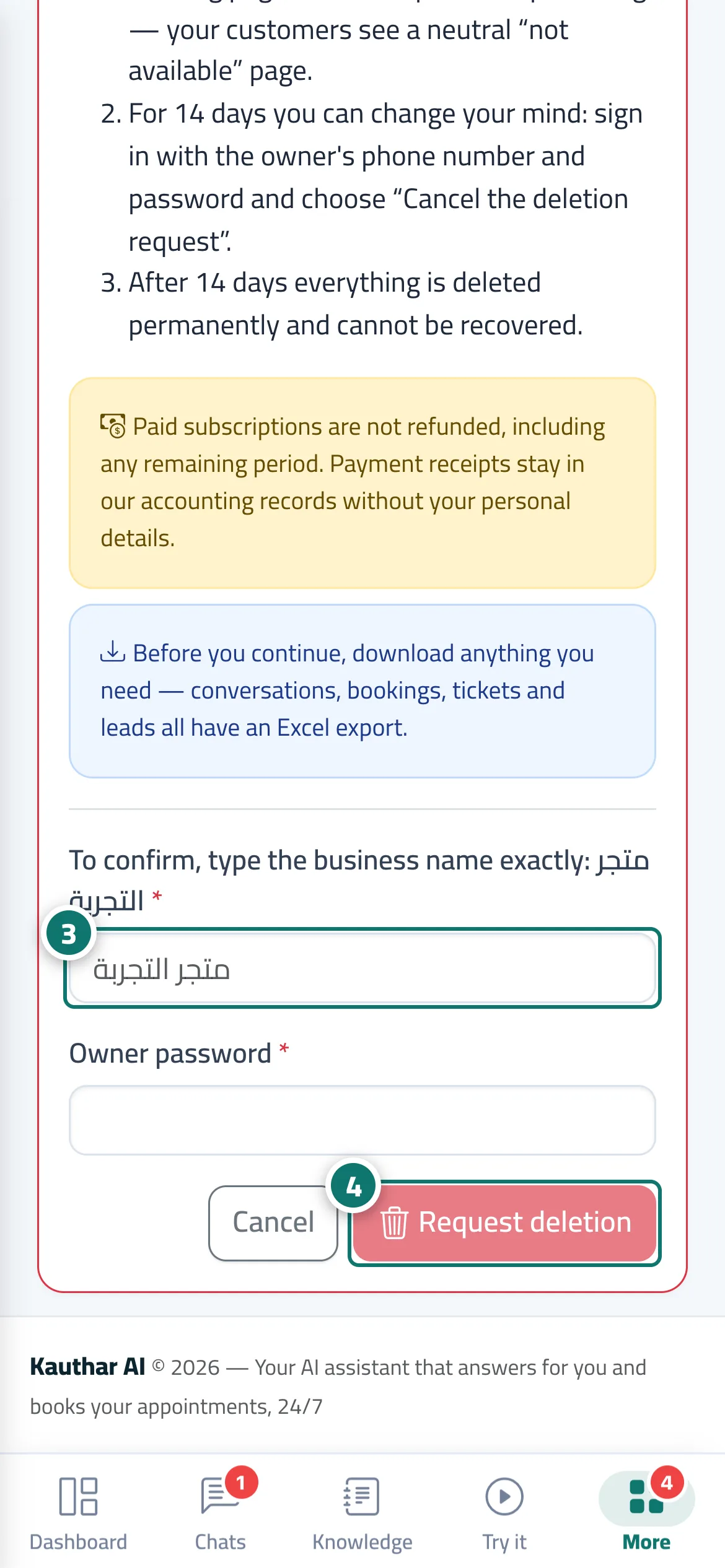
- Read «What will be deleted» and «What happens next», and download what you need first (conversations, bookings, tickets and customer details each have an Excel export).
- Type the business name exactly as it is, then the owner's password. Numéro 3 sur l’image
- Press «Request deletion» and confirm. To undo within 14 days, sign in with the owner's number and press «Cancel the deletion request». Numéro 4 sur l’image
Étapes
- Open «Settings & subscription», scroll down the «Business details» tab to the «Danger zone», then press «Delete the business account…».
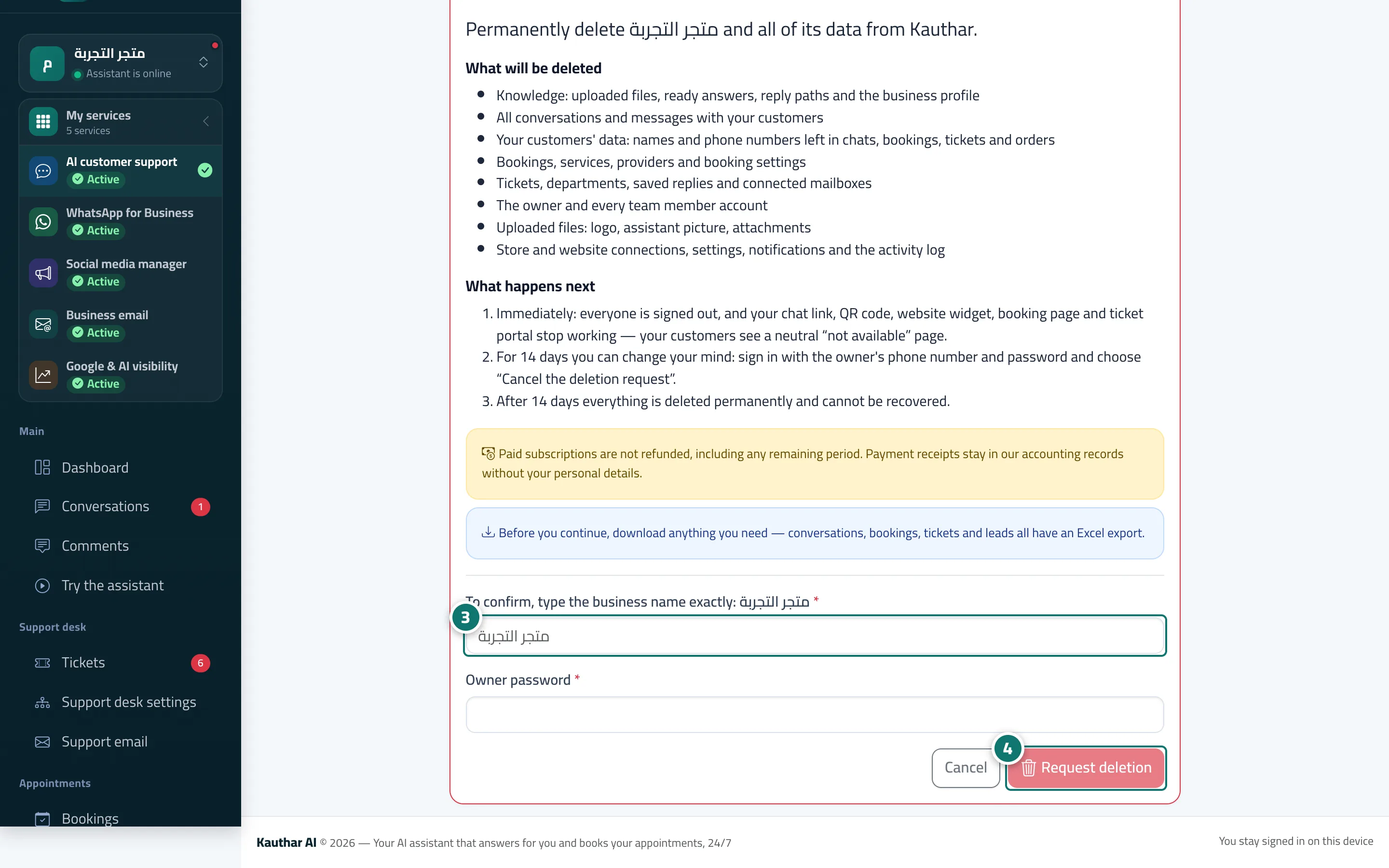
- Read «What will be deleted» and «What happens next», and download what you need first (conversations, bookings, tickets and customer details each have an Excel export).
- Type the business name exactly as it is, then the owner's password. Numéro 3 sur l’image
- Press «Request deletion» and confirm. To undo within 14 days, sign in with the owner's number and press «Cancel the deletion request». Numéro 4 sur l’image