
Équipe et sécurité · My account and changing your password
How do I change my password?
Every member edits their own name, job title and email, changes their own password, can delete their account, and stays signed in on their device.
Pour qui : Propriétaire et responsable · Membres de l'équipe
Où : Menu under your name in the top bar → «My account»
Étapes
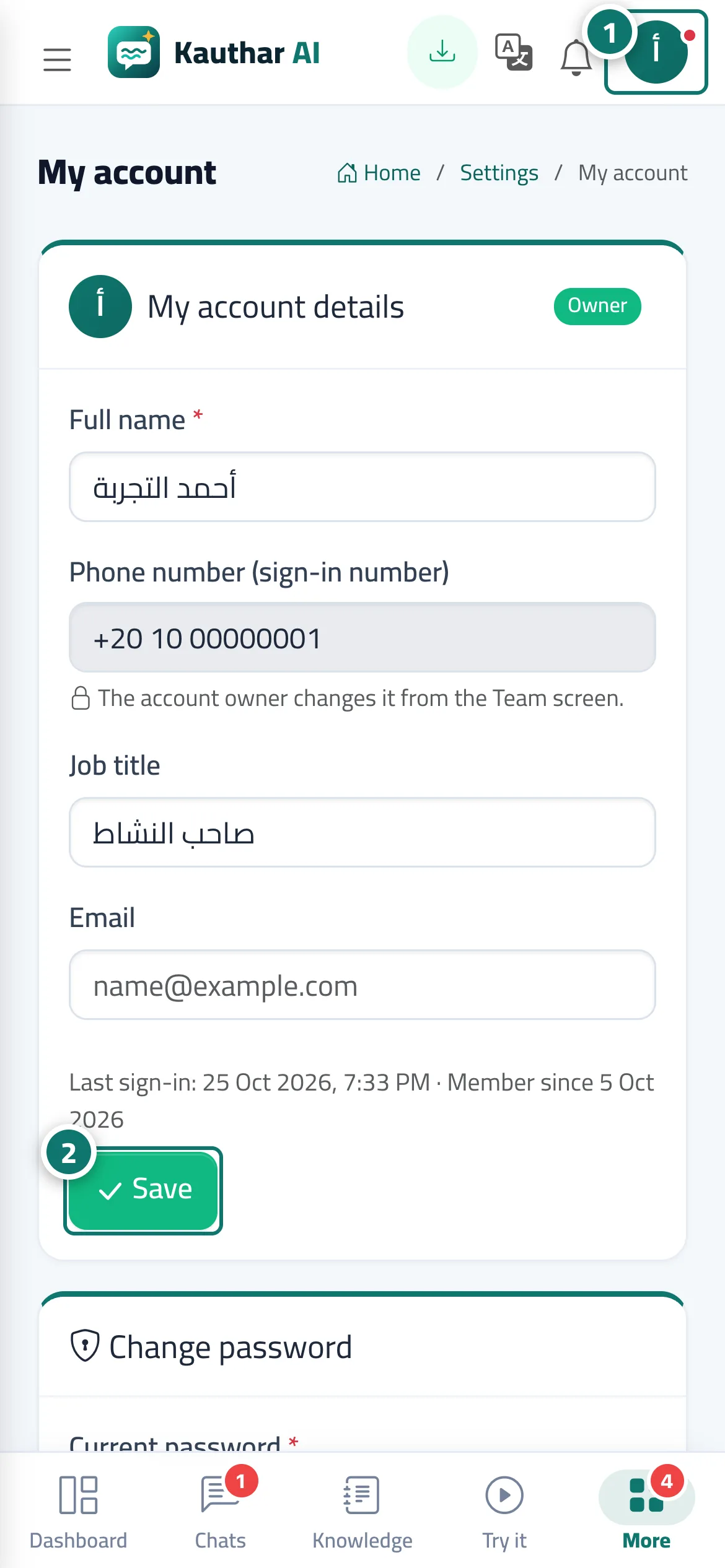
- Click your name in the top bar, then «My account». Numéro 1 sur l’image
- Edit your details and press «Save». Numéro 2 sur l’image
- To change your password, type the current one, then the new one twice, and press «Change».
- To sign in with one tap later, press «Link Google account» and choose your account.
Étapes
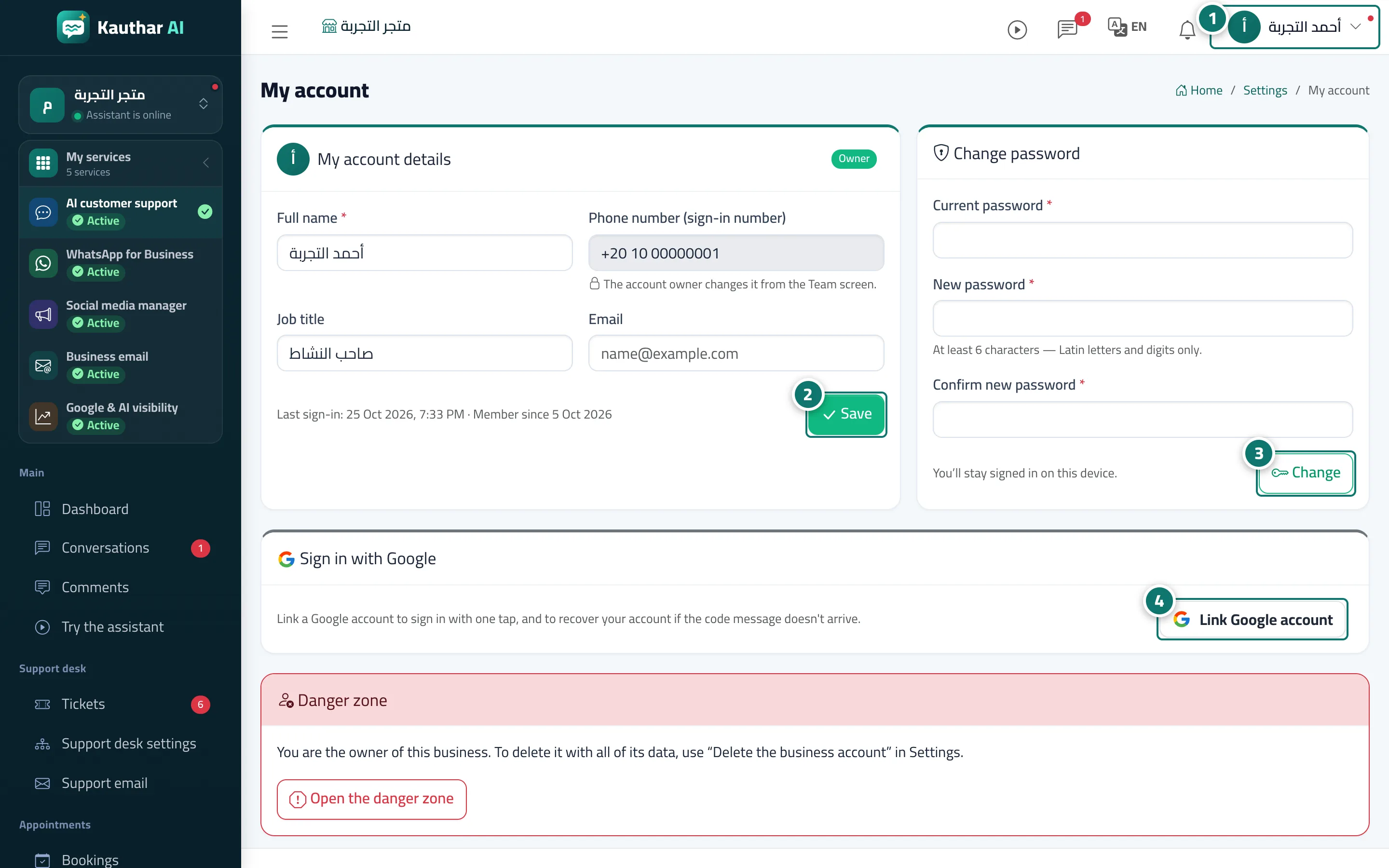
- Click your name in the top bar, then «My account». Numéro 1 sur l’image
- Edit your details and press «Save». Numéro 2 sur l’image
- To change your password, type the current one, then the new one twice, and press «Change». Numéro 3 sur l’image
- To sign in with one tap later, press «Link Google account» and choose your account. Numéro 4 sur l’image