
The problem
A dashboard that only works from the office computer
A customer waiting for a person while you're out, a booking that needs confirming in the evening, and screens designed for a wide monitor that become a burden on the phone.
Account & team
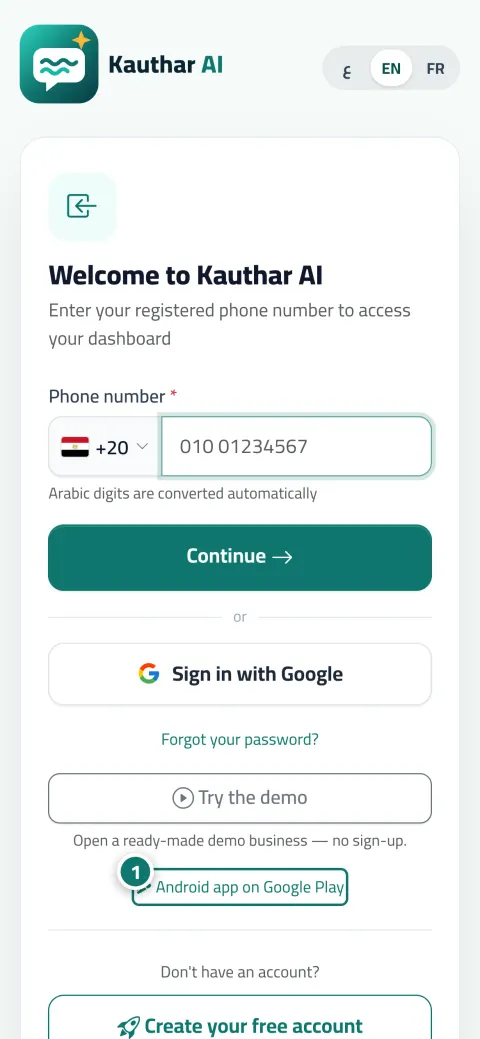
Reply to conversations and tickets, confirm bookings, upload a file and read reports from your phone. An Android app on Google Play with notifications and biometric lock, or install from the browser on iPhone and Android in three taps.
Just type your number — Kauthar messages you on WhatsApp and sets up your account with you.
Read the user guide Try Kauthar now
Your Kauthar account is free — no time limit, no credit card. Then turn on the services you need.

The problem
A customer waiting for a person while you're out, a booking that needs confirming in the evening, and screens designed for a wide monitor that become a burden on the phone.
The solution with Kauthar
A bottom bar with five items (Dashboard, Conversations, Knowledge, Try, More) with counters, large lists turn into cards, and save buttons within reach. The app adds notifications with the app closed, fingerprint or face lock, and a share button for the chat link or QR code.
What you gain
The same dashboard with all its screens, phone notifications even with the app closed, “Biometric app lock”, and a “Share” button for the link or QR code. Sign in with the same account.
On Android with Chrome and Edge a direct install prompt, and on iPhone: Share → “Add to Home Screen” → “Add”; it opens full-screen and notifications reach you.
Arabic right-to-left, English and French in the Cairo font; each member switches their language from the top bar and receives alerts in it.
In every number, phone, amount and search field, an Arabic or Persian digit is converted to English as you type, in the dashboard and on customer pages.
Three steps
Install the Kauthar app from Google Play, or open the link in the browser and click “Install the app” from your name menu.
Sign in with your number and password, and turn on notifications (and the biometric lock in the app).
Use the bottom bar to get around, and change the language from the top bar if you like.
Step-by-step instructions with numbered screenshots in the user guide
Inside the product
Screenshots of a demo business; names and numbers are examples.


Real examples
The stylist confirms the day's bookings from her phone between two clients, and gets a notification for every new booking even with the app closed.
The manager takes over an angry customer's conversation from the phone in the evening, and replies from the Conversations screen with touch-friendly cards.
The technician reads the tickets assigned to him on the phone, adds an internal note with a photo of the fault, and locks the app with his fingerprint.
FAQ
No, you sign in with the same account (phone number and password) and see the same data.
The link currently shown on the sign-in page is for the Android app on Google Play. On iPhone, install Kauthar from Safari with “Add to Home Screen” and notifications reach you once enabled.
Yes, once notifications are enabled, and on iPhone provided it's installed on the home screen.
No; subscription and payment matters are handled on the Kauthar website, not inside the app, and every feature of your account works as usual.
So you can sign in from any device without keyboard-language problems; the password is English letters and digits.

Your Kauthar account is free — no time limit, no credit card. Then turn on the services you need.
Explore the dashboard with a ready demo account
No credit card Pay only for the services you use Live in minutes