
WhatsApp Business & OTP · Campaign list and status
Where do I see all my marketing campaigns and their status?
All your campaigns in one table with their status (draft, scheduled, sending, done…), recipients and cost, with review or report pages and a stop button.
Who this is for: Owner & manager · Team members
Where: Sidebar → WhatsApp Business → Marketing messages → Campaigns
Steps
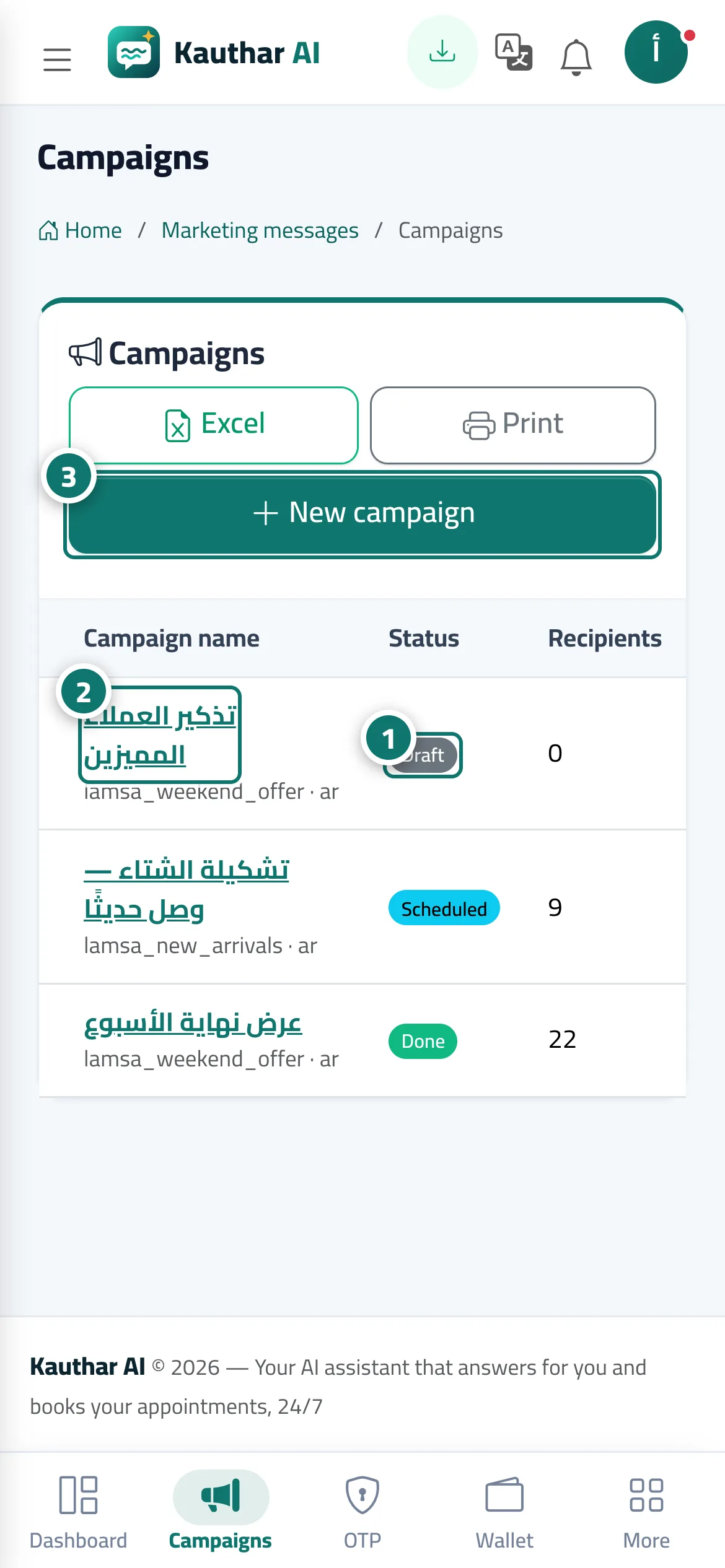
- Follow each campaign's status, recipients, delivered, read, failed and cost in the table. Number 1 on the picture
- Click the campaign name to open its review (for a draft) or its report (once sent). Number 2 on the picture
- Click "New campaign" to start a campaign. Number 3 on the picture
Steps
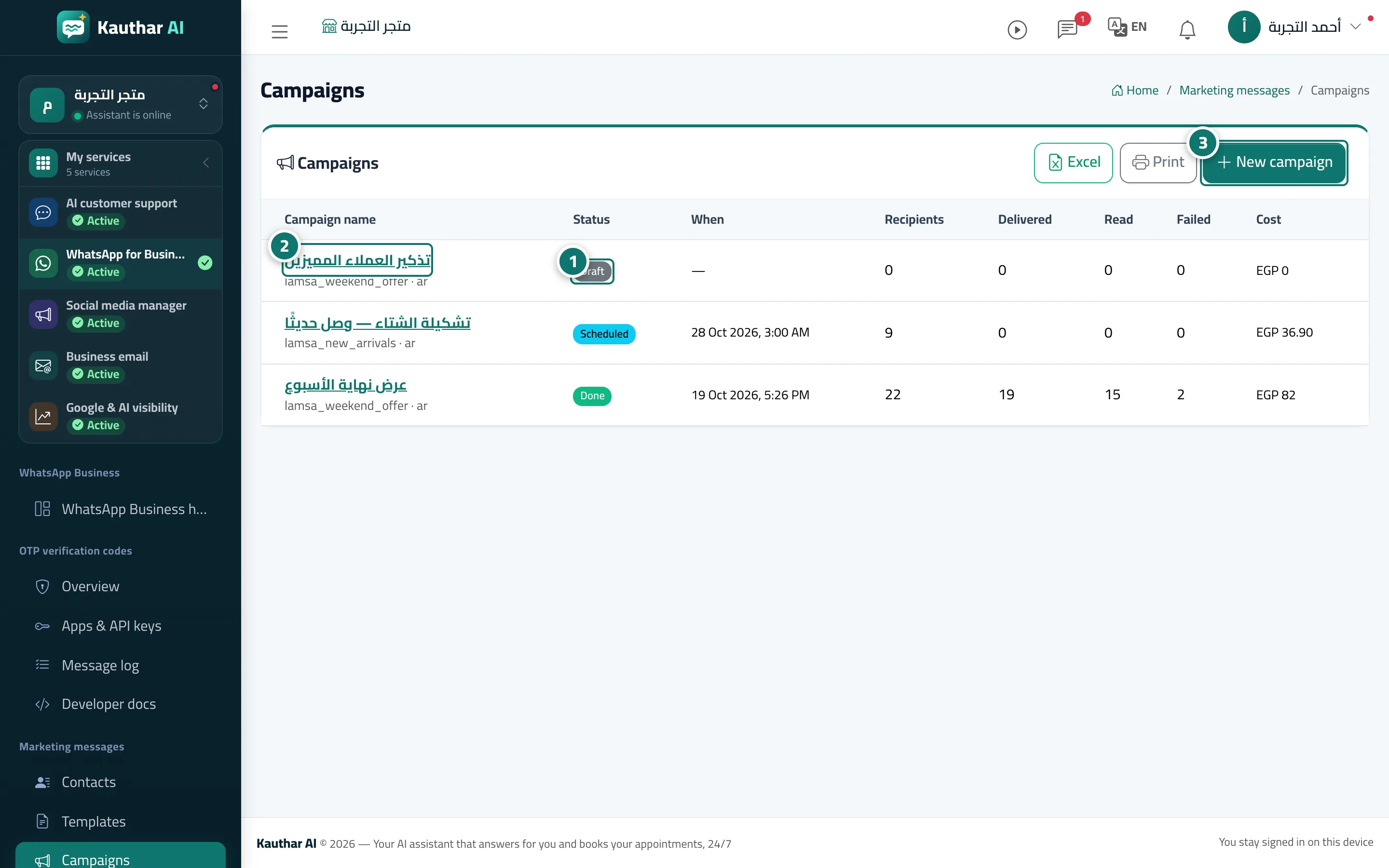
- Follow each campaign's status, recipients, delivered, read, failed and cost in the table. Number 1 on the picture
- Click the campaign name to open its review (for a draft) or its report (once sent). Number 2 on the picture
- Click "New campaign" to start a campaign. Number 3 on the picture