
Assistant et connaissances · Who writes the assistant's replies: the built-in engine or your own account
How do I choose who writes the assistant's replies?
Choose who writes your assistant's replies: Kauthar's cloud engine (Google Gemini), included in your plan, or your own OpenAI or other provider account (Business plan), with an instant test before you save.
Pour qui : Propriétaire et responsable
Où : Sidebar → Account → Assistant settings → «Who writes your assistant's replies?» card
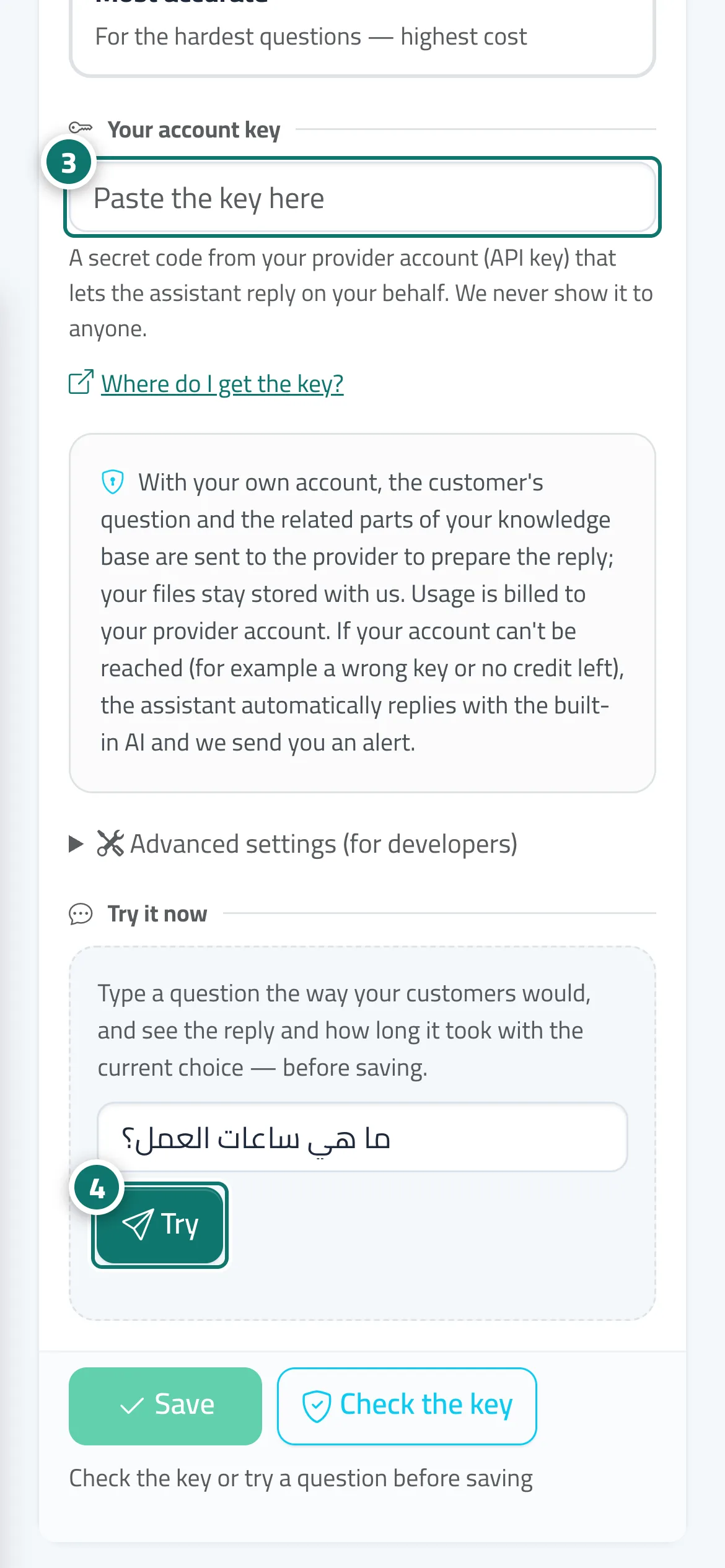
Étapes
- In the «Who writes your assistant's replies?» card, choose «Connect your own OpenAI account» or «Another provider, your account».
- For «Another provider, your account», choose the provider, then the version from «Choose the version».
- Paste «Your account key» (see the «Where do I get the key?» link). Numéro 3 sur l’image
- Type a question in «Try it now» and press «Try» (or «Check the key») to see the reply before saving. Numéro 4 sur l’image
- Press «Save»; the «In use now» badge appears on your choice.
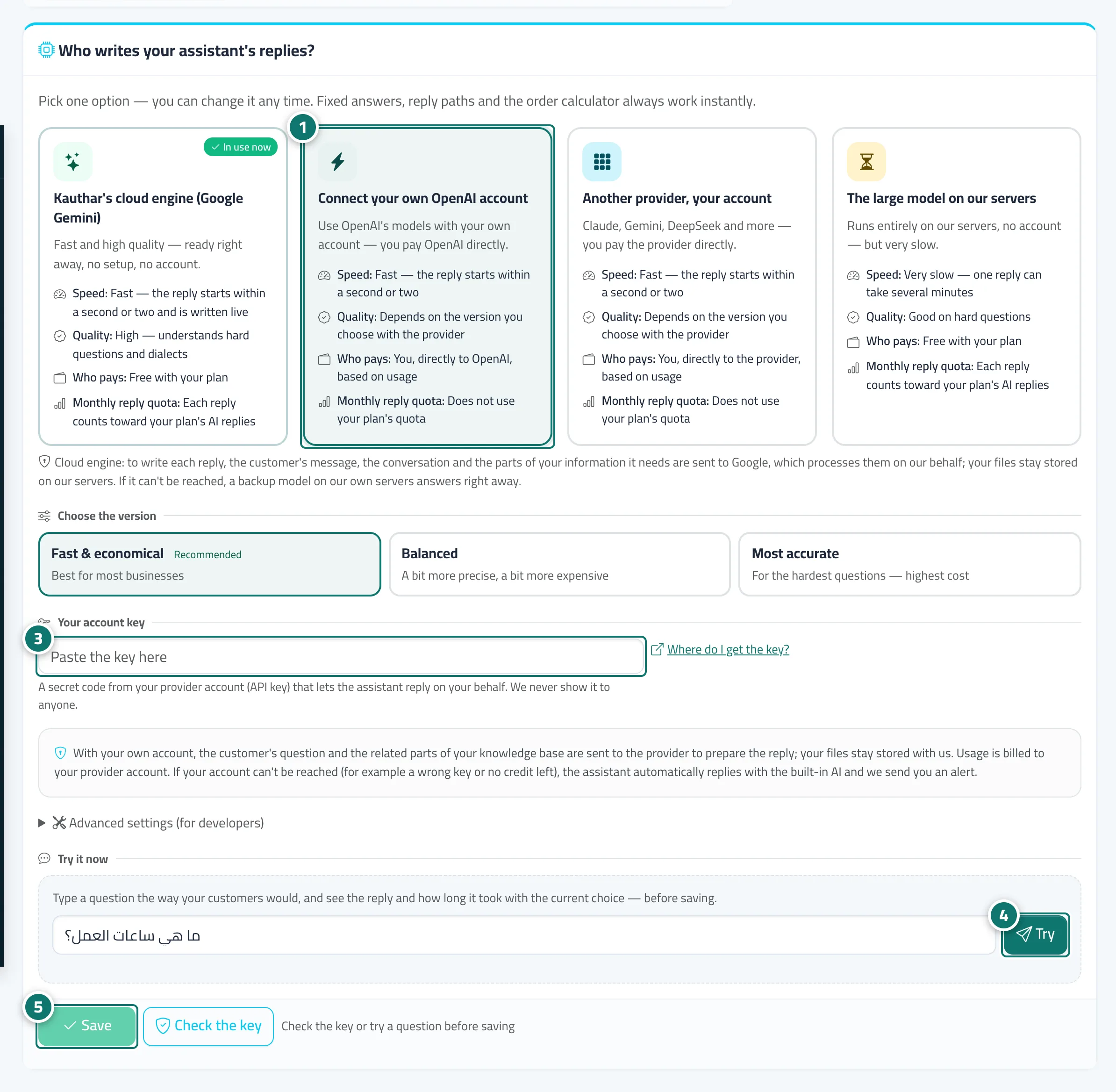
Étapes
- In the «Who writes your assistant's replies?» card, choose «Connect your own OpenAI account» or «Another provider, your account». Numéro 1 sur l’image
- For «Another provider, your account», choose the provider, then the version from «Choose the version».
- Paste «Your account key» (see the «Where do I get the key?» link). Numéro 3 sur l’image
- Type a question in «Try it now» and press «Try» (or «Check the key») to see the reply before saving. Numéro 4 sur l’image
- Press «Save»; the «In use now» badge appears on your choice. Numéro 5 sur l’image