
Conversations et support · Merging duplicate tickets
How do I merge two duplicate tickets from the same customer?
Customer opened the same request twice? Merge both into one ticket without losing a single message.
Pour qui : Propriétaire et responsable · Membres de l'équipe
Où : Sidebar → Support desk → Tickets → (the ticket) → Merge
Étapes
- Open the duplicate ticket and press «Merge» at the top of the page.
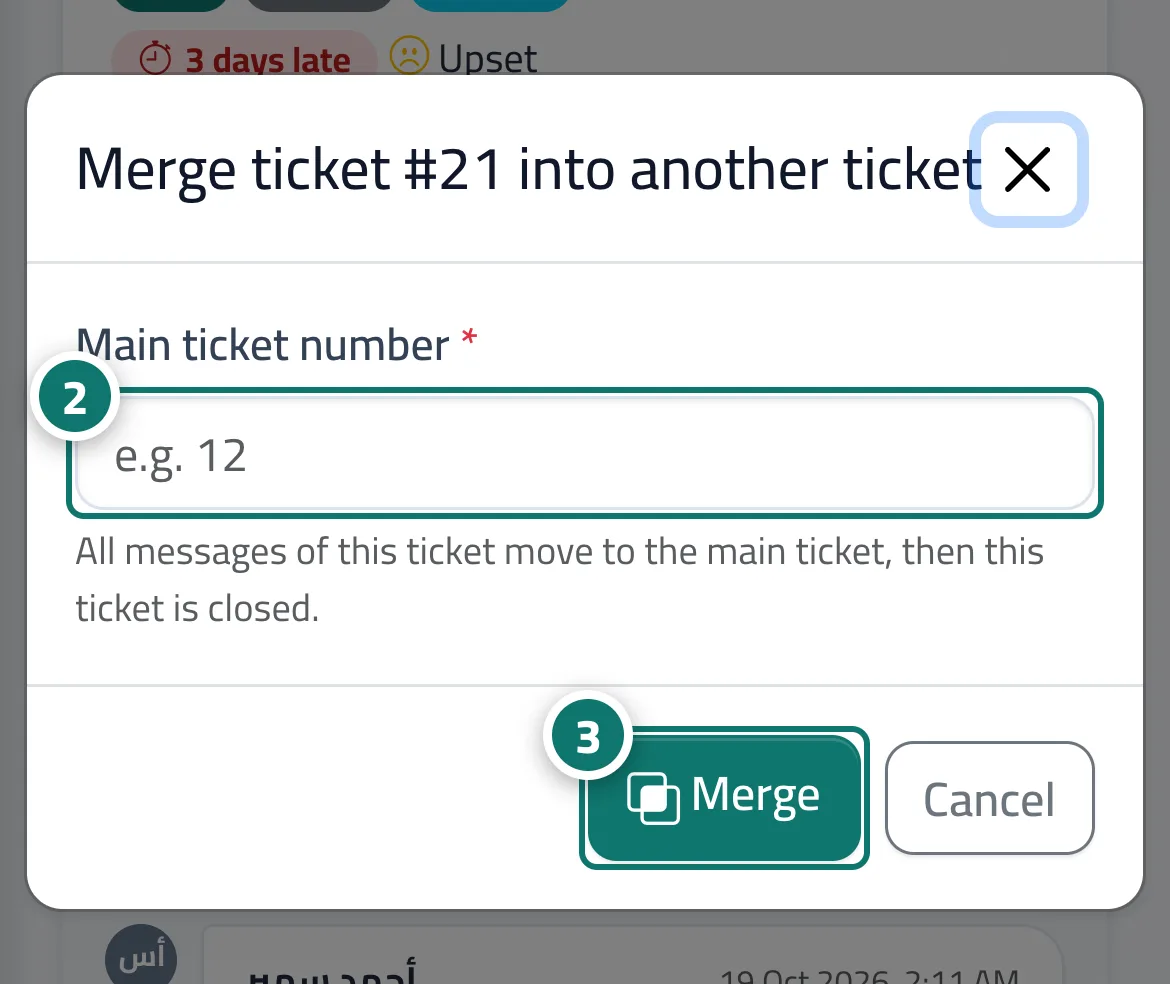
- In the «Merge ticket #… into another ticket» window, enter the «Main ticket number» (for example 12). Numéro 2 sur l’image
- Press «Merge» and confirm. Numéro 3 sur l’image
Étapes
- Open the duplicate ticket and press «Merge» at the top of the page.
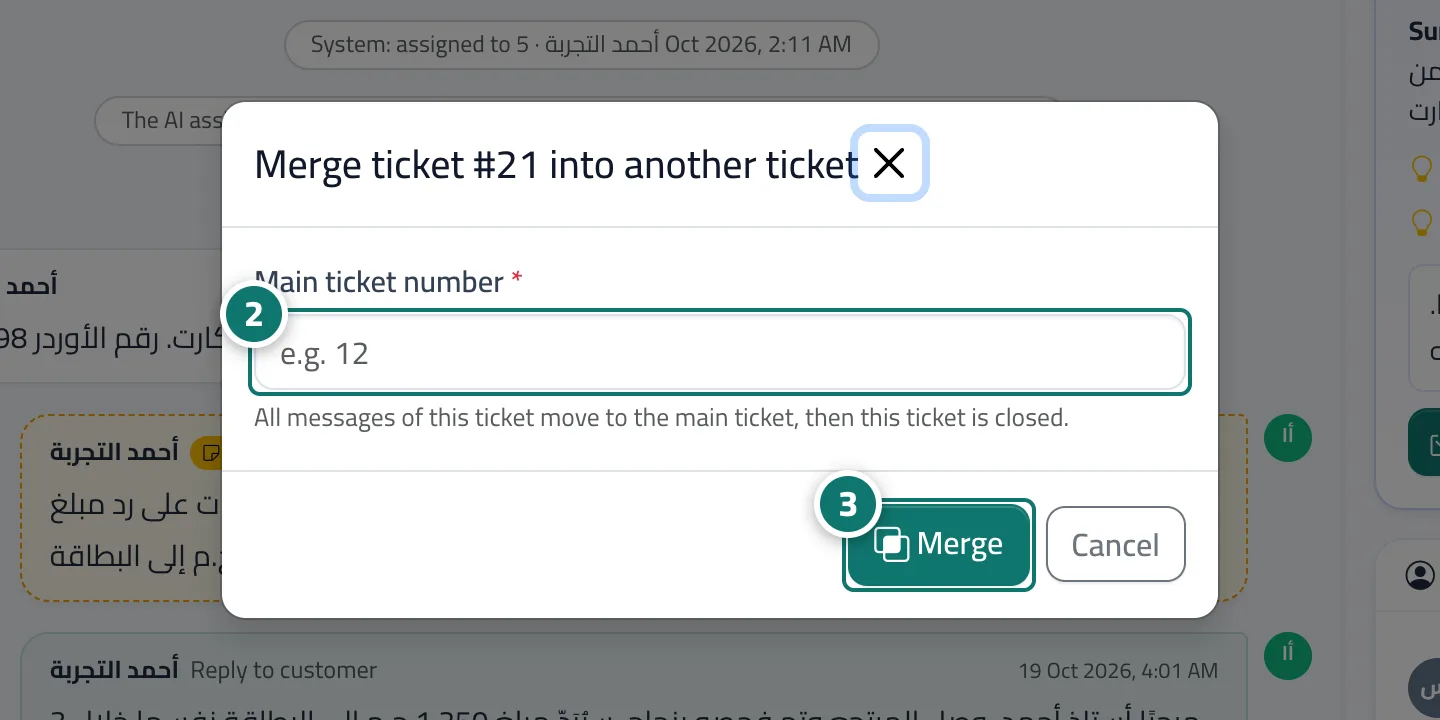
- In the «Merge ticket #… into another ticket» window, enter the «Main ticket number» (for example 12). Numéro 2 sur l’image
- Press «Merge» and confirm. Numéro 3 sur l’image