
Voice assistants: Kauthar on Alexa, Siri and Android
Ask Kauthar about your business by voice from Alexa, Siri or Android shortcuts: today's summary, the last unanswered question, who is waiting for a person, the latest customer message — and pause or resume the assistant after a confirmation.
Vue d’ensemble#
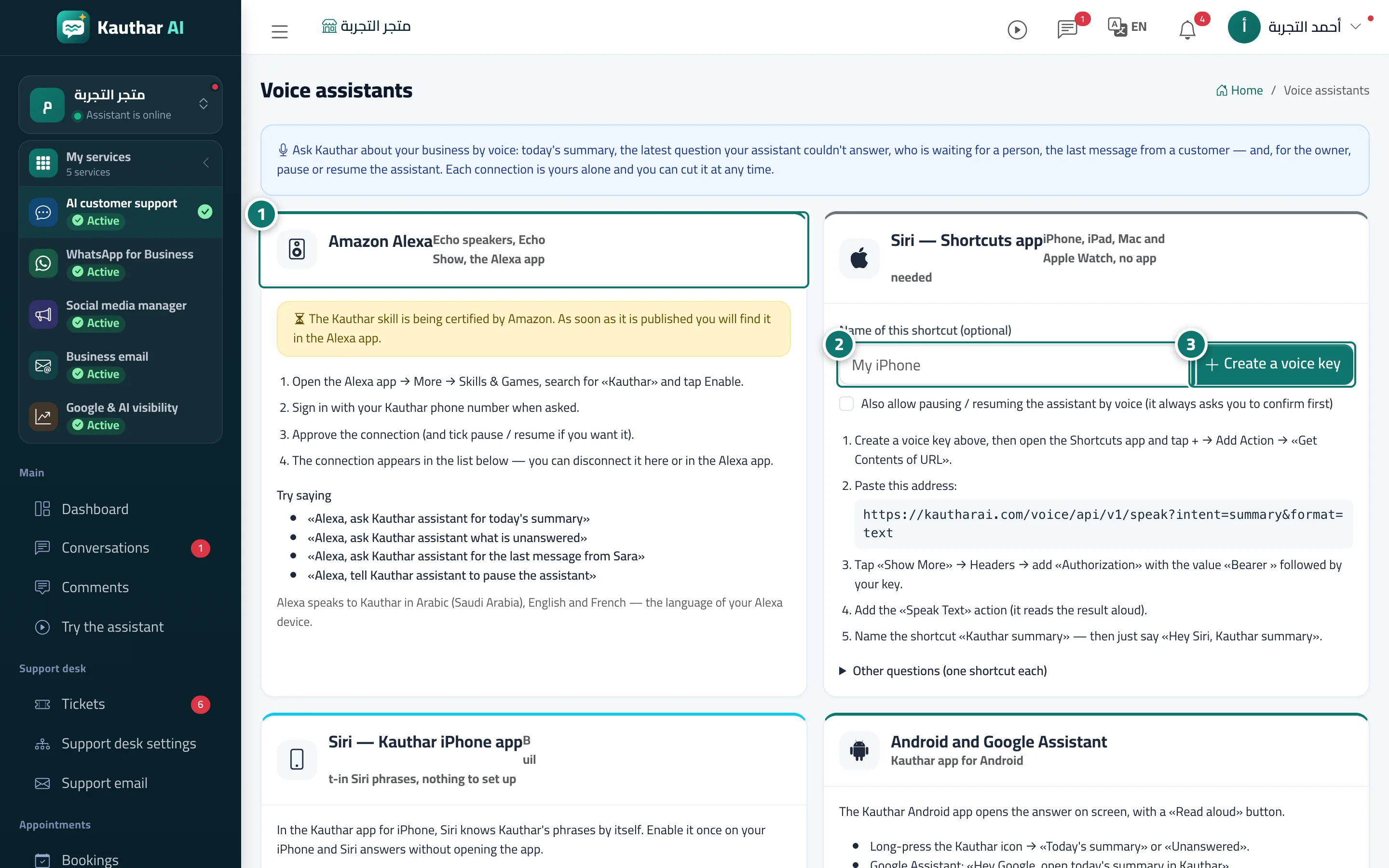
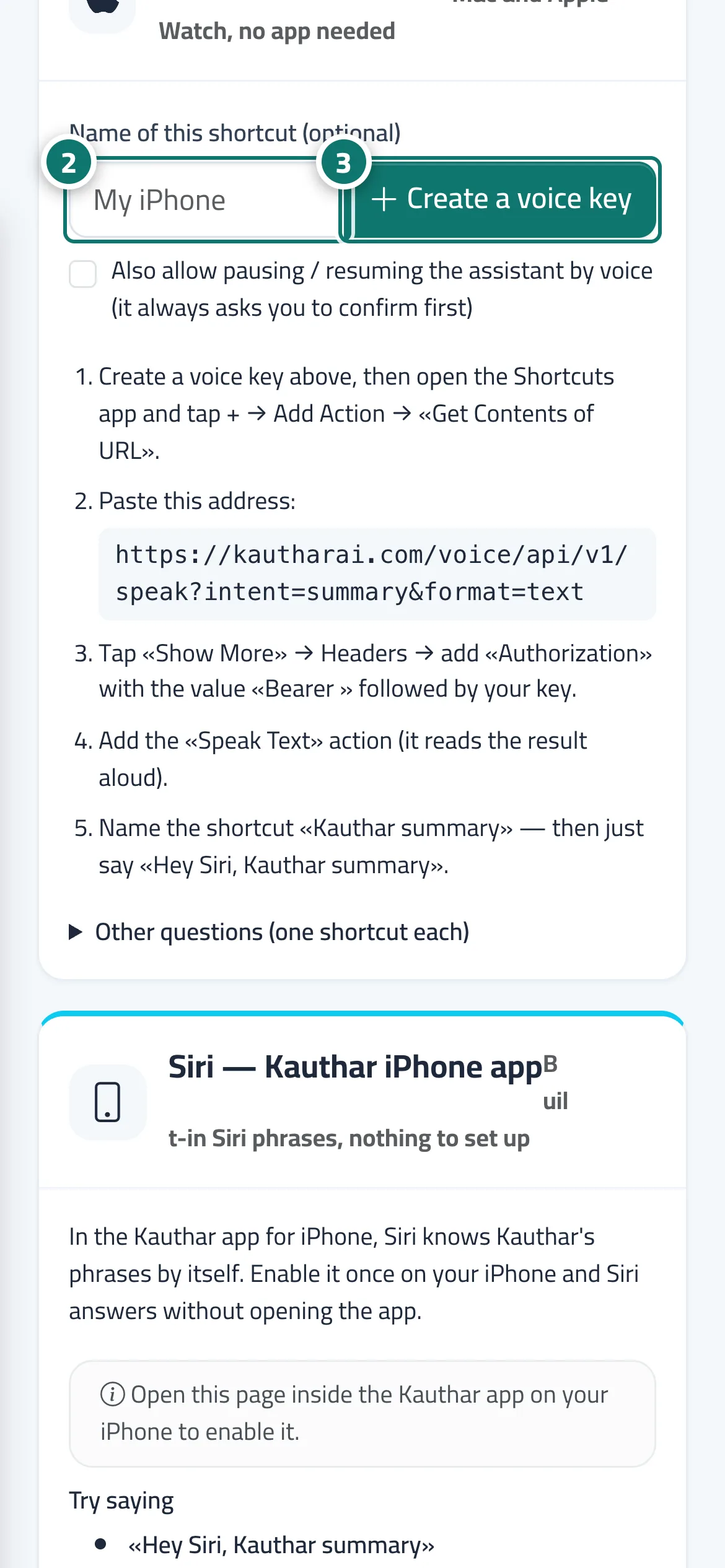
The Voice assistants page links your Kauthar account to the official voice assistants. Amazon Alexa: enable the Kauthar skill in the Alexa app, sign in with your Kauthar phone number and approve the link. Siri — Shortcuts app: create a personal voice key and put it in a shortcut that reads the answer aloud, with no extra app. Siri — Kauthar iPhone app and Android and Google Assistant: ready phrases inside the Kauthar mobile app. You can ask for today's summary, the last question the assistant could not answer, who is waiting for a person, the latest message from a customer or from a given name, and the subscription status. Only the owner and admins can pause or resume the assistant by voice, and Kauthar always asks for confirmation first. At the bottom, Connected assistants (whole team) lists every device with Disconnect, plus A4 print and Excel export.
- Pour qui ?
- Every team member for themselves; pausing/resuming by voice: owner and admins
- Où le trouver ?
- Sidebar → Account → Settings & subscription → Voice assistants tab
Pas à pas#
- For Alexa: open the Alexa app → More → Skills & Games, search Kauthar, enable it, sign in with your Kauthar phone number and approve the link.
- For Siri: type a name for the shortcut (optional) in the Siri — Shortcuts app card.
- Press Create a voice key (tick Also allow pausing / resuming the assistant by voice if you want), then follow the steps in the card to add the shortcut in the Shortcuts app.
- Review your devices under Connected assistants (whole team) and press Disconnect for any device you no longer use.
Astuces#
Bon à savoir#
Questions fréquentes#
Can anyone talking to the office Alexa pause the assistant?
Only a link that belongs to an owner or admin and allows control can pause it, and Kauthar asks for confirmation first.