
Manage your account from WhatsApp
Message Kauthar's official number from your registered phone and run your account with menus, plain words or a voice note: summary and per-platform reports, unanswered questions and replying to them, appointments, knowledge and files, services, channels, team and subscription — with the «customer needs someone» alert and a confirm button before any change.
Vue d’ensemble#
When you message Kauthar's official WhatsApp number from the confirmed phone number of a user of an active business, Kauthar acts as the manager of your account instead of the sales and support assistant. Type what you need in your own words, send a voice note, or pick from the list: Today's numbers (conversations, new customers, orders, today's bookings, unanswered questions and conversations waiting for a team member), My subscriptions (the status of each service with its direct renewal link), Today's bookings (today or tomorrow), Unanswered questions (the top 5), New email address (a mailbox on your domain), Fixed answer (when someone asks about… say…), Pause/resume replies on WhatsApp, Messenger, Instagram, Telegram or the website chat, Google visibility (add your site to the service) and Publish a post as text to a Facebook Page or LinkedIn. Every request follows your permissions in the dashboard, and for anything that changes something Kauthar first shows a summary with Confirm and Cancel buttons; it runs only when you press Confirm within 15 minutes and is then recorded in the activity log. If your number belongs to more than one business, Kauthar asks once which one to manage and remembers your choice (say switch account to change it). Since 2026-10-29 Kauthar starts with the main menu (10 sections like the dashboard: summary & reports · unanswered · appointments · knowledge & files · services · channels & connections · team · subscription · settings · help) and every answer ends with Back / Menu. You can ask for per-platform reports, reply to an unanswered customer, add, move or cancel an appointment, set working hours, connect a site or channel, pause or resume Kauthar, activate a service and invite a member (a link to a pre-filled form). When a customer asks for a person you get a customer needs someone alert on WhatsApp: who, on which channel, what they want, a link to the conversation and the buttons I'll reply and Let Kauthar continue.
- Pour qui ?
- Business owner, admins and staff — each with their dashboard permissions
- Où le trouver ?
- WhatsApp → Kauthar's official number · Switch: your name menu → Notifications & my devices → Manage my account from WhatsApp
Pas à pas#
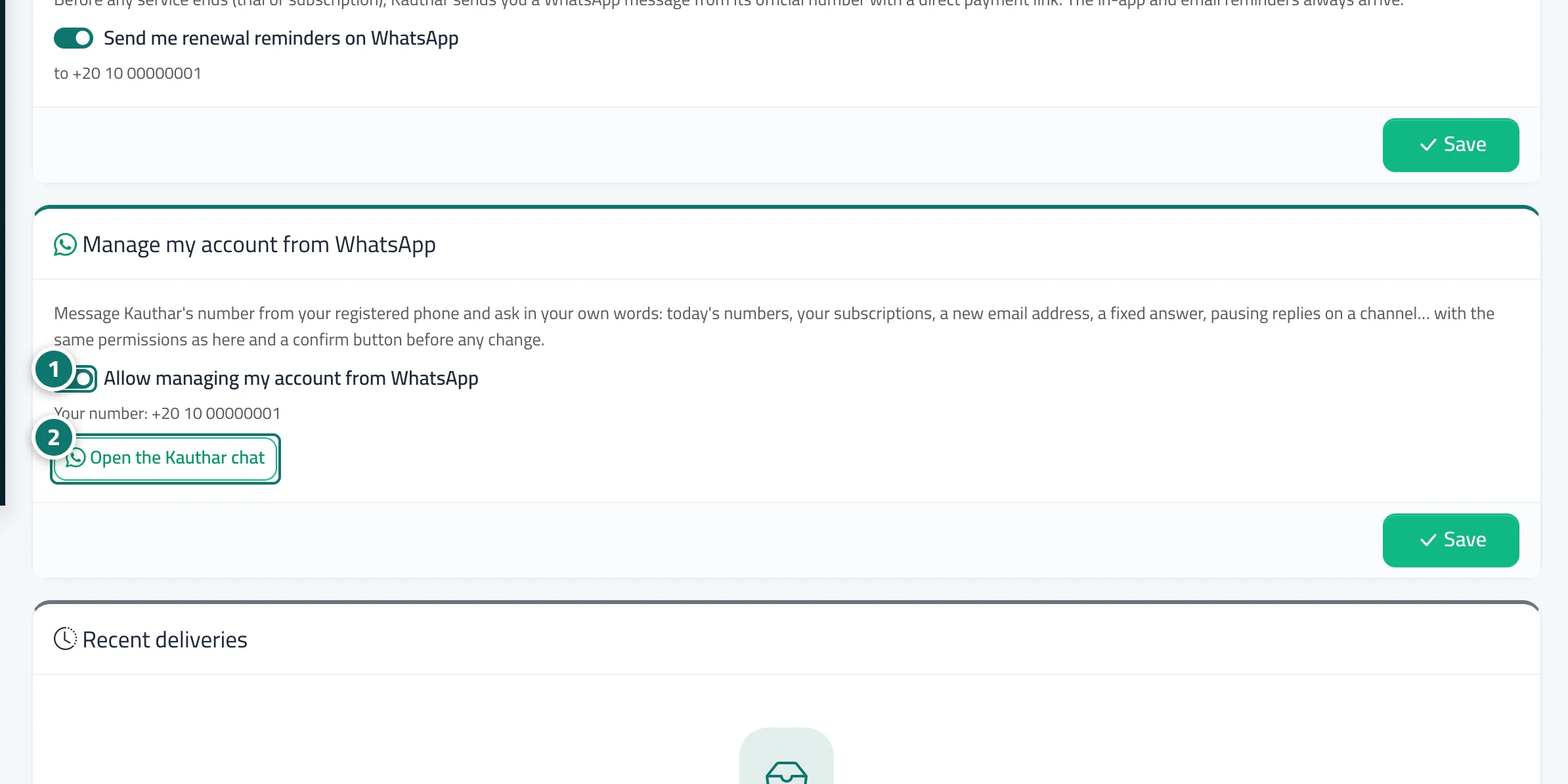
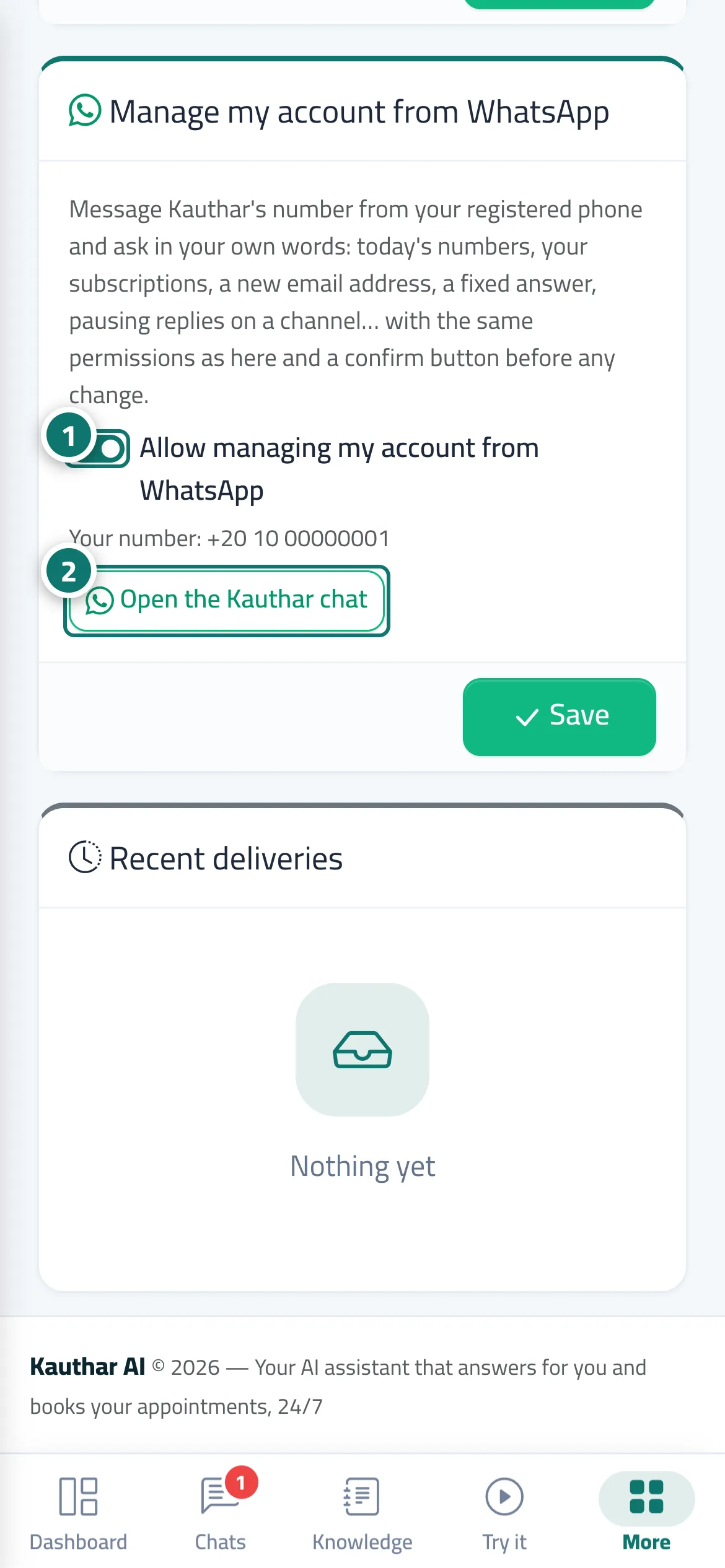
- Open Notifications & my devices and make sure Allow managing my account from WhatsApp is on (it is by default) and that your number is verified.
- Tap Open the Kauthar chat, or message Kauthar's official WhatsApp number from your registered phone.
- Type your request in your own words, send a voice note, or pick from the list Kauthar sends you.
- If the request changes something, check the summary and press Confirm to go ahead or Cancel.
- Type support to talk to Kauthar's support team, and manager to go back to managing your account.
Astuces#
Bon à savoir#
Questions fréquentes#
Can my staff do everything from WhatsApp?
No. Each user can only see and do what their dashboard permissions allow; anything else is politely declined.
I typed a password in the chat by mistake — was it saved?
No. Kauthar tells you it did not keep what you typed, and uses a strong generated password with a one-time link instead.