
Your customers' chat page
A clean chat page in your brand and in the customer's language: your customers ask, and the AI assistant's reply arrives within seconds, typed out in front of them.
Overview#
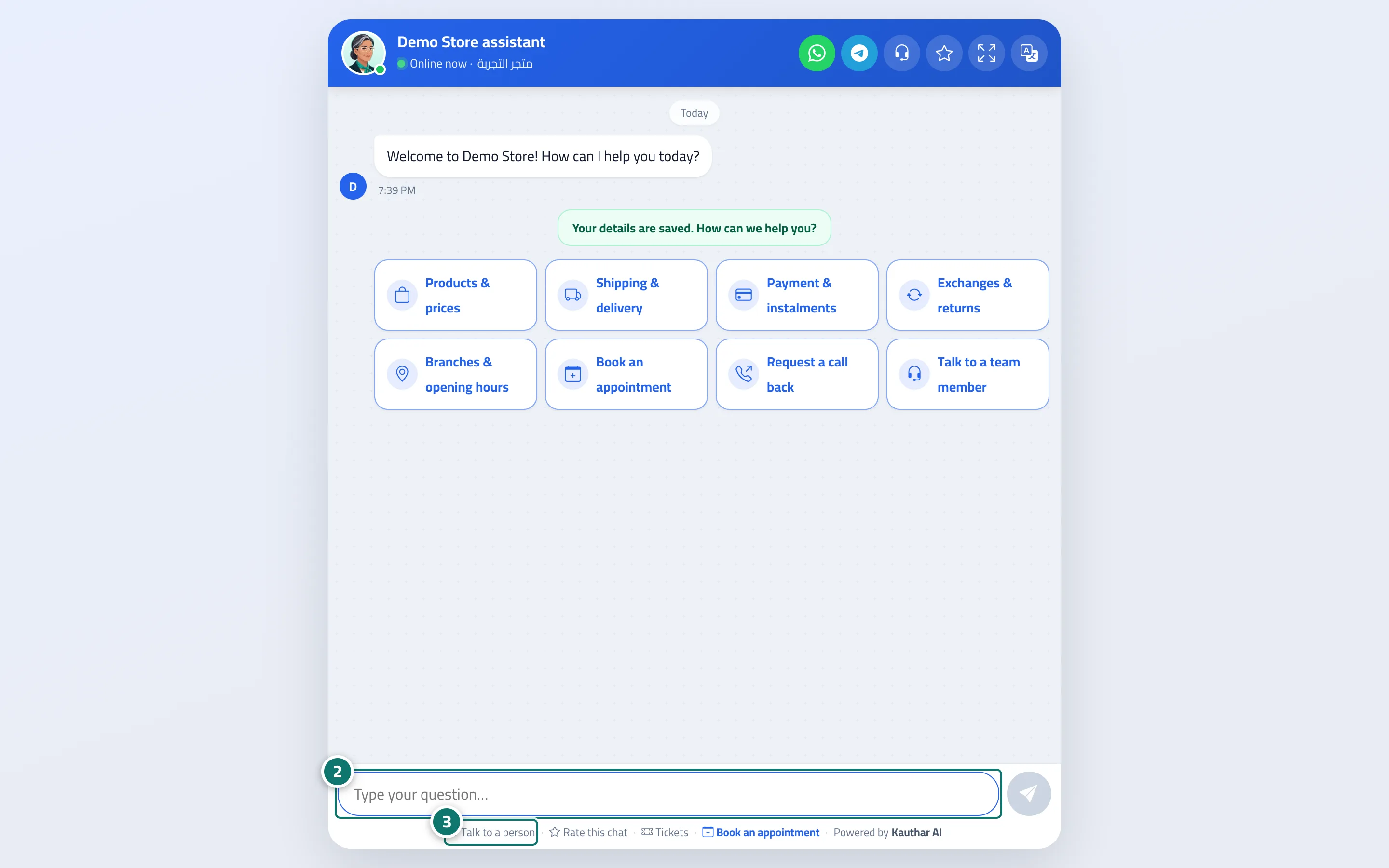
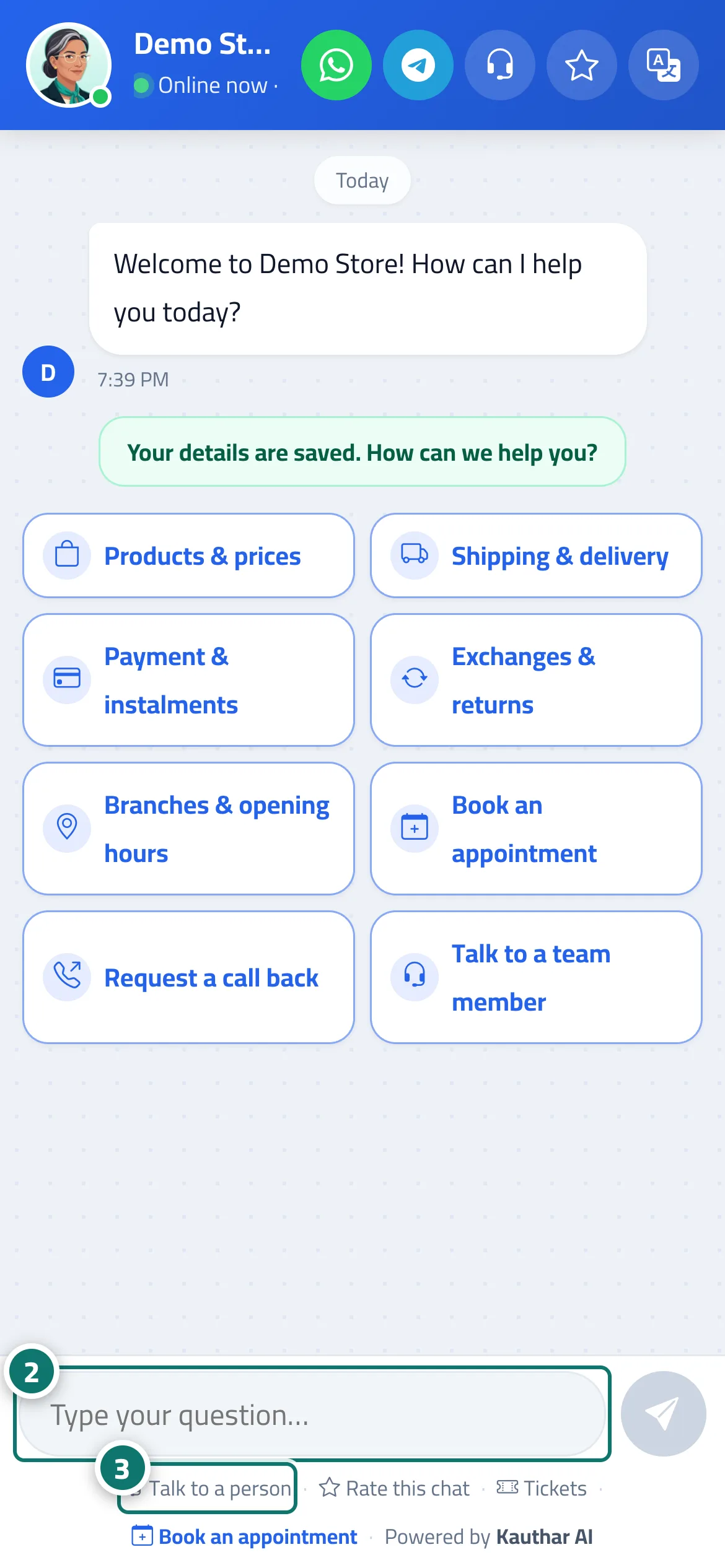
This is the page your customers see when they open your chat link, scan your QR code or tap the chat button on your website. At the top are the assistant's name and photo with Online now and your business name, plus the Talk to a person, Rate this chat, Full screen and Language (عربي · English · Français) icons, and a Chat on WhatsApp button if you added a WhatsApp number. The page opens automatically in the language of the customer's device (Arabic, English or French), and the customer can switch it. After registration (if enabled), the welcome message appears with your reply-path buttons or suggested questions, and the Type your question… box. The assistant's reply appears word by word as it is written, is based only on your business information, and follows the Style of Arabic replies you chose (the default is Customer's dialect). Below the chat are the Talk to a person, Rate this chat, Tickets and Book an appointment links (when enabled). The page carries your brand — colour, name and logo (logo upload is available on the Business plan) — set under Settings & subscription → Brand tab.
- Who can use it
- Your business's customers
- Where to find it
- The public chat link (ending in /c/<link-name>) · or inside the chat window on your website · or through the QR code
Step by step#
- The customer opens the link, scans the QR code or taps the chat button on your website, and enters their name and phone number if registration is enabled.
- They tap one of the menu buttons, or type their question in the Type your question… box and tap Send.
- The reply arrives within seconds; if they need someone from your team, they tap Talk to a person.
Tips#
Good to know#
Frequently asked questions#
Does the customer need to install an app or create an account?
No. They open the link in any browser on a phone or computer, enter their name and phone number once if registration is enabled, and start asking right away.
Is the conversation lost if the customer closes the page?
No. It is kept on the same device and browser; if they open the link again within the session time they continue where they left off. After that, a new conversation starts, registered under their name.
Does the assistant reply in the customer's language?
Yes. The page appears in the language of the customer's device (Arabic, English or French), the customer can change it from the Language icon, and the assistant replies in the same language when Reply language is set to automatic.
Can I hide Powered by Kauthar at the bottom of the page?
Yes. On the Business plan the line disappears automatically from the chat page, the website chat window, the ticket and booking pages and the poster, with no extra setting.