
The free account: no time limit, then only the services you need
Signing up for Kauthar creates a free account that never expires or locks; you then pick the service you need from “My services” and start its free trial or subscribe straight away.
Overview#
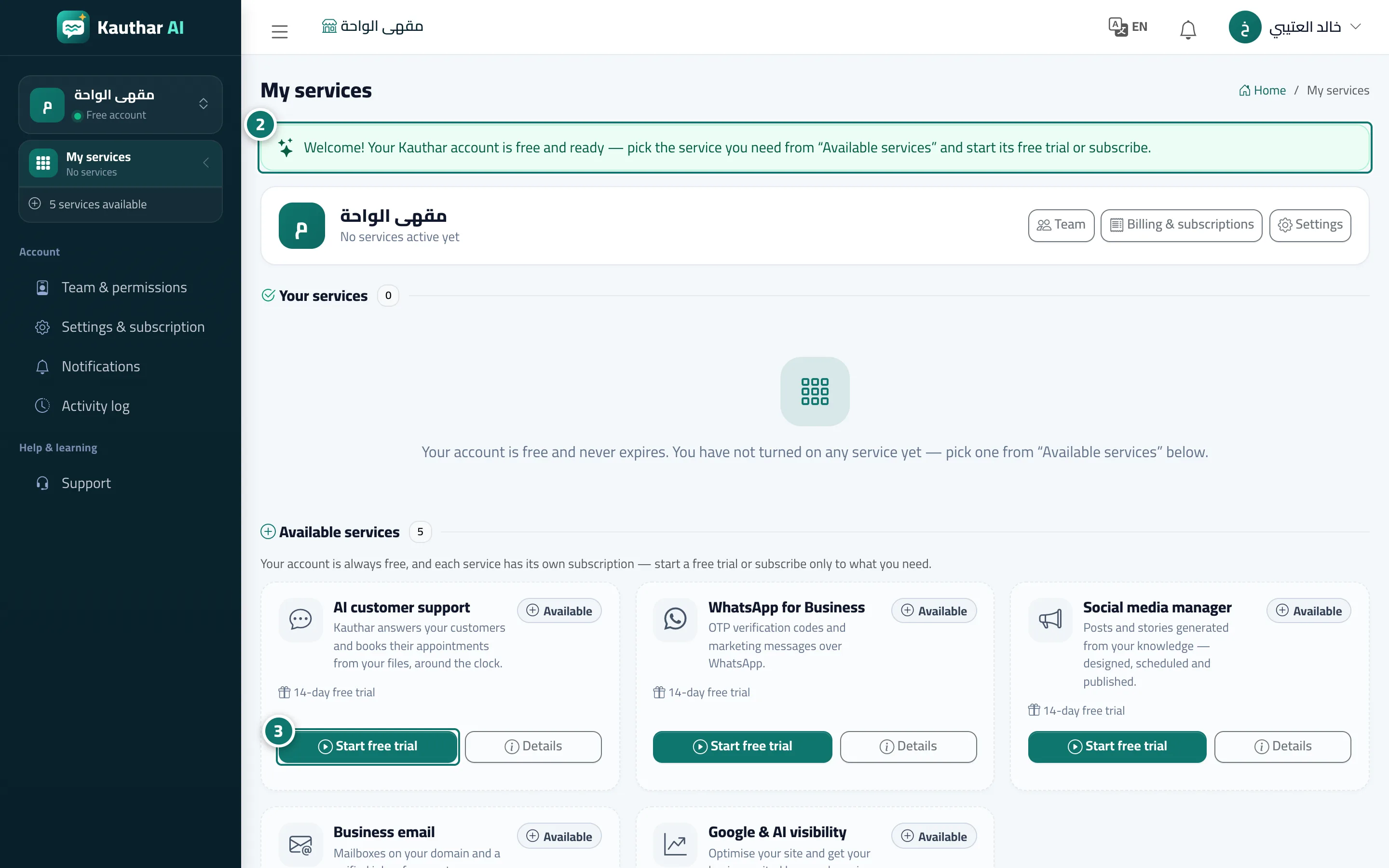
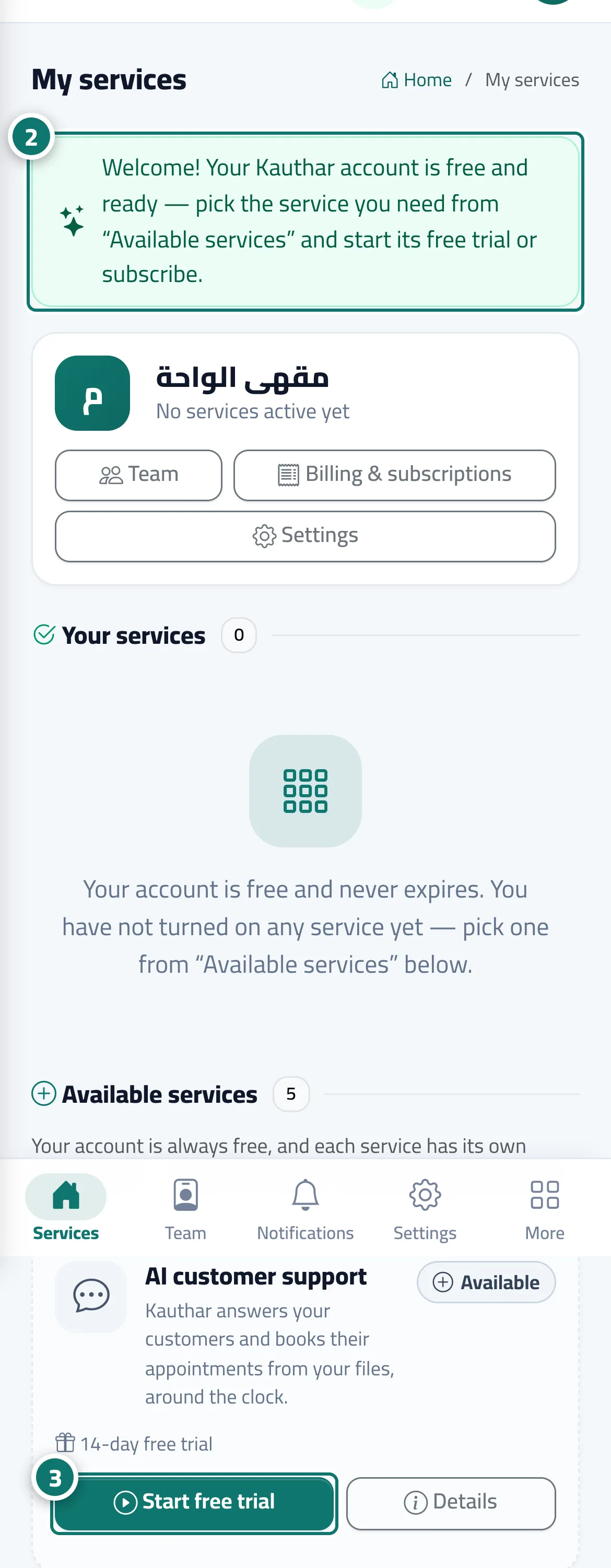
The Kauthar account itself is completely free, with no time limit and no credit card: it includes your team and permissions, settings, notifications, Billing & subscriptions, Support from the Kauthar team and the user guide. Each of the five services (AI customer support, WhatsApp for Business, Social media manager, Business email, Google & AI visibility) has its own subscription and its own free trial. After you create the account, My services opens with the message Welcome! Your Kauthar account is free and ready; your services section is empty (Your account is free and never expires. You have not turned on any service yet), and below it Available services shows a card for each service. The sidebar shows Free account under your business name, and on the phone the bottom bar shows My services, Team, Notifications and Settings. If you arrived from a specific service page on the Kauthar website (such as the Social media manager page), that service alone is turned on with its free trial as soon as you sign up.
- Who can use it
- Business owner
- Where to find it
- My services (the first page after sign-up)
Step by step#
- Create your account from Create your free account (phone number, then the verification code, then your details).
- My services opens with the welcome message; read the Available services cards and choose the service you need.
- Click Start free trial on the service card, or Details to see its plans and subscribe directly.
Tips#
Good to know#
Frequently asked questions#
Do I need a credit card to sign up?
No. The account is free, with no time limit and no card; you pay only when you subscribe to a service.
I created my account but can't see conversations or the knowledge base. Why?
Those are pages of the AI customer support service. Turn it on from My services → Start free trial and its pages appear in the menu.