
Connect Facebook Messenger and Instagram
Connect your business's Facebook page and the Instagram professional account linked to it in one click, and Kauthar answers Messenger and Instagram messages — and comments, as you set.
Overview#
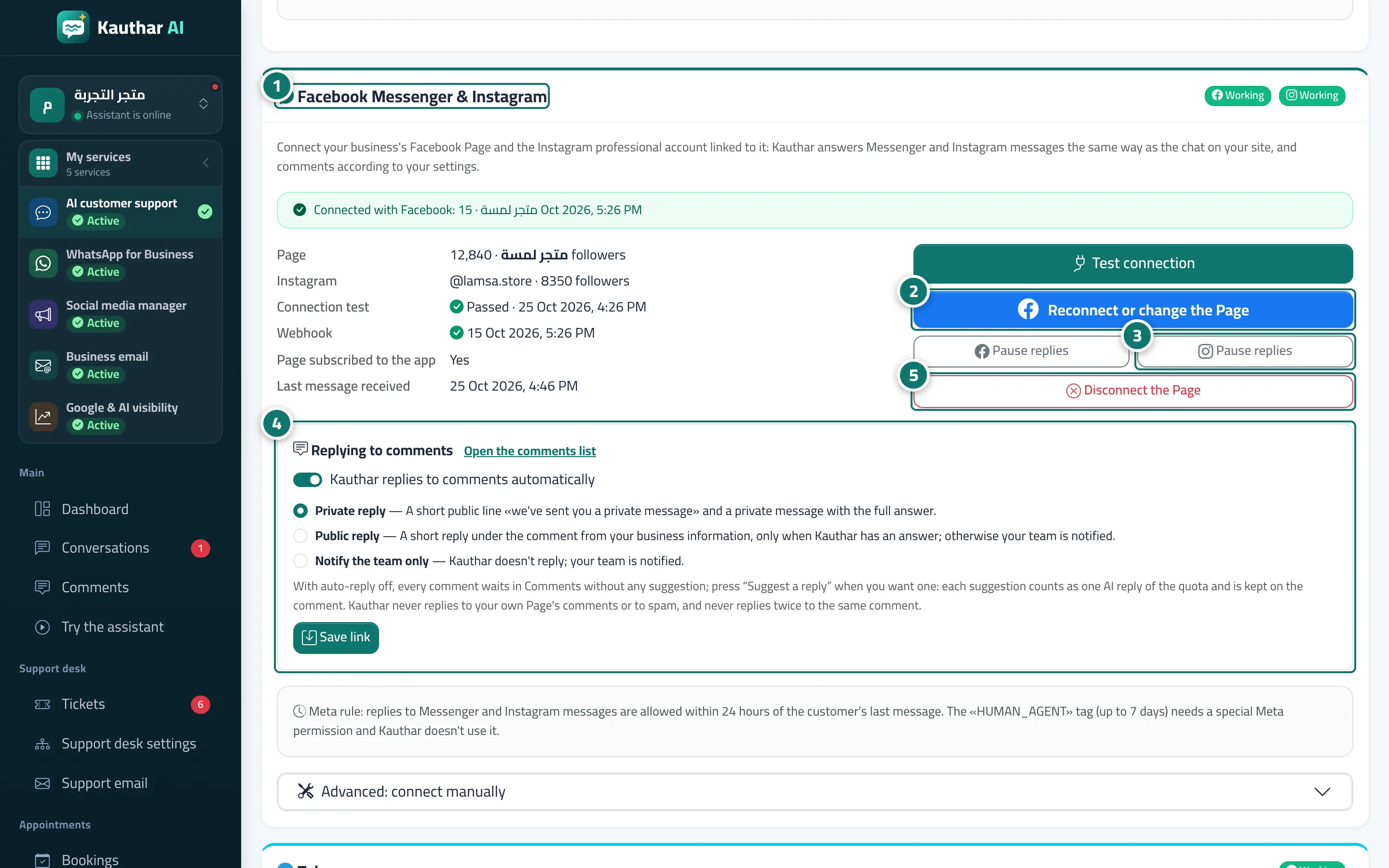
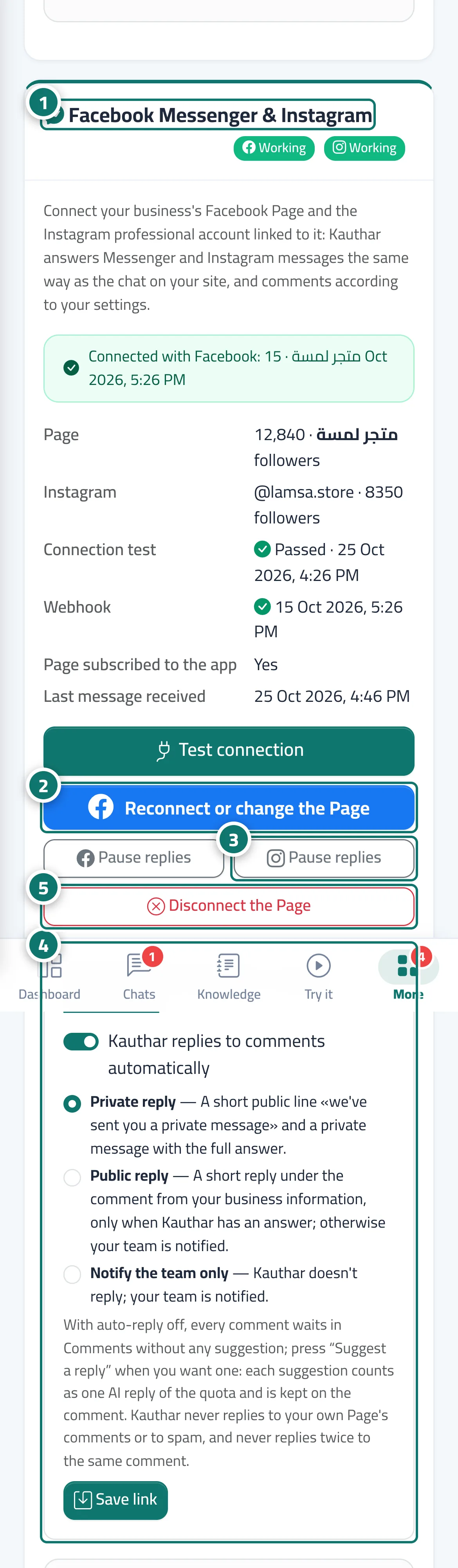
The Facebook Messenger & Instagram card in Channels. Before connecting: the Connect with Facebook button opens a Facebook window to sign in and choose the page (and the Instagram professional account linked to it); you come back to Choose the Page to connect and click Connect this Page, and Kauthar tests it and subscribes to it automatically. Once connected, the card shows the page, its follower count and the Instagram account, the connection test, the last incoming message, and the buttons Test connection, Reconnect or change the Page, pause replies for Facebook and for Instagram separately, and Disconnect the Page. It also has a Comment replies section: the switch Kauthar replies to comments automatically and three modes: Private reply (a short public line plus a private message with the full answer), Public reply (a short reply under the comment when Kauthar finds an answer; otherwise your team gets an alert) or Notify the team only.
- Who can use it
- Business owner / manager (or a team member allowed to edit Channels)
- Where to find it
- Sidebar → Channels & customers → Channels → Facebook Messenger & Instagram card
Step by step#
- Open the Facebook Messenger & Instagram card in Channels.
- Click Connect with Facebook (or Reconnect or change the Page once connected), choose your page, then Connect this Page.
- To pause replies on Facebook or Instagram, click that channel's Pause replies button.
- In Comment replies, choose automatic replies and the mode, then click save.
- To end the connection completely, click Disconnect the Page.
Tips#
Good to know#
Frequently asked questions#
Can I connect manually with my business's own Meta app?
Yes, from Advanced: connect manually: the Page ID, the page access token and the App Secret, then set up Webhooks as described in the steps inside that section.