
WhatsApp activation: your number sends in your name
Once your number is connected, Kauthar sets up your WhatsApp account on its own: it creates the verification-code template and the notification templates in your name, sends them to Meta and follows them until sending is ready, telling you only about the step that needs you.
Overview#
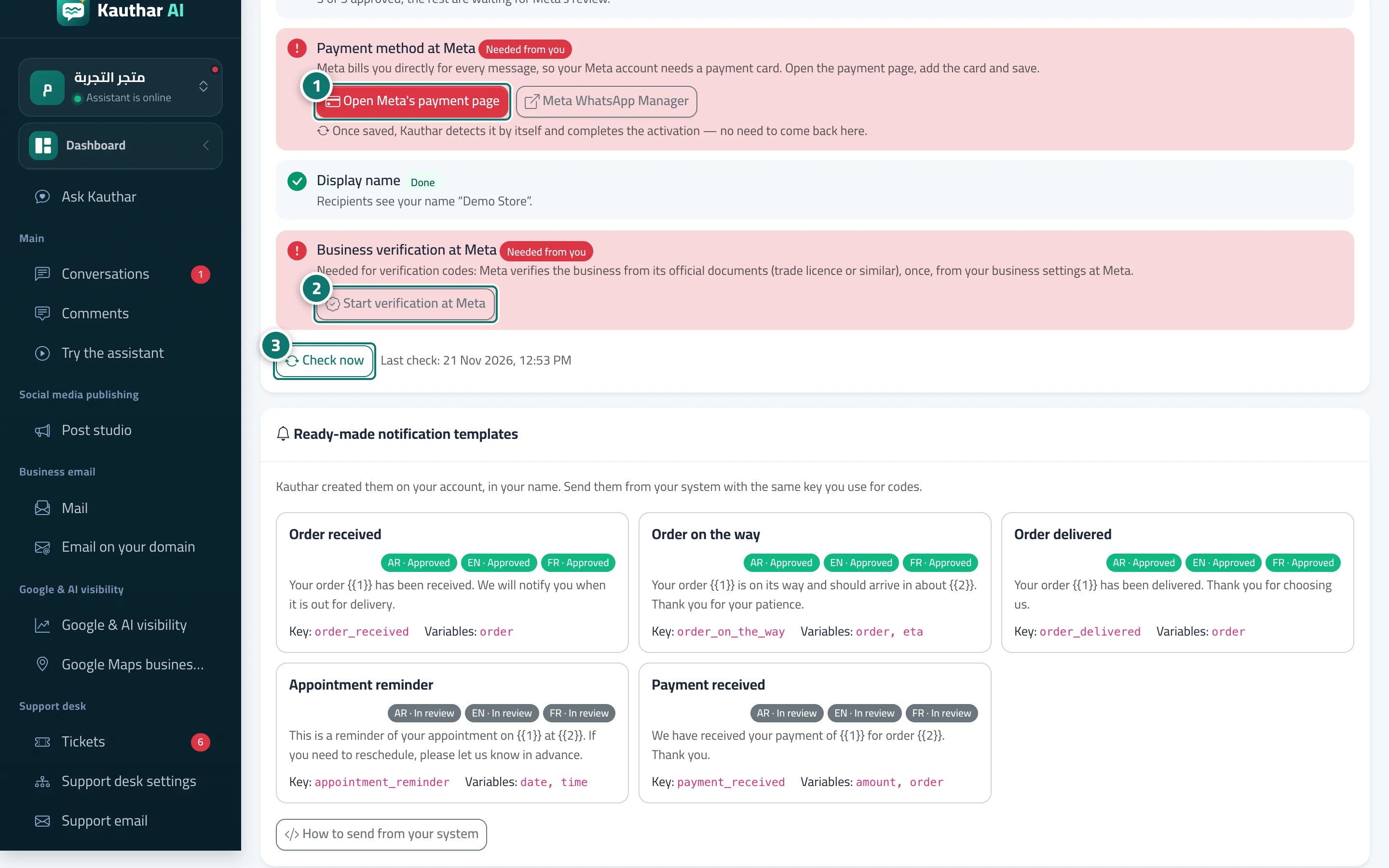
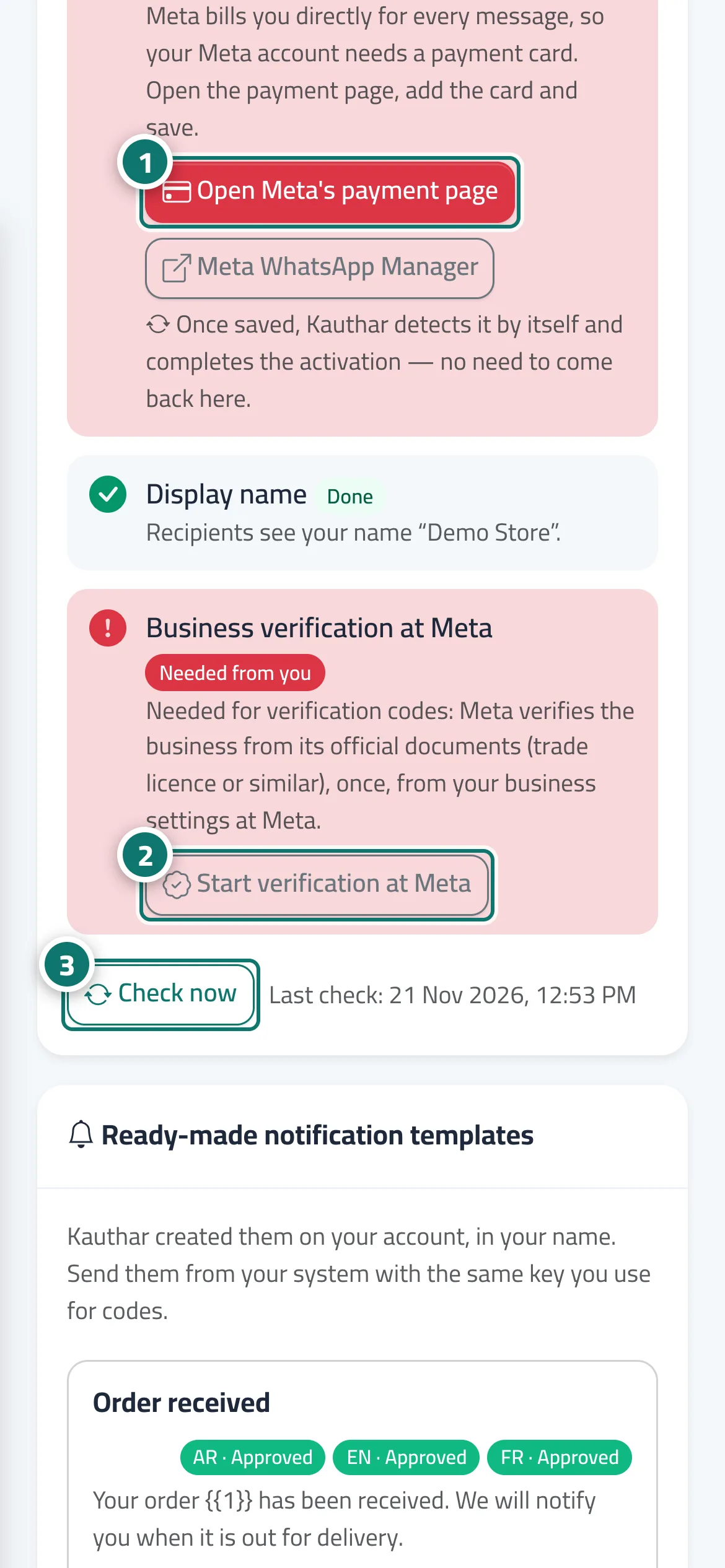
The WhatsApp activation page lists the setup steps of each connected number: the number itself, the verification-code template, the five ready-made notification templates (order received, order on the way, order delivered, appointment reminder, payment received), the payment method in Meta, the display name and Meta business verification. Kauthar creates the templates on your account and in your name, sends them to Meta for review, and re-checks every step on its own every few minutes. Each step shows its status: Done, In progress or Needs you. Usually only two steps need you: adding a payment card in your Meta account, because Meta bills you directly for messages, and verifying your business with Meta, which Meta requires before it approves a verification-code template. Each of these steps has a button that opens the right Meta page; once you save there, Kauthar notices on its own and carries on. When the number is ready you get a notification.
- Who can use it
- Business owner / manager with the OTP permission
- Where to find it
- Sidebar → WhatsApp Business → OTP verification → WhatsApp activation
Step by step#
- Connect your WhatsApp number from the WhatsApp numbers page, then open WhatsApp activation.
- If Payment method in Meta shows Needs you, click "Open Meta's payment page", add the card and save.
- If Business verification with Meta shows Needs you, click Start verification in Meta and upload your business's official documents.
- Click Check now to see the latest status at once, or wait for the notification that the number is ready.
Tips#
Good to know#
Frequently asked questions#
How long does template approval take?
Usually from a few minutes to a few hours. Kauthar follows the review on its own, and if Meta rejects a template you get a notification with the reason.
Who bills me for the messages?
Meta bills you directly for each message at its official price, using the card you added there. Subscribers on any plan pay no Kauthar fee per message.